CRF versioning
CRF stands for case report form, a document used in clinical trials to record accurate and consistent participant (subject) information during the trial. The purpose of a CRF is to systematically collect data on various aspects of the study, including the subject's demographics, treatment details, adverse events, and other relevant information.
As the trial evolves, new insights or challenges may emerge, requiring changes to the CRF. These modifications, especially after data collection has commenced in the EDC system, lead to what is known as versioning. This process involves adapting the CRF to new protocol requirements or data collection processes during the clinical trial.
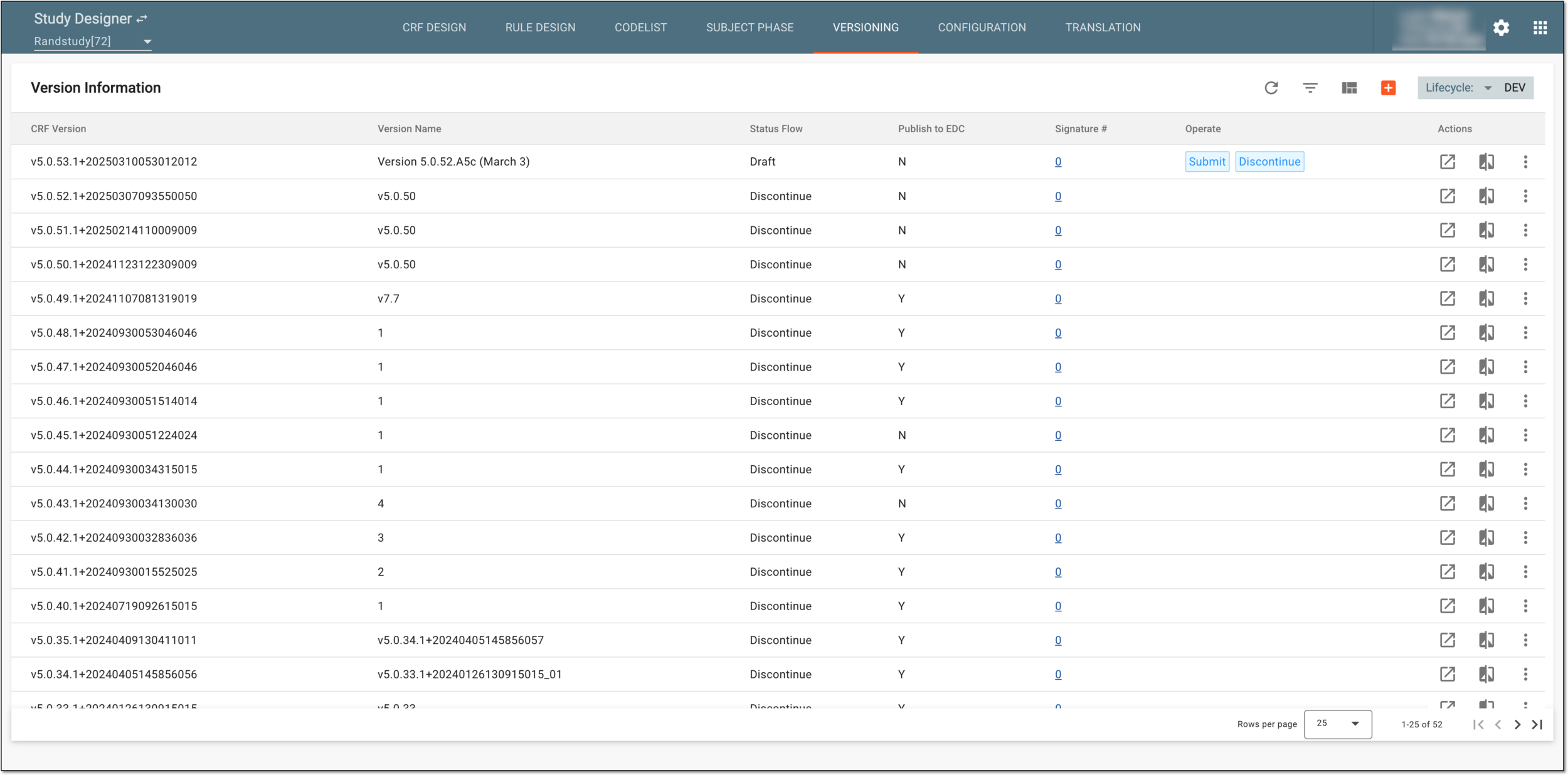
When the study is added to eClinical and basic information is entered in Study Designer, the very first CRF version is automatically generated. To work with this version, you can simply start doing CRF design by creating visits, adding new forms, defining dependencies, and so on.
Important
For hierarchical study design, where there is a master study and its substudies, it is vital to initialize the master study with its CRF version first and then proceed with the substudy. This allows the system to reference the CRF version and its domains and variables from the master study in the substudy.
Substudy version automatically references the corresponding master study version that is published to EDC in the same lifecycle—DEV, UAT, or PROD.
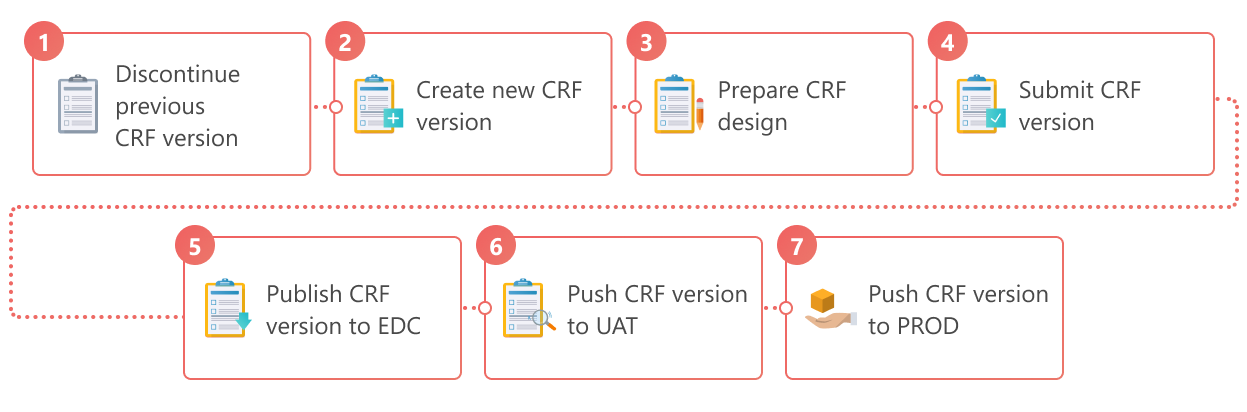
The detailed process of managing CRF versions and making the necessary ones being used for data collection is explained as follows.
-
Discontinue the current CRF version to remove it from active use and prevent further amendments to the CRF design.
-
Create a new CRF version basing its design on one of the previous versions. Skip this step if you are working with the first CRF version and it has the Draft status.
-
Introduce necessary modifications to visits and forms required for data collection.
-
Submit the CRF version after ensuring that all the needed changes have taken place.
-
Publish the CRF version to EDC if you want to verify how visits and forms are populated for subjects in the DEV lifecycle.
-
Push the CRF version to UAT and then publish it to EDC in the UAT lifecycle when you are ready to properly test this CRF version.
-
Push the CRF version to PROD and then publish it to EDC in the PROD lifecycle to complete the CRF version design process. In the PROD lifecycle, the published CRF version is used for the collection of real study data according to configured visits.
See also