Sign CRF version
A CRF stands for case report form, a document used in clinical trials to collect and record study data. As the trial evolves, new insights or challenges may emerge, requiring changes to the CRF. These modifications, especially after data collection has commenced in the EDC system, lead to what is known as versioning. This process involves adapting the CRF to new protocol requirements or data collection processes during the clinical trial.
When maintaining CRF versions, you can sign them in any lifecycle before data collection begins. Signatures are often required to formally approve the CRF design and verify its suitability for the upcoming data collection phase. Typically, the principal investigator, clinical trial manager, or regulatory affairs specialist is responsible for signing the CRF version, thus confirming its compliance with protocol specifications and regulatory guidelines.
Tip
If the signature is no longer required due to protocol amendments, the previously signed CRF version can be unsigned.
-
In the Study Designer application header, select the VERSIONING tab.
 Figure 1. Accessing CRF versions
-
From the workspace toolbar of the Version Information table that appears, select the needed lifecycle and role.
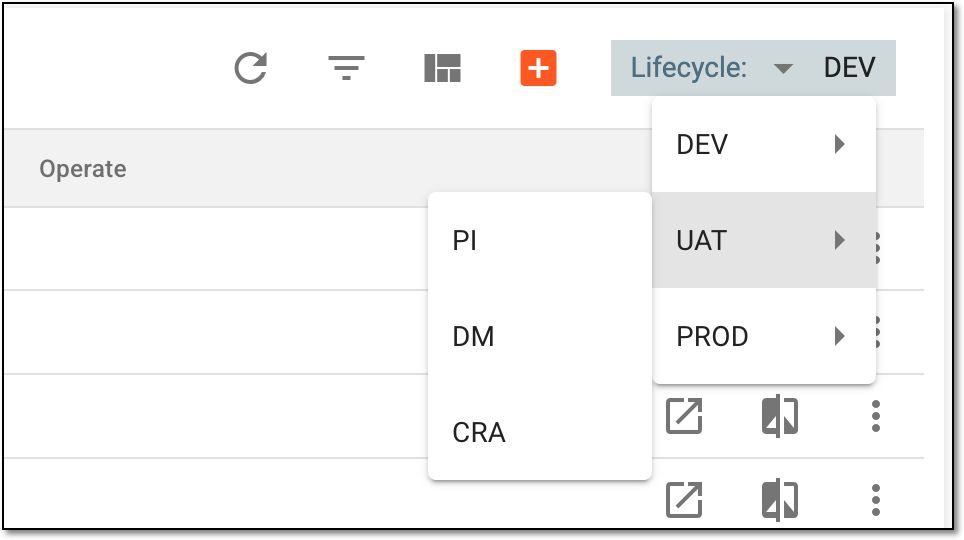 Figure 2. Selecting lifecycle and role
-
In the Version Information table, next to the active CRF version, select
 .
.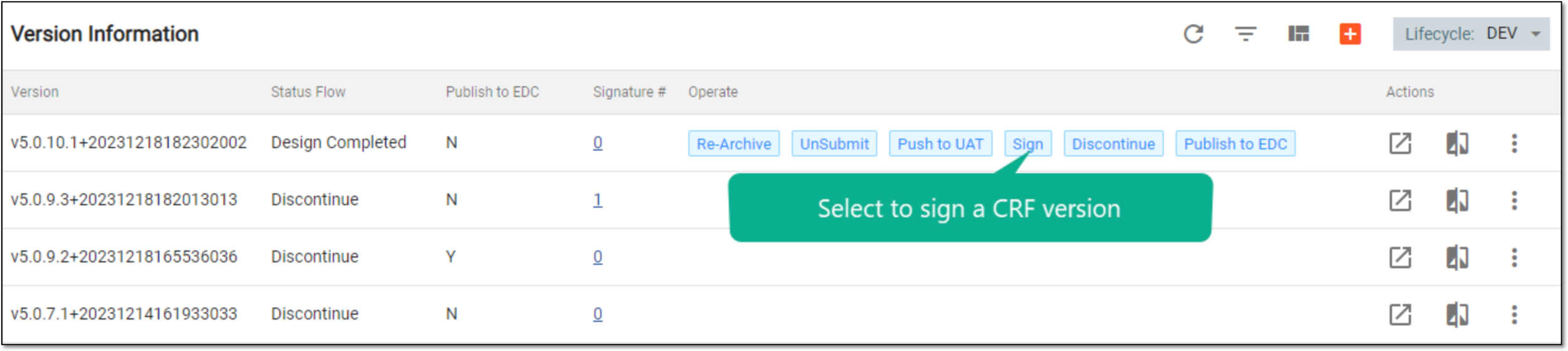 Figure 3. Selecting to sign CRF version
Important
You can only sign a submitted CRF version.
-
In the dialog that appears, enter your user credentials in the corresponding fields, and then select
 .
.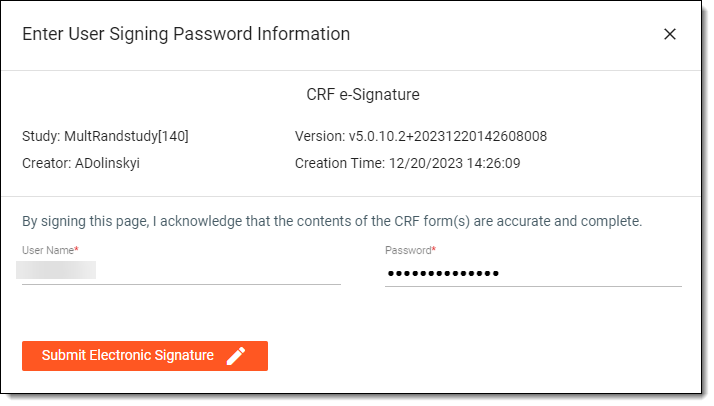 Figure 4. Signing CRF version
Once submitted, the CRF version is signed.