Submit CRF version
A CRF stands for case report form, a document used in clinical trials to collect and record study data. As the trial evolves, new insights or challenges may emerge, requiring changes to the CRF. These modifications, especially after data collection has commenced in the EDC system, lead to what is known as versioning. This process involves adapting the CRF to new protocol requirements or data collection processes during the clinical trial.
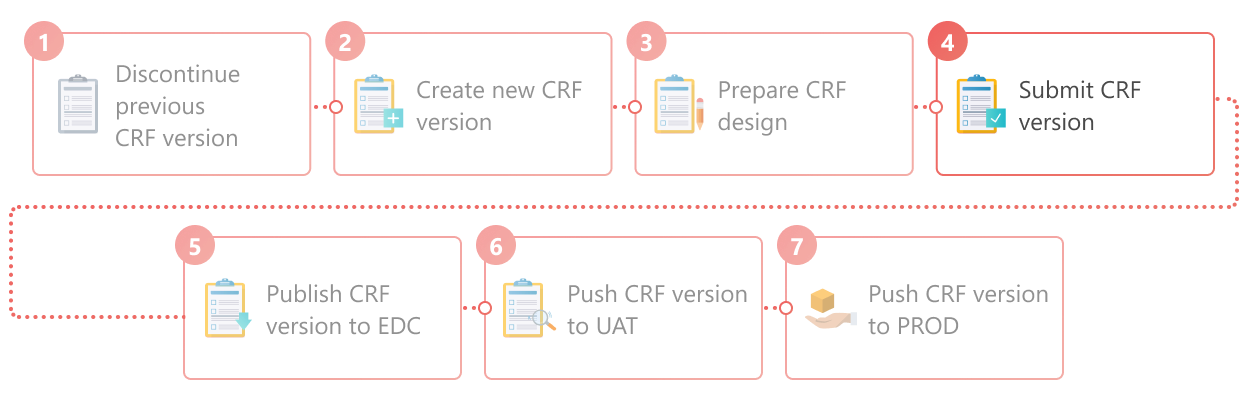
When maintaining CRF versions, you can submit the latest one that has the Draft status. This feature implies finalizing the most recent version of a CRF after the necessary configurations are implemented. The CRF version is usually submitted after the CRF design has been completed, including:
-
All the required visit structuring and form configuration are finalized.
-
The study is associated with arms.
-
The subject phase flow is properly composed.
-
In the Study Designer application header, select the VERSIONING tab.
 Figure 2. Accessing CRF versions
-
In the Version Information table that appears, next to the draft CRF version, select
 .
.Important
When submitting a CRF version for a substudy, the system references the master study CRF version and checks if any variables have been deleted that can influence form and visit dependencies. If indeed, then the error message prompts you to address the inconsistencies otherwise you cannot submit the version.
 Figure 3. Selecting to submit CRF version
-
In the confirmation dialog that appears, select
 to confirm that the necessary settings are in place and this CRF version is ready for data collection.
 Figure 4. Confirming CRF version submission
-
In the Submit dialog that appears, enter a comment for submitting the CRF version, and then select
 .
.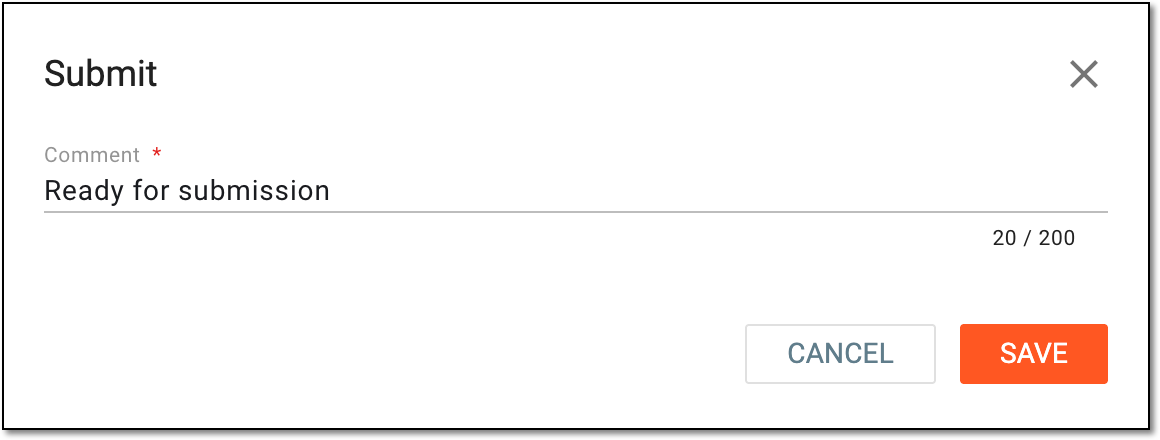 Figure 5. Submitting CRF version
Once saved, the CRF version is submitted. You can now publish this version to EDC to be used for the collection of study data.
After a CRF version is submitted, it becomes locked, preventing further updates to its design, rules configuration, codelist management, and subject phase composition under respective tabs of the Study Designer application.