Form configuration
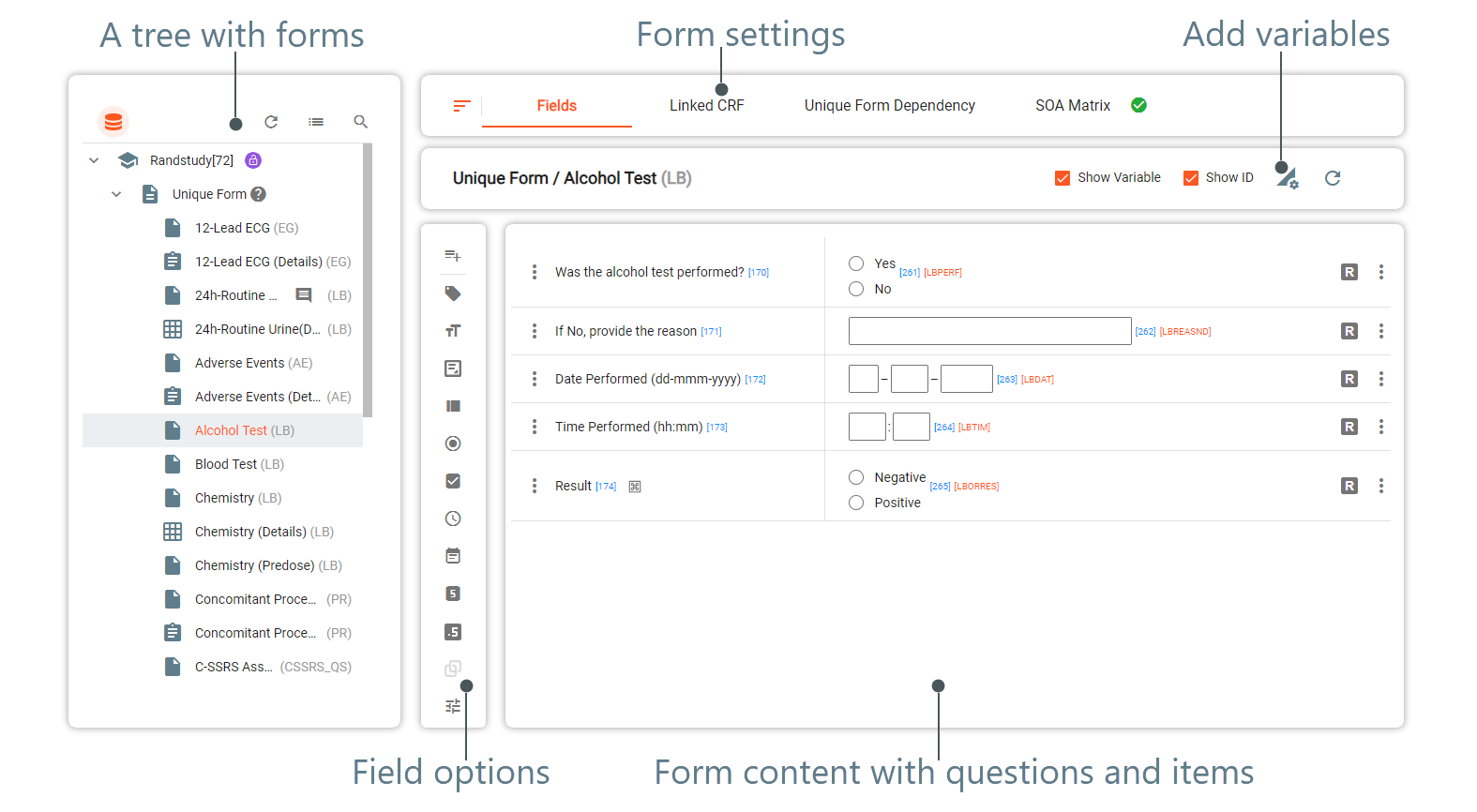
The Study Designer application enables study teams to configure case report forms (CRFs) for clinical trial visits with a variety of tools. These tools provide a user-friendly interface to design and customize CRFs according to the specific study requirements. The following list offers a quick overview of tool elements that you can use to maintain forms:
-
Fields update: maintain questions and items within forms with available tools. There are various form field options such as text fields, checkboxes, dropdown menus, date pickers, and more. You can place these fields on the form canvas and arrange them as needed. Or you can add the needed CDASH variables to the form and the system will autogenerate questions and items according to the data type of each selected variable.
Tip
A question refers to a sentence or phrase that seeks information or clarification about a specific topic related to the subject. An item refers to a field within the form corresponding to a particular question that needs to be recorded for analysis and reporting purposes. For example, a question can be "Gender" and items for this question can be a listbox with "Female" and "Male" responses.
-
Edit checks and validation: define edit checks and validation rules to help ensure data quality and adherence to protocol requirements. The edit checks and validation rules can be applied to each separate item, which enables flexibility in terms of form configuration and management.
-
Skip logic and dependencies: configure dependencies between forms as Study Designer provides skip logic functionality. You can define skip patterns based on previous responses. For example, you can specify that certain forms are only displayed or required if specific conditions are met or certain visits have occurred. This feature helps streamline data collection and ensures that only relevant forms are presented to users.
-
Other form settings: configure additional various aspects of forms including form relations, form dispensing settings, SOA matrix, and more with various tools of Study Designer.