Delete cycle group
When designing a CRF, it may occur that some of the previously added cycle groups are no longer required to be a part of the study due to updates in the protocol or new sponsor requirements. Such cycle groups can be permanently deleted from your study design.
Important
Once the CRF version is published to EDC and subject data is entered in some cycle visit forms, the deletion of a corresponding cycle group results in data loss.
-
In the Study Designer application header, select the CRF DESIGN tab.
-
In the toolbar, select the latest draft CRF version marked with the respective unlock symbol
 , otherwise, you cannot perform any actions.
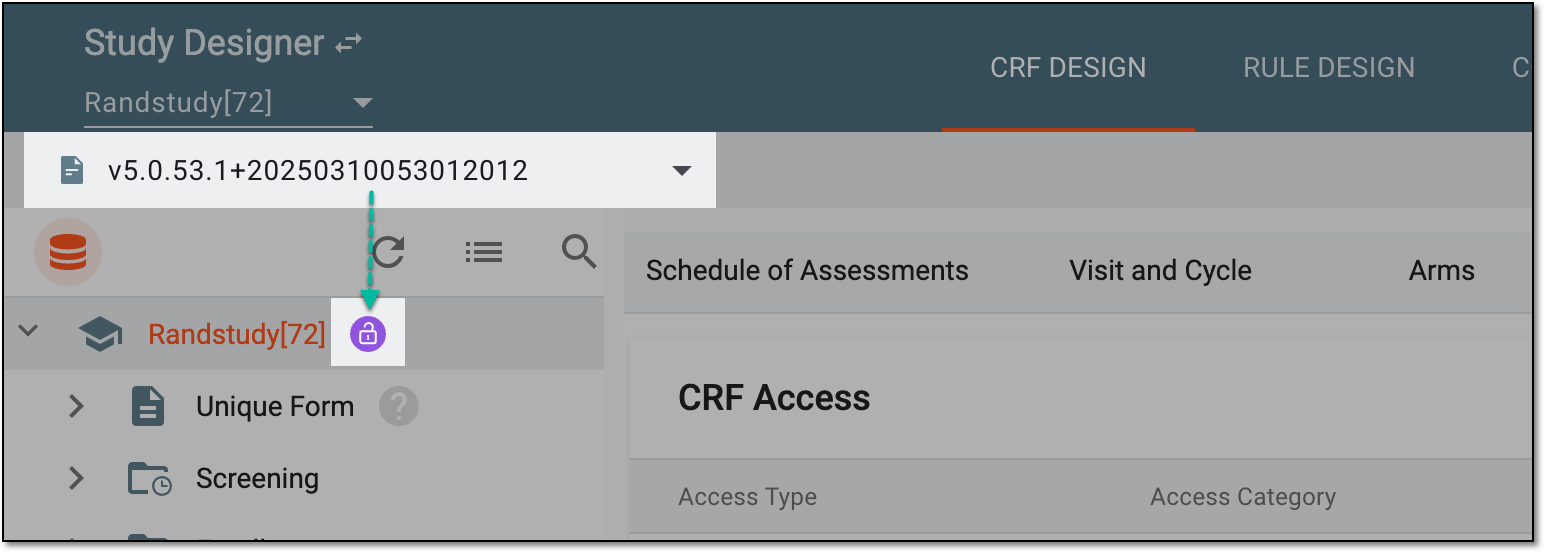 Figure 1. Selecting latest draft CRF version
-
In the left pane that appears, right-click the cycle group that you want to delete.
-
In the context menu that opens, select Delete
 .
.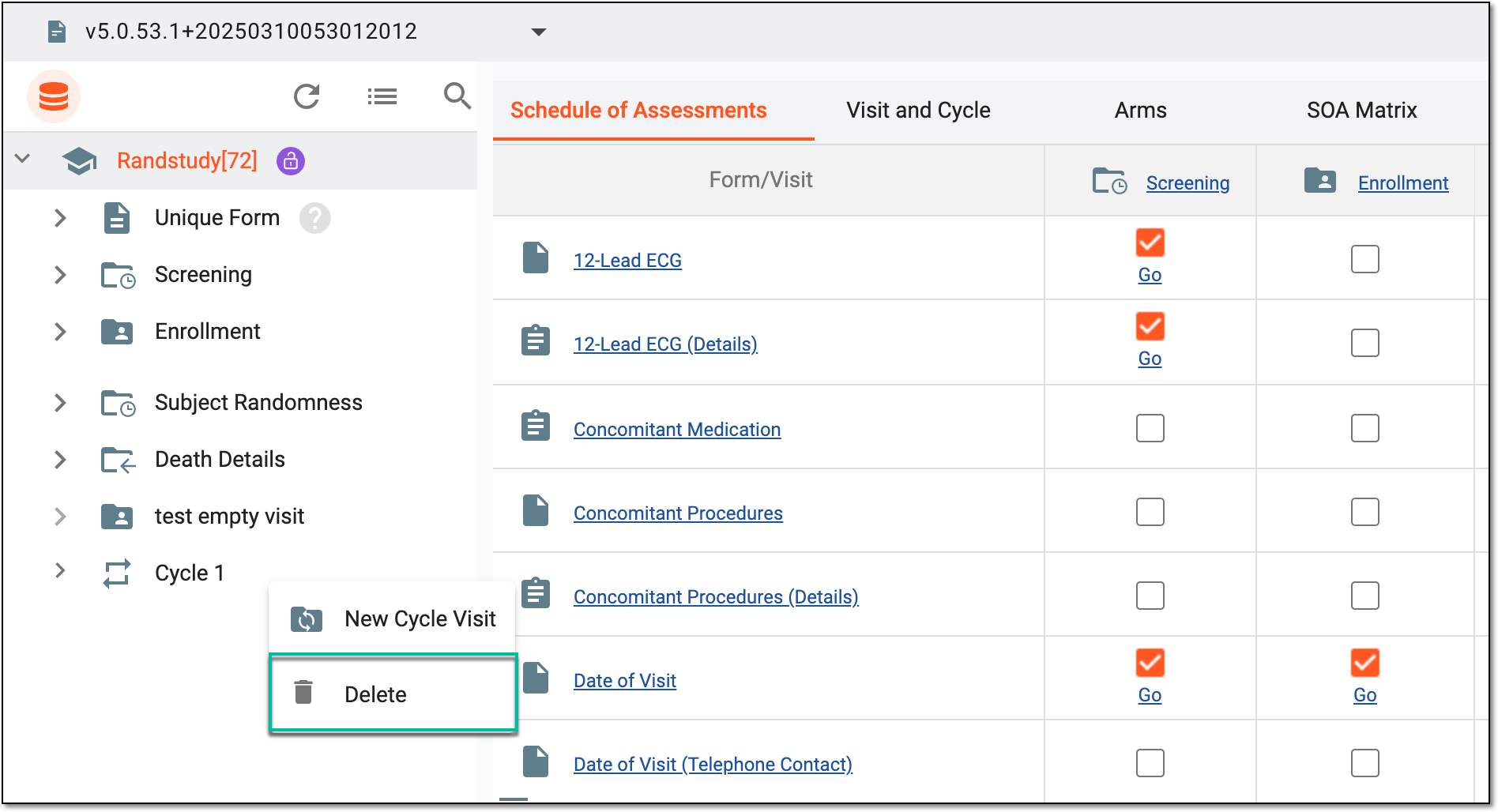 Figure 2. Selecting to delete cycle group
-
In the confirmation dialog that appears, select
 .
.Important
By deleting a cycle group, you delete all the cycle visits that belong to it.
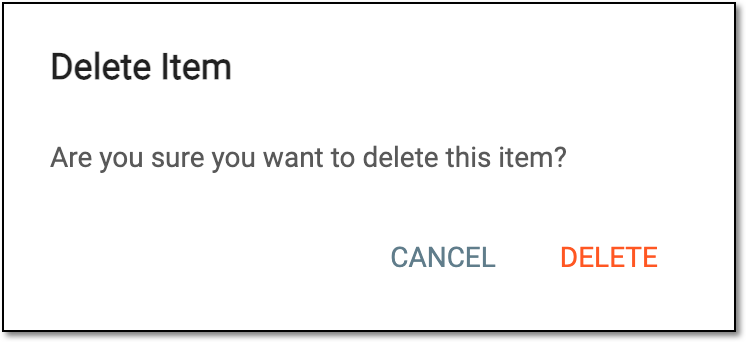 Figure 3. Confirming cycle group deletion
-
In another notification dialog that appears, select
 to confirm your decision since the cycle group deletion operation may result in subject data loss in the EDC system.
 Figure 4. Confirming cycle group deletion may result in data loss
Once confirmed, the cycle group is deleted from the study.