Associate cycle with visits and forms
A cycle refers to the planned sequence of treatments and recovery periods that participants undergo during the study. Each cycle is related to a series of visits during which the tests are performed, treatment is given, and data is collected from subjects. In study designer, you need to associate every newly added cycle within the defined cycle group with specific visits and forms.
The association of visit forms with cycles establishes the relation and then, when the CRF version is pushed to the EDC application, it is known during what cycle visits which specific forms must be completed.
For example, there is a Screening visit associated with ten different forms in Study Designer. However, you need only seven of these forms to be completed by subjects within the first cycle and the other three forms during the second and third cycles. You can do such a configuration in Study Designer utilizing the cycle visit forms association.
Important
Before associating visit forms with cycles, make sure to do the following:
-
In the Study Designer application header, select the CRF DESIGN tab.
-
In the toolbar, select the latest draft CRF version marked with the respective unlock symbol
 , otherwise, you cannot perform any actions.
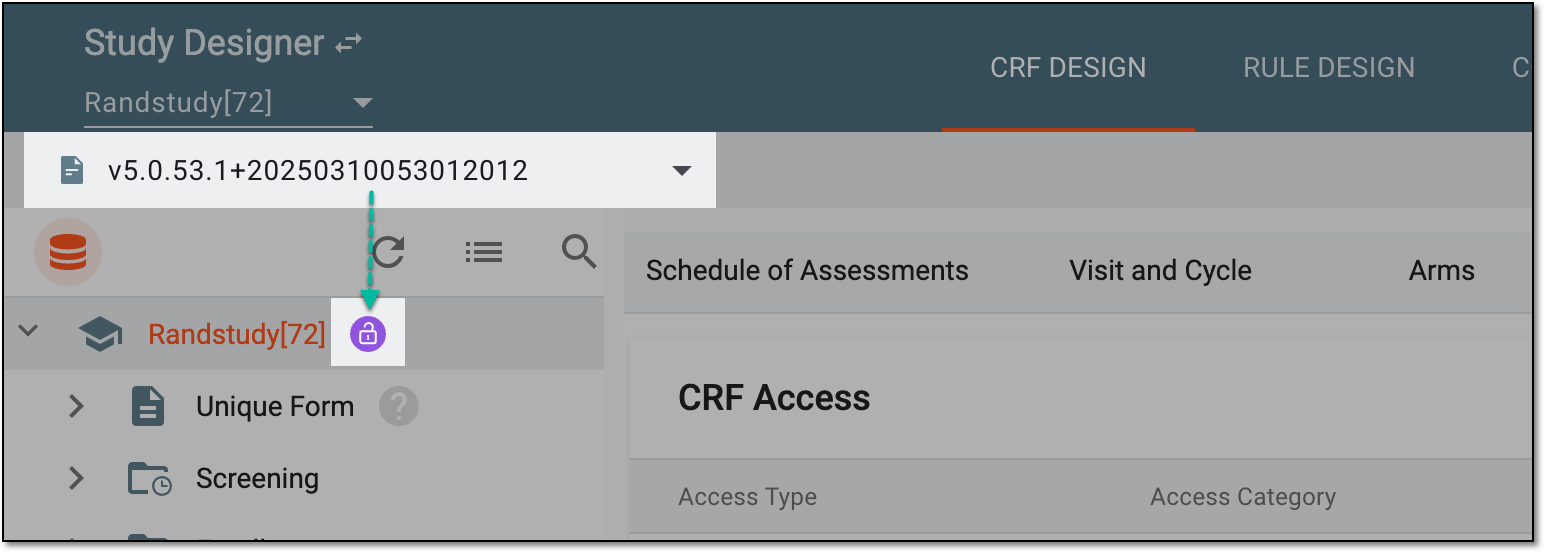 Figure 1. Selecting latest draft CRF version
-
In the left pane that appears, select the needed cycle group.
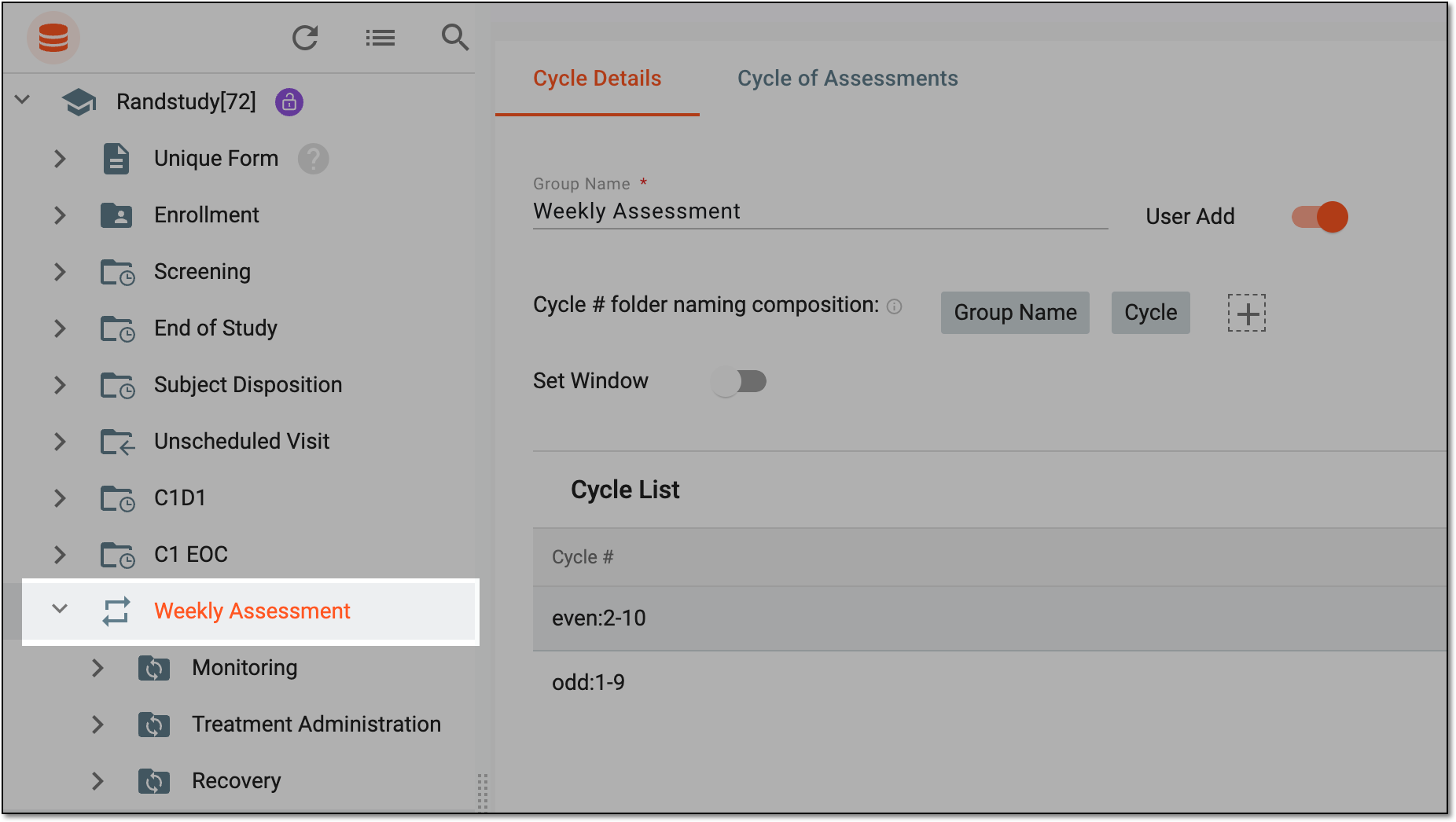 Figure 2. Accessing cycle details configuration
-
Under the Cycle Details tab that appears, in the Cycle List table, select the cycle number or range that needs to be associated with the specific set of visit forms.
-
Then in the Cycle Visit List panel, expand the needed visits and select the checkboxes next to the forms that need to be associated with the selected cycle number or range. You can also select specific visits with all their forms.
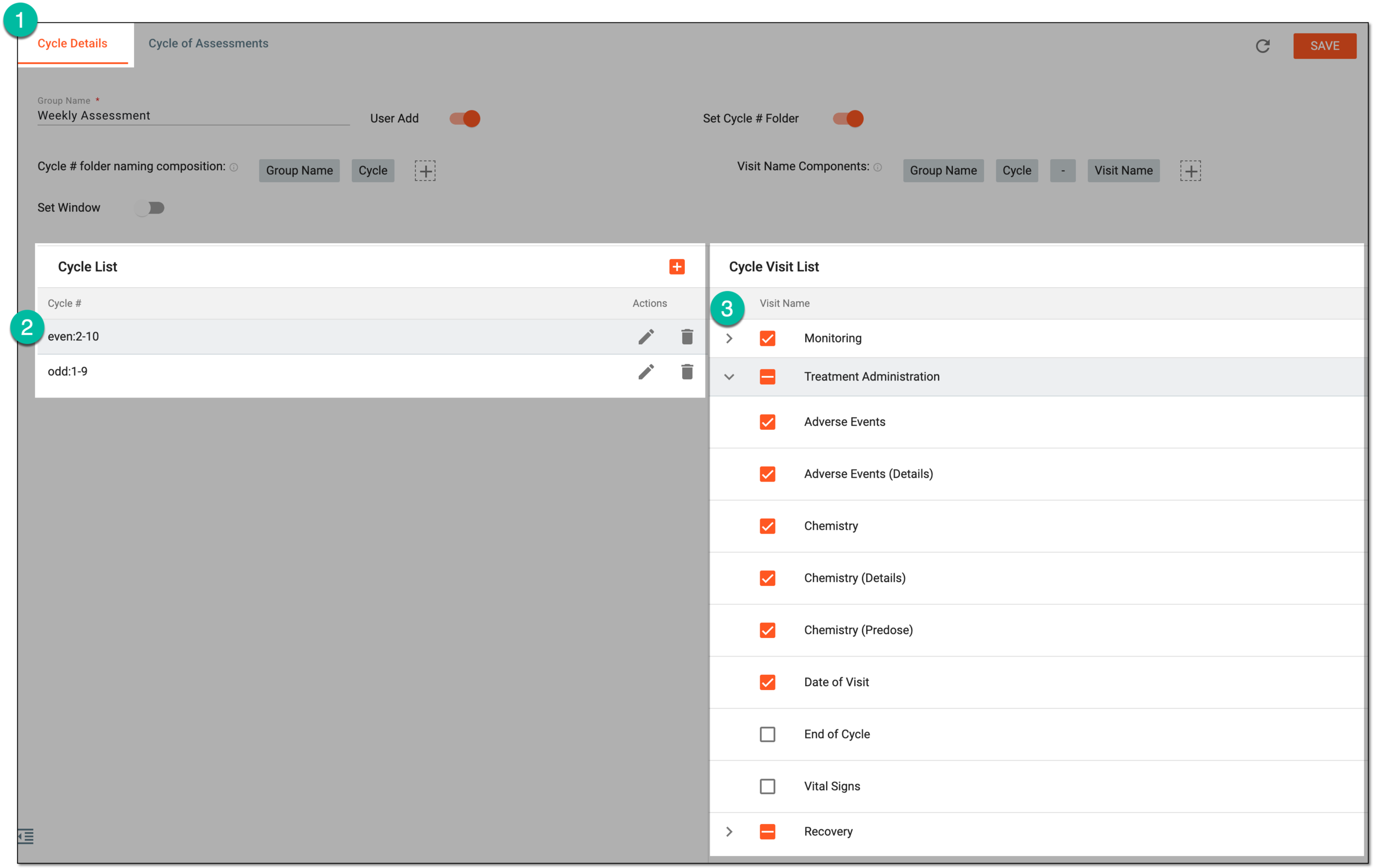 Figure 3. Associating cycle with visits and forms
-
From the workspace toolbar page, select
 to update the configured association.
Once saved, the cycles are now associated with specific visits and forms.