Add new visit
A visit refers to a scheduled appointment or meeting between a participant and the study team, usually at the trial site or designated healthcare facility. Visits play a crucial role in clinical trials by facilitating subject monitoring, data collection, treatment administration, adverse event reporting, and ensuring adherence to the protocol.
When first designing the study or introducing changes to suit the protocol changes, you can add new visits directly to the study or to the necessary cycle groups and visit folders.
Important
For master study and its substudies, you need to create the visits individually, they are not inherited from the master study to its substudies.
-
In the Study Designer application header, select the CRF DESIGN tab.
-
In the toolbar, select the latest draft CRF version marked with the respective unlock symbol
 , otherwise, you cannot perform any actions.
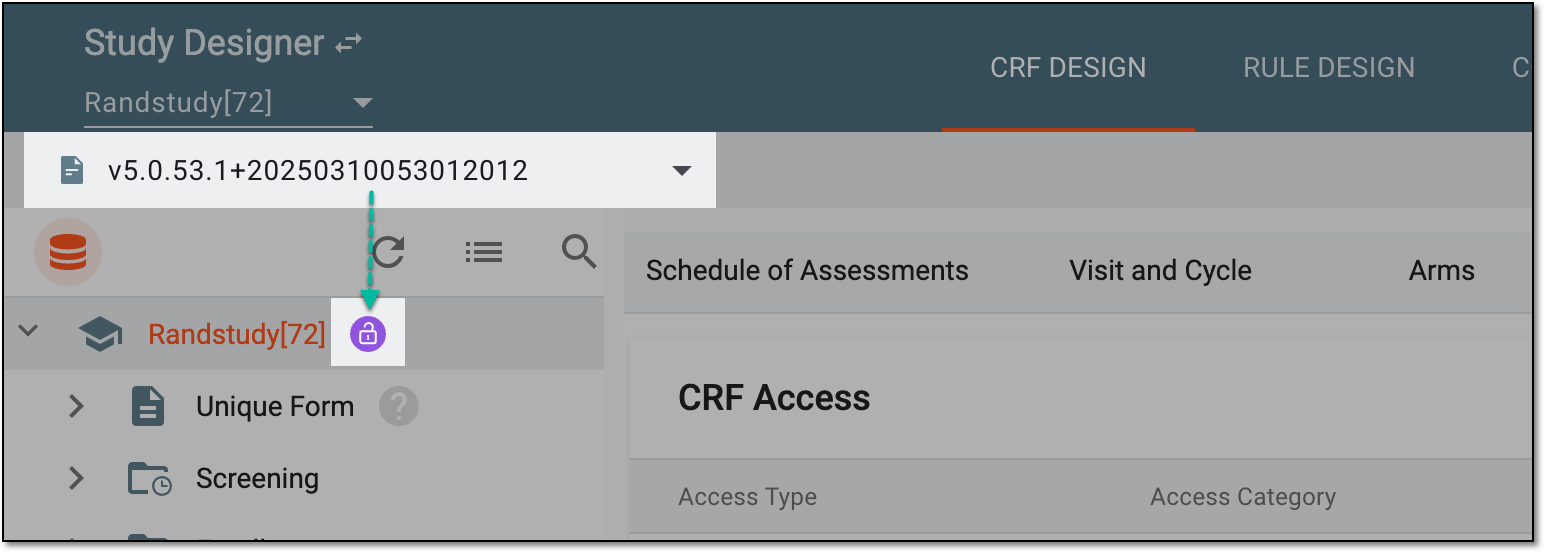 Figure 1. Selecting latest draft CRF version
-
In the left pane, right click snd select one of the following entities:
-
Study name
 and then click
  .
. -
Cycle group
 and then click
  .
. -
Visit folder
 and then click
  .
.
-
-
In the context menu that opens, select one of the following options:
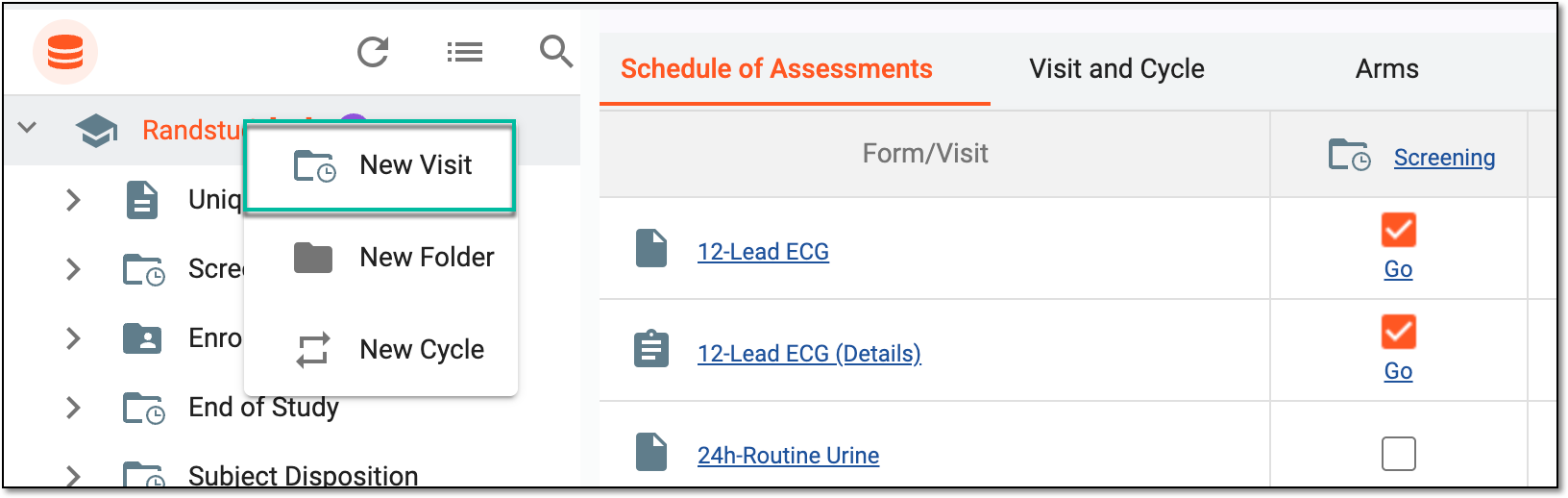 Figure 2. Adding new visit to study
-
In the Add Visit panel that expands, fill in the form as explained in the following table.
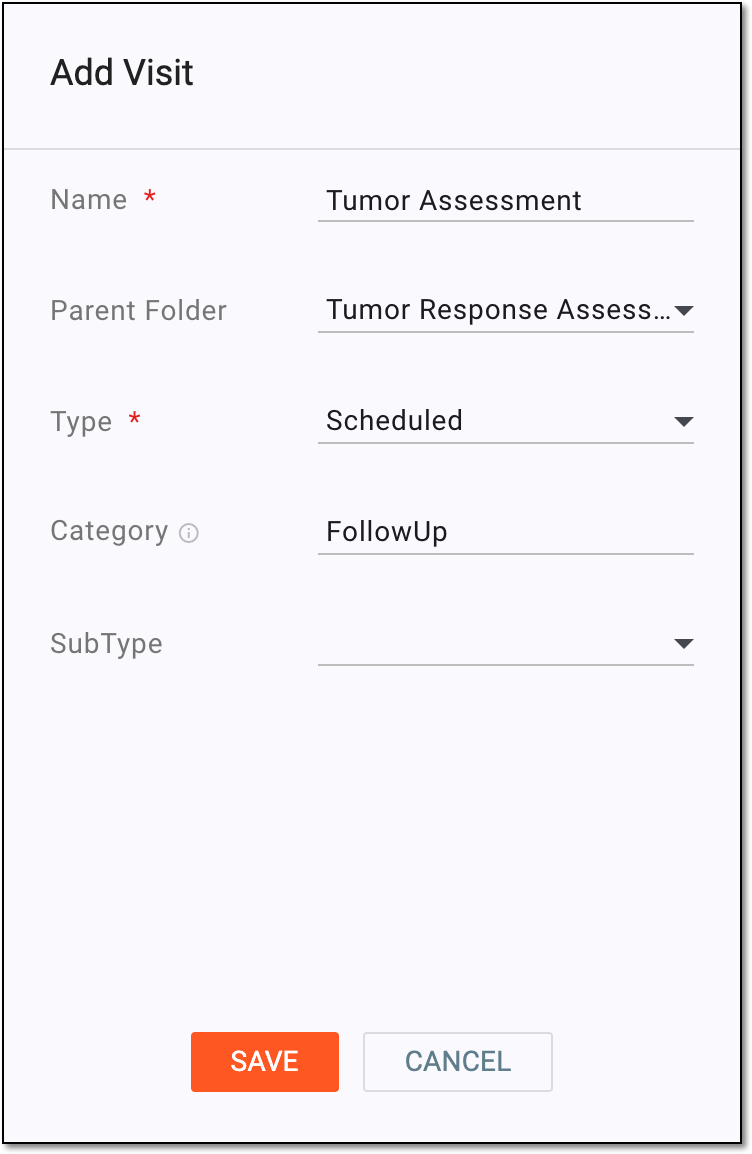 Figure 3. Adding new visit
Tip
In the following table, mandatory elements are marked with an asterisk (*).
Element
Details
Name*
Represents a unique name for the created visit.
Cycle
Represents the cycle group name to which the visit is added considering the fact that the visit is being added to the cycle group. This field is always inactive.
Parent Folder
Here you can select the folder where the visit can be added. Ignore this field if you want to add a visit directly to the study.
Type*
From the dropdown list, select one of the following visit types:
Category
From the dropdown list, select one of the following categories: Screening, PreTreatment, Treatment, or FollowUp depending on what best describes the purpose of the created visit. You can also enter the custom category if needed.
# of repeat visits*
Represents the number of times the unscheduled visit needs to be repeated. The maximum number that can be entered here is 100. This field is available only if the Unscheduled visit type has been selected previously.
User Added
Switch this toggle on if you want to enable the functionality to manually add unscheduled visits in EDC.
If turned off, EDC users cannot create new unscheduled visits for their subjects.
This field is available only if the Unscheduled visit type is selected
                                  previously.
SubType
Select one of the following subtypes if applicable to the created visit:
SAVE
Select
 to create the visit.
CANCEL
Select
 to cancel the visit creation process.
Once saved, the visit is added to the study, cycle, or folder. You now need to assign forms to this visit.