Add new cycle to group
A cycle refers to the planned sequence of treatments and recovery periods that participants undergo during the study.
Important
In Study Designer, the cycles can be added only within the previously added cycle group.
-
In the Study Designer application header, select the CRF DESIGN tab.
-
In the toolbar, select the latest draft CRF version marked with the respective unlock symbol
 , otherwise, you cannot perform any actions.
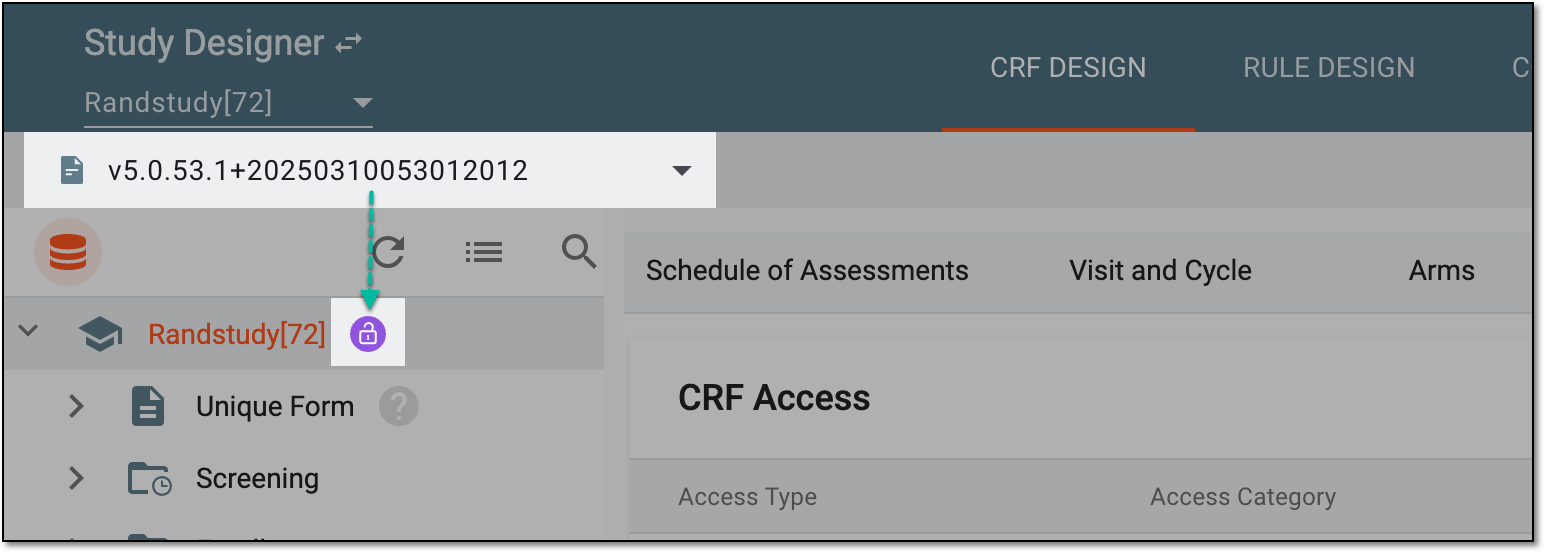 Figure 1. Selecting latest draft CRF version
-
In the left pane that appears, select the needed cycle group.
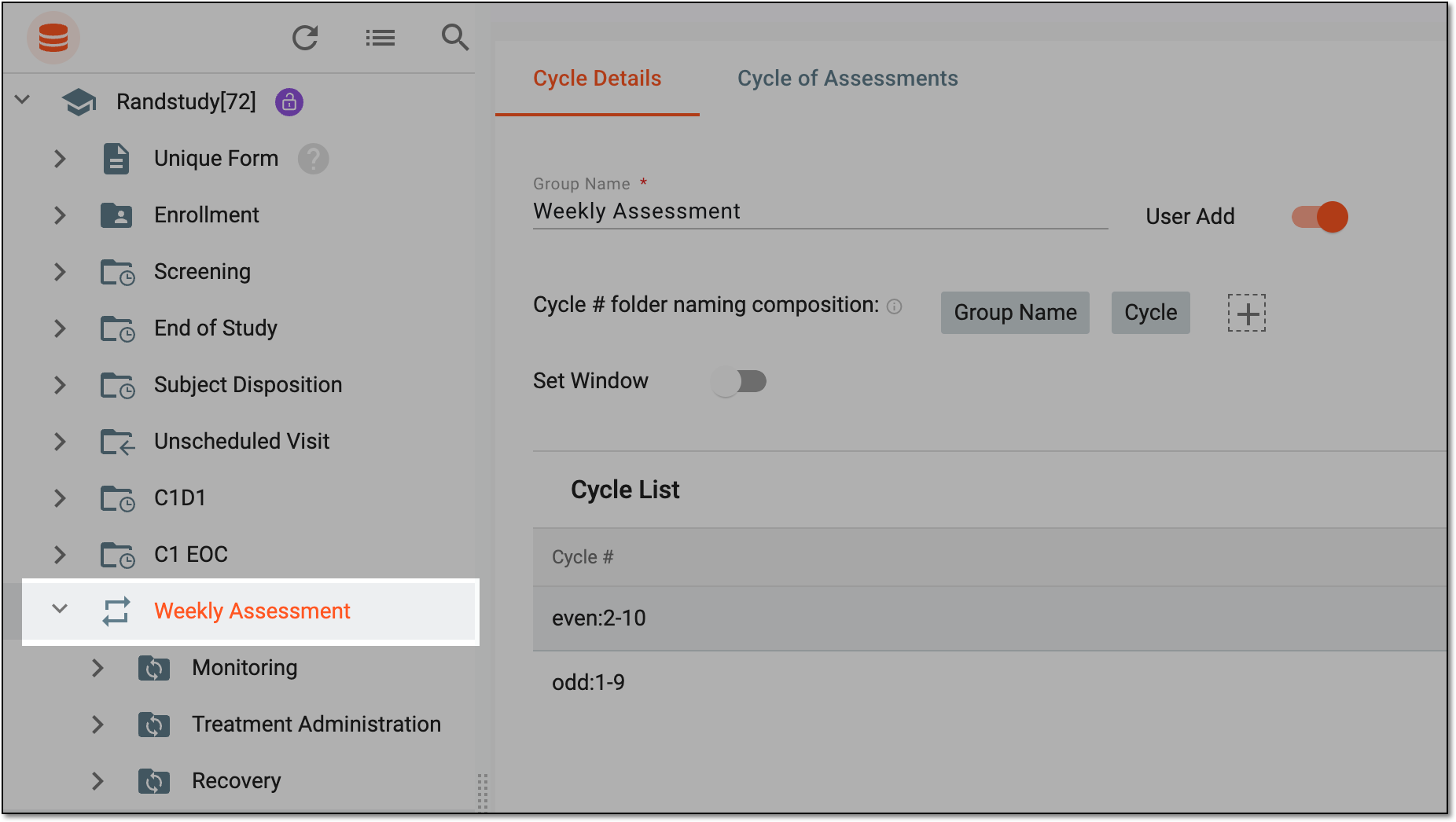 Figure 2. Accessing cycle details configuration
-
Under the Cycle Details tab that opens,
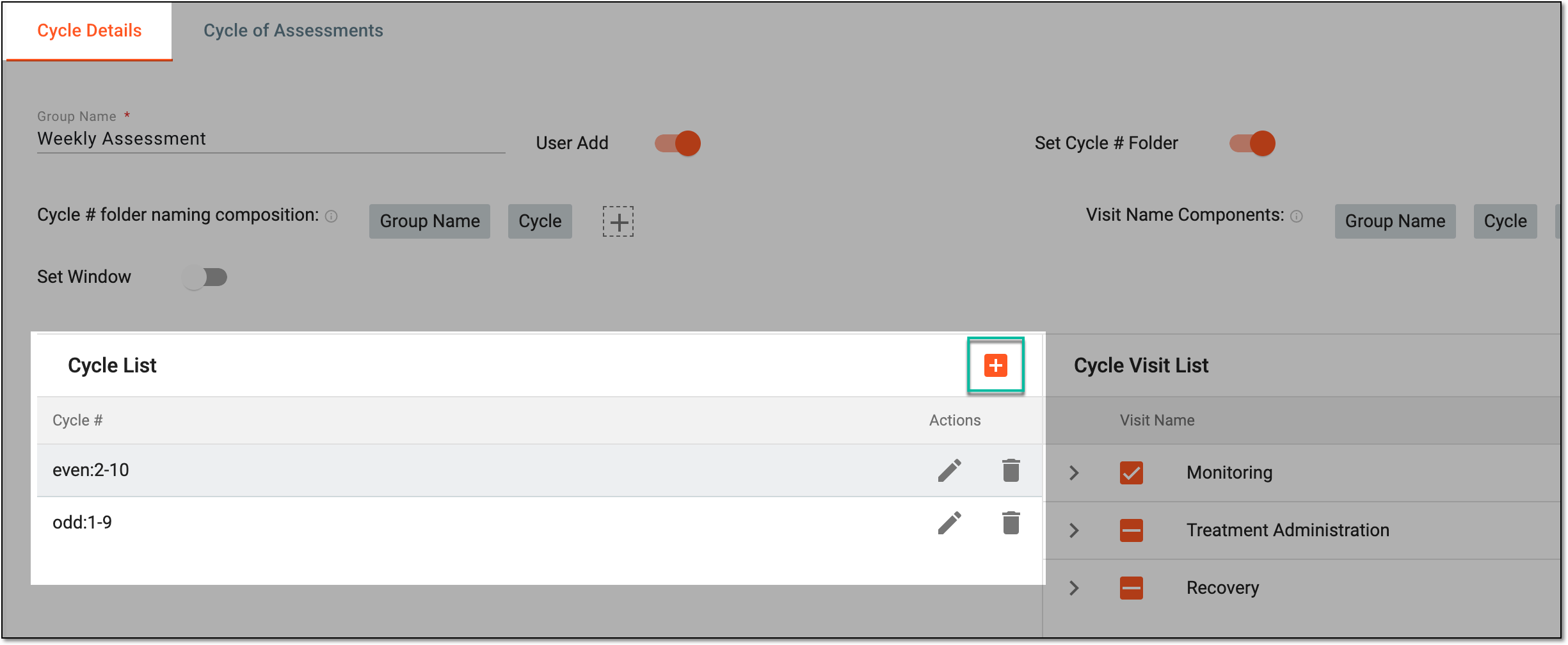 Figure 3. Selecting to add cycle to group
-
In the New Cycle # dialog that appears, fill in the form as explained in the following table.
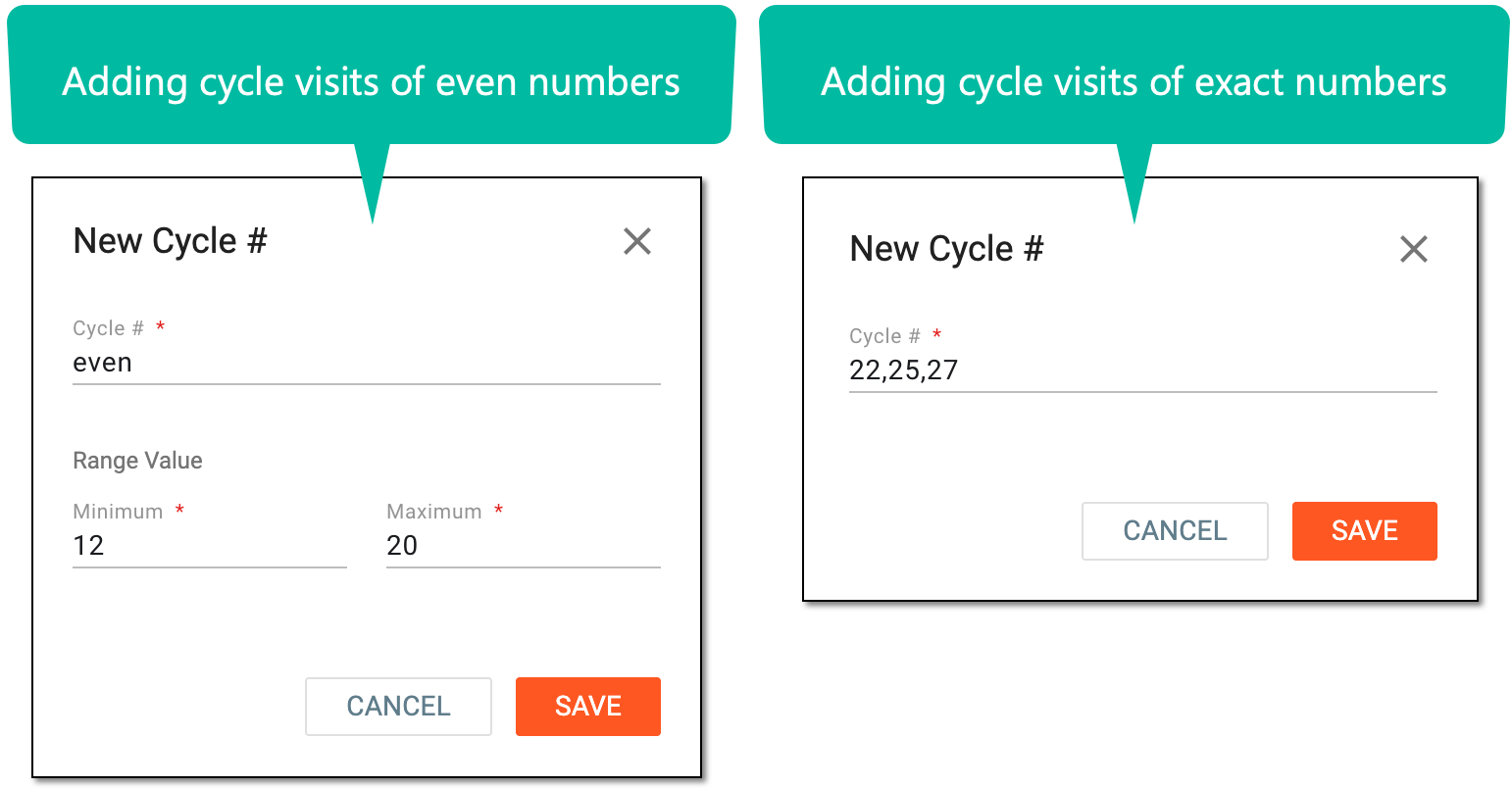 Figure 4. Adding new cycle to group
Tip
In the following table, mandatory elements are marked with an asterisk (*).
Element
Details
Cycle #*
Enter cycle numbers in one of the following two ways:
-
Select the Even or Odd option from the dropdown list in order to define the minimum and maximum range values.
-
Enter manually the specific list of visit numbers in a cycle either separating them with comma (for example, 1,8,9) or hyphen (for example, 5-9, meaning the cycle numbers are related to all visits between the entered range).
Note that you cannot enter numbers that are already included in the range of another created cycle range.For example, if you have cycle number "6" created, you can no longer create another cycle range with the Even option where the minimum value is "2" and the maximum is "8" since cycle number "6" will be overlapping.
Range Value*
If you have selected the Even or Odd option in the Cycle # field, specify the minimum and maximum visit number for the created cycle range as has been explained before.
For example, if the Odd option is selected and the minimum value is "1," whereas the maximum value is "7," then the created cycle range will be related to visits 1, 3, 5, and 7.
SAVE
Select
 to add the cycle or cycle range.
CANCEL
Select
 to cancel the cycle creation process.
 -
Once saved, the new cycle is added to the group. You can now associate it with the specific visits and forms.