Add cycle group
A cycle refers to the planned sequence of treatments and recovery periods that participants undergo during the study. In Study Designer, the cycles can be added only within the dedicated cycle groups that need to be created first.
Important
For master study and its substudies, you need to create the cycle groups and cycles individually, they are not inherited from the master study to its substudies.
-
In the Study Designer application header, select the CRF DESIGN tab.
-
In the toolbar, select the latest draft CRF version marked with the respective unlock symbol
 , otherwise, you cannot perform any actions.
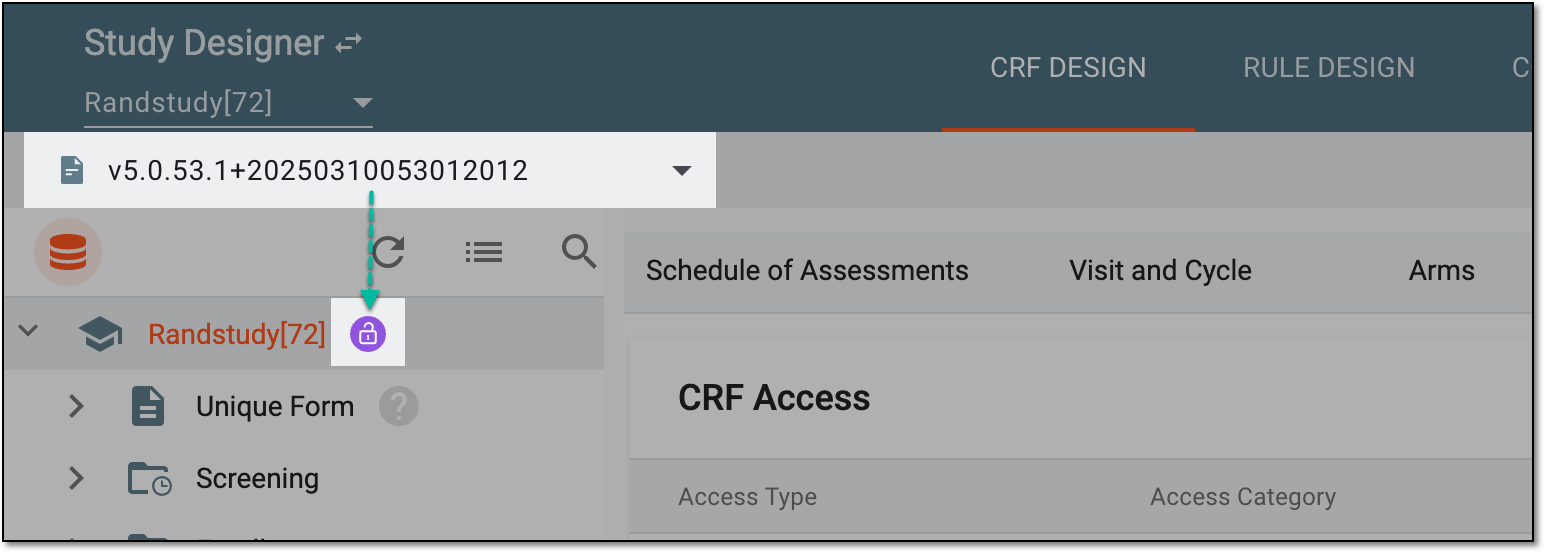 Figure 1. Selecting latest draft CRF version
-
In the left pane that appears, right-click the study name and in the context menu that opens, select New Cycle
 .
.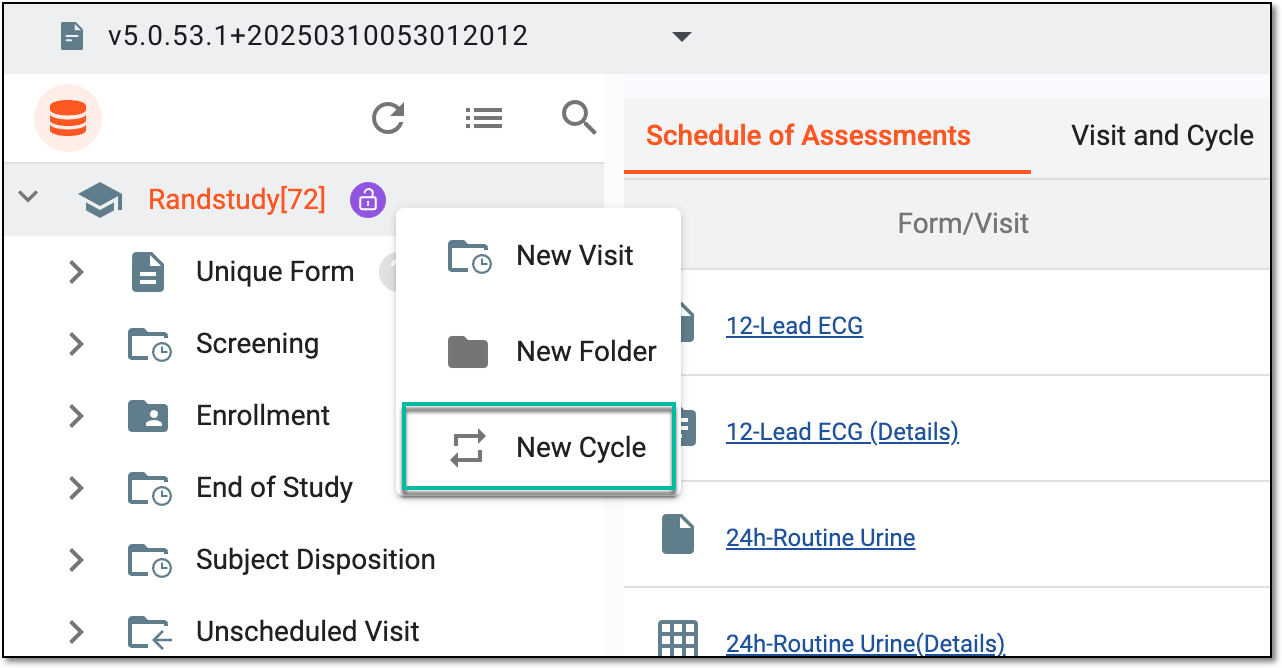 Figure 2. Selecting to add new cycle group
-
In the Add dialog that appears, enter a unique group name for the created cycle.
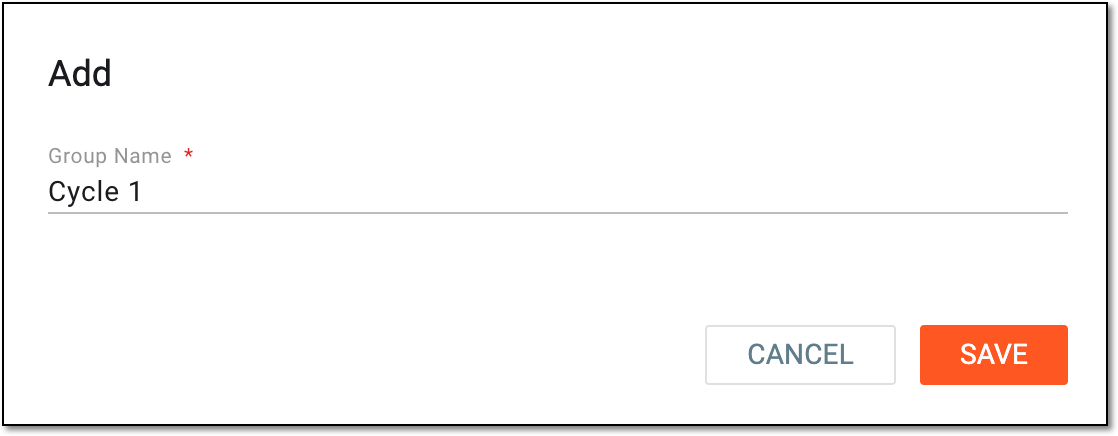 Figure 3. Adding cycle group to study
-
Select
 to add a new cycle group to your study.
Once saved, the cycle group is added to the study. You now need to define cycle of assessment and define cycle group details.