Rule design
The Study Designer application contains the list of all system functions, dependency rules, and edit checks that are used for the configuration of a CRF under the RULE DESIGN tab. The rules and edit checks are set up using the SAS language syntax to define conditions for forms, questions, and items. This configuration is designed to optimize the data capture process within EDC, ensuring that each subject assessment is streamlined to collect only essential information, thereby enhancing data quality and study integrity.
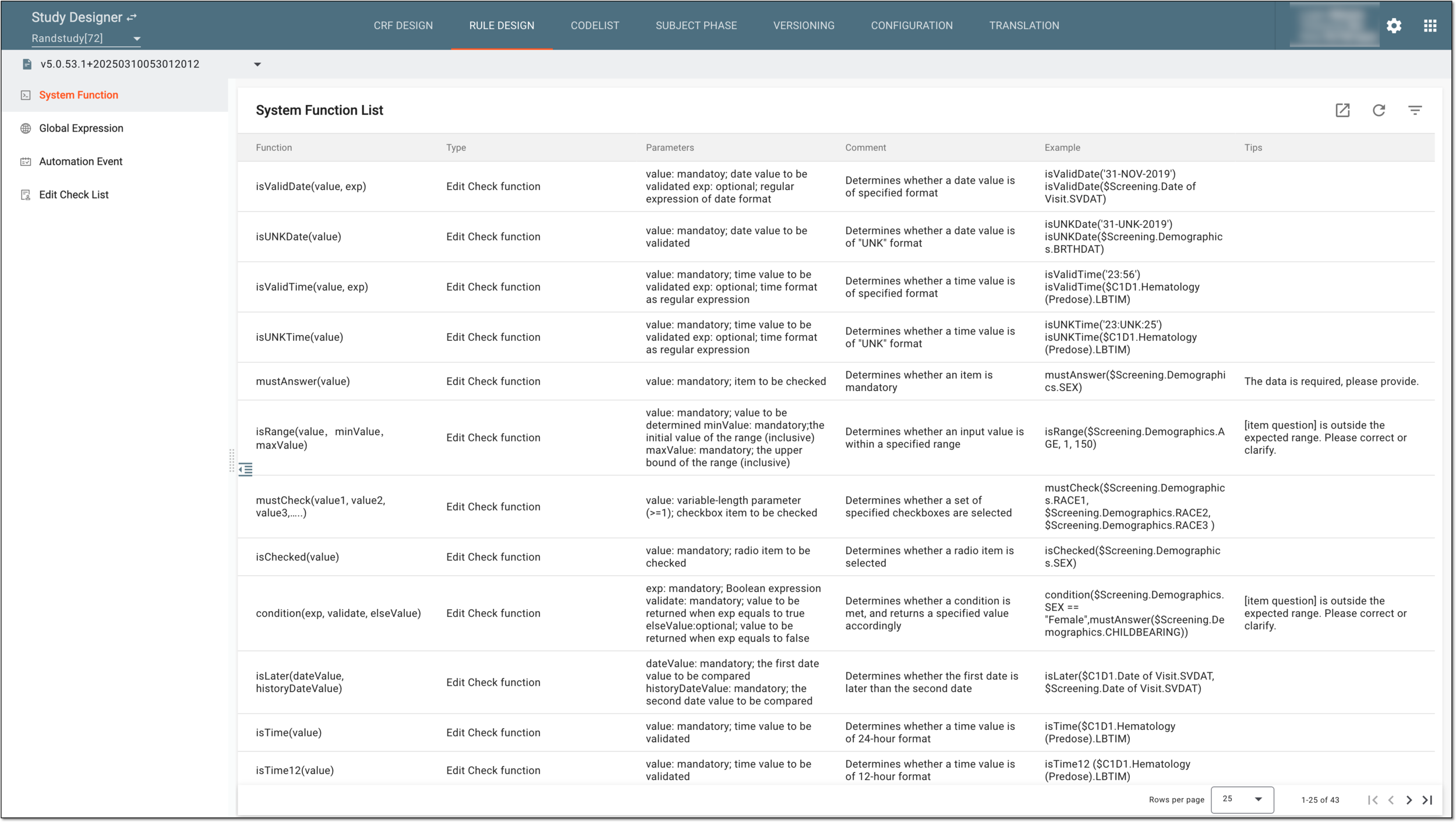
The RULE DESIGN tab is organized into several distinct subtabs, each serving as a repository for a specific set of configuration entities that have been tailored to various aspects of the study design. These subtabs are as follows:
-
System Function: includes the array of preconfigured system functions that can be used during the creation of dependencies or edit checks across different forms.
-
Global Expression: includes the collection of validation rule expressions that you can maintain and reference across various forms during the CRF design.
-
Automation Event: includes the collection of dependency rules that you can maintain and use across the CRF.
-
Edit Check List: includes the list of all edit checks that have been configured across different forms during the CRF design.