Global expression
When configuring visits, you can add validation rules or edit checks to question items or dependencies to forms. Validation rules and edit checks help ensure that the data entered into the form is accurate and consistent, thus preventing the inclusion of invalid values. Moreover, by adding validation rules, you can enforce adherence to the protocol requirements, ensuring that data is collected in a standardized and consistent manner.
Tip
A validation rule is a criterion or constraint applied to data to ensure its accuracy, consistency, and compliance with predefined standards or requirements. It defines the acceptable values, formats, ranges, or logical relationships for specific data fields.
An edit check is a predefined condition or set of conditions that the data must satisfy. If the data fails to meet the specified conditions, a query is generated for the corresponding fields in EDC. Edit checks are generally associated with real-time data validation during data entry.
In the Study Designer application, you can create customized rule-related expressions that can be maintained and then reused across various forms during the CRF design. The list of expressions varies from study to study as this depends on protocol requirements and data collection procedures.
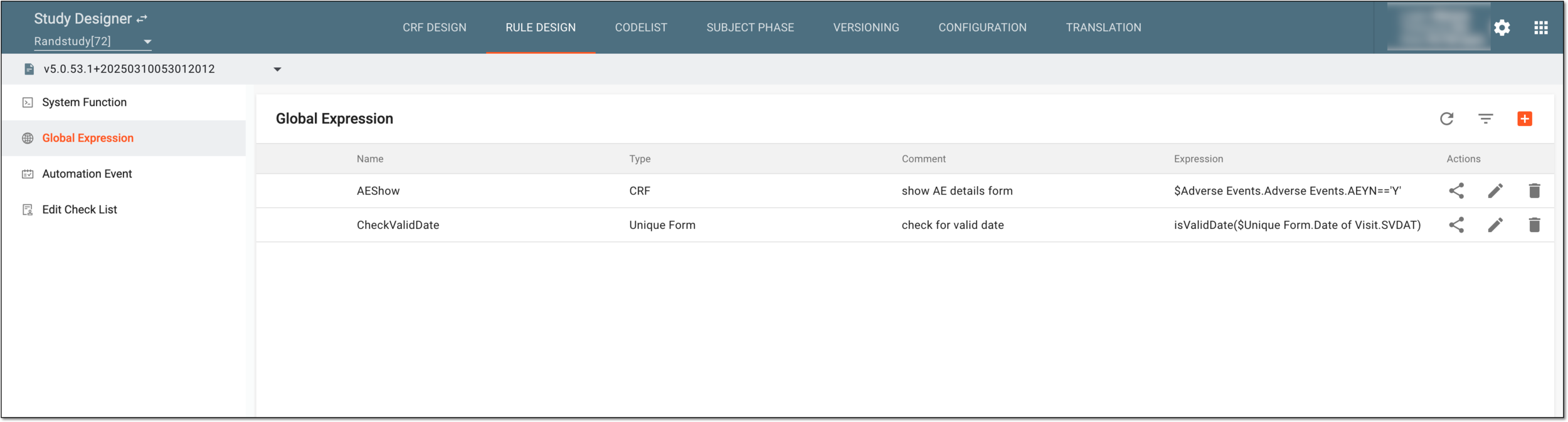
When working with global expressions, you can perform the following actions: