Export system functions
The Study Designer application contains an array of preconfigured system functions that can be used for the creation of dependencies or edit checks across different forms during the CRF design. You cannot manually update these functions as they have a direct impact on system processes. However, you can export the list of functions to your computer in the XLSX file to view it offline or share it with relevant parties.
-
In the Study Designer application header, select the RULE DESIGN tab.
-
In the left pane of the page that opens, select System Function.
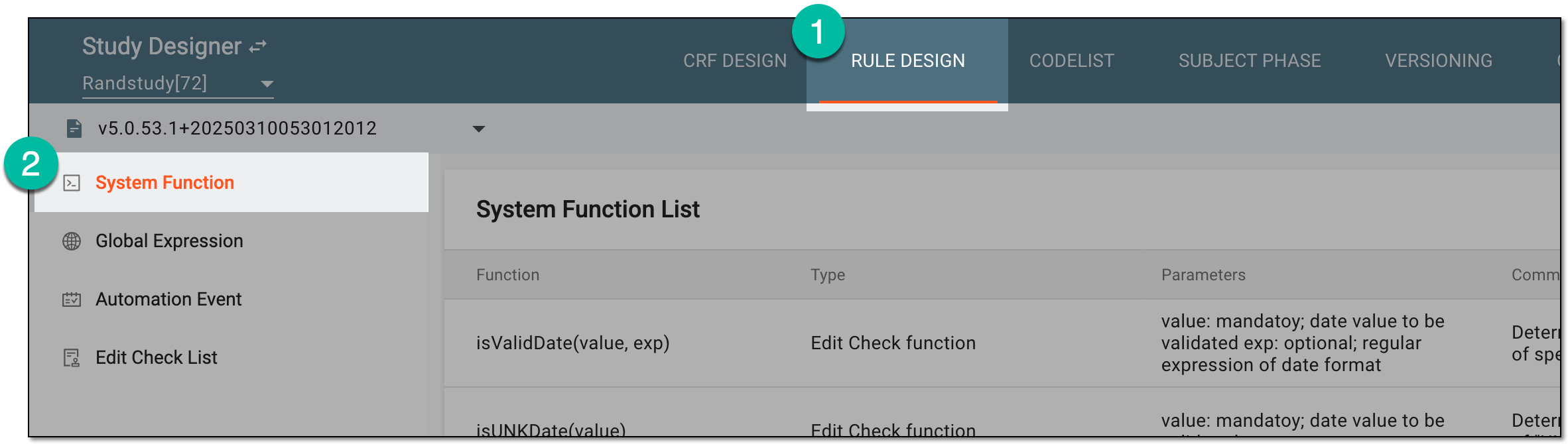 Figure 1. Accessing system functions
-
From the workspace toolbar of the System Function List table that appears, select Export
 .
. Figure 2. Exporting system functions
Once selected, the system functions are exported. You can now work with the file offline on your computer.