Lock/Unlock phase composition
In clinical trials, a subject phase constitutes a pathway marking the progression of participants through various stages of the study. Each phase serves as a milestone that captures the subject's journey and is integral to the overall trial design and scientific integrity.
The Study Designer application provides various tools to configure the subject phase flow. After the configuration has been done properly and validated, you can lock the entire subject flow composition to prevent any unintended modifications. However, if the need arises for further adjustments or corrections, you can unlock the phase composition functionality.
-
In the Study Designer application header, select the SUBJECT PHASE tab.
 Figure 1. Accessing subject phase configuration
-
From the toolbar, select the latest unlocked CRF version, otherwise, you cannot work with subject phases.
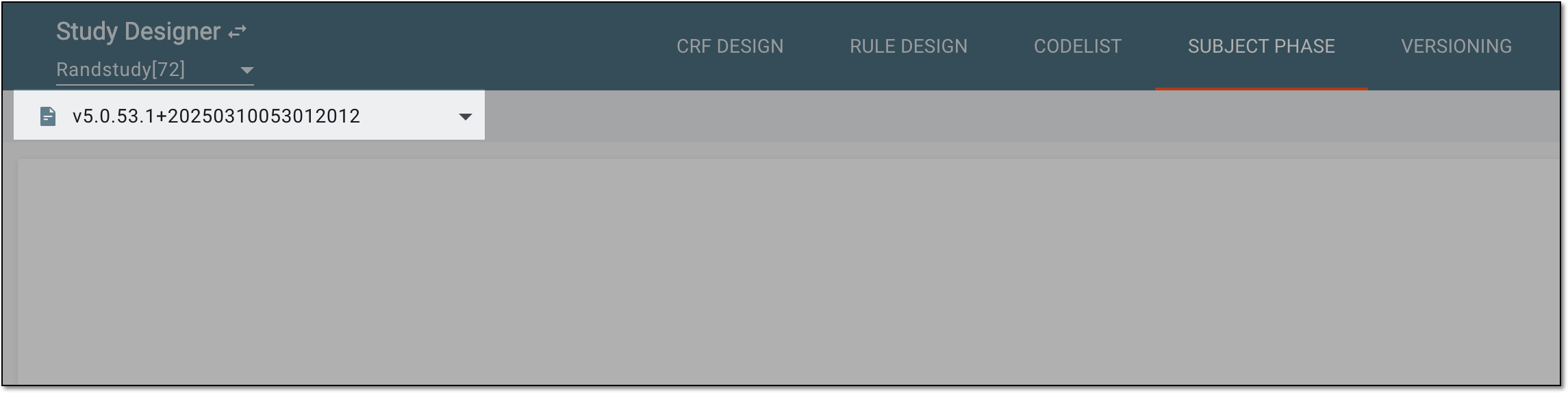 Figure 2. Selecting unlocked CRF version
-
From the same toolbar, select Unlocked
 to lock the subject phase composition. If the composition has been previously locked, the
Locked
to lock the subject phase composition. If the composition has been previously locked, the
Locked  option is available instead to unlock it.
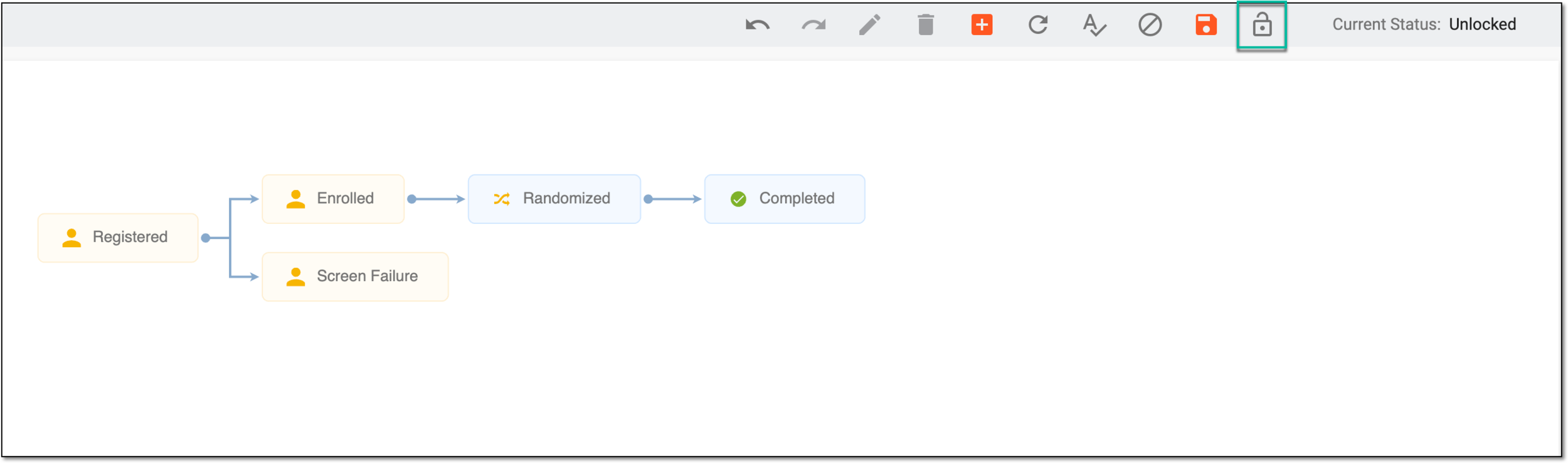 Figure 3. Locking subject composition
Once selected, the subject phase composition is locked or unlocked. If locked, you can no longer add new phases, update them, and so on.