Discontinue CRF version
A CRF stands for case report form, a document used in clinical trials to collect and record study data. As the trial evolves, new insights or challenges may emerge, requiring changes to the CRF. These modifications, especially after data collection has commenced in the EDC system, lead to what is known as versioning. This process involves adapting the CRF to new protocol requirements or data collection processes during the clinical trial.
When maintaining CRF versions, you can discontinue the active one in any lifecycle. Discontinuing a CRF version removes it from active use, preventing further amendments to the CRF design. This feature is used when a version is outdated or no longer aligns with the evolving study requirements.
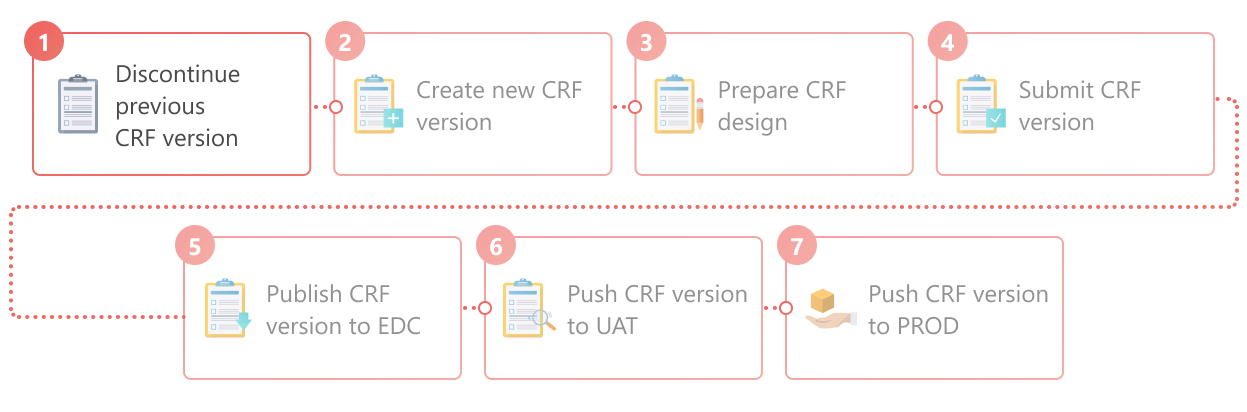
Important
The CRF version must be discontinued to initiate the creation of a new one, thus enabling the possibility to introduce updates to the CRF design.
-
In the Study Designer application header, select the VERSIONING tab.
 Figure 2. Accessing CRF versions
-
In the Version Information table that appears, next to the active CRF version, select
 .
.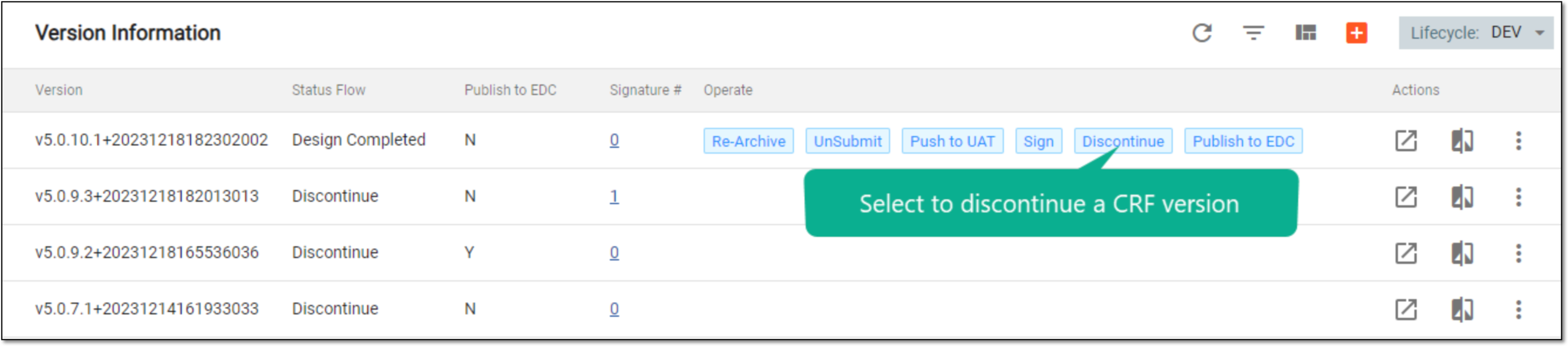 Figure 3. Selecting to discontinue CRF version
-
In the Discontinue dialog that appears, enter the comment explaining the reason for CRF version discontinuation, and then select
 .
.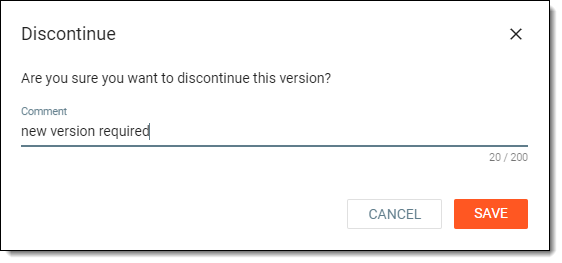 Figure 4. Discontinuing CRF version
Once saved, the CRF version is discontinued. If you want to update the CRF design, you need to create a new CRF version first. The CRF version used for data collection remains the one published to EDC last.