Edit CRF header and footer
For each new CRF version, along with the updated CRF design—changes made to questions, dependency rules, and so on—you can also update the CRF's header and footer.
The header and footer are added to CRFs upon export to ensure that the output file is complete with the company logo, protocol and version number, visit and subject data, pagination, and other details. Updating these details ensures that forms reflect the most current stage of the trial, aids in tracking document versioning for data integrity, and helps in complying with regulatory requirements. This practice facilitates the consistent management and organization of study data throughout its progression.
-
In the Study Designer application header, select the VERSIONING tab.
-
From the workspace toolbar of the Version Information table that appears, select Layout Options
 .
.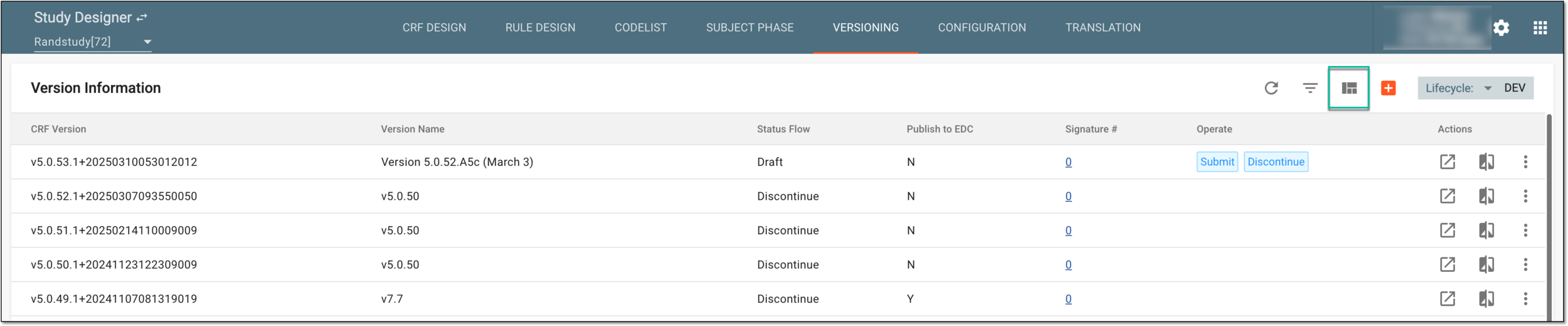 Figure 1. Selecting to edit CRF layout configurations
-
In the dialog that appears, update the CRF header and footer with additional information as explained in the following table.
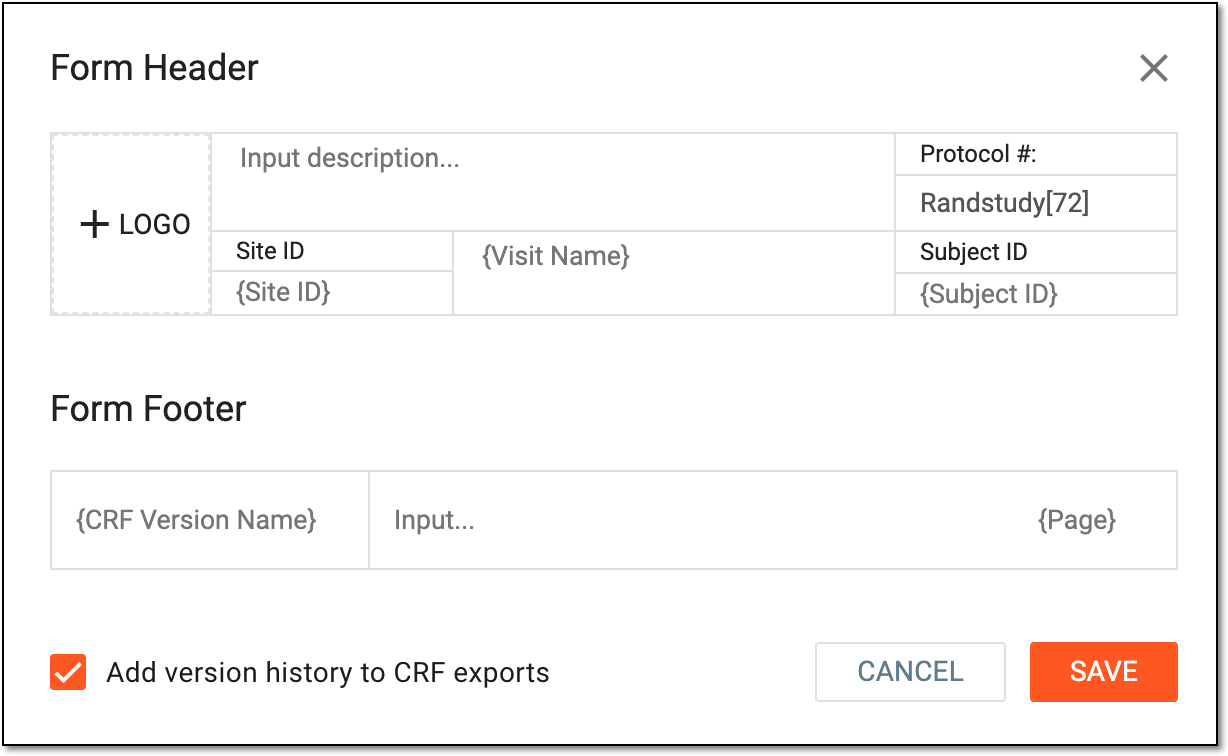 Figure 2. Updating CRF header and footer
Important
You cannot edit any other details like visit name, subject ID, page number, and so on because these values are populated automatically based on predefined data.
Elements
Details
Form Header
LOGO
Select this area to choose the logo file from your computer, and then upload it for the form header.
Input description
Enter the full protocol name.
Protocol #
Represents the study name and protocol number.
Site ID
Represents the study's site ID in the report.
Visit Name
Represents the study's visit name in the report.
Subject ID
Represents the study's subject ID in the report.
Form Footer
CRF Version Name
Represents the custom version of the CRF to comply with the protocol of your study.
Page
Represents the page number in the report.
Add version history to CRF exports
Select this checkbox if you want to add the list of the version history of the CRF version.
SAVE
Select
 to apply the changes.
CANCEL
Select
 to discard the changes without saving.
Once saved, the CRF header and footer information is edited. From now on, any newly submitted CRF versions can be exported with these updated details.