Export CRF version
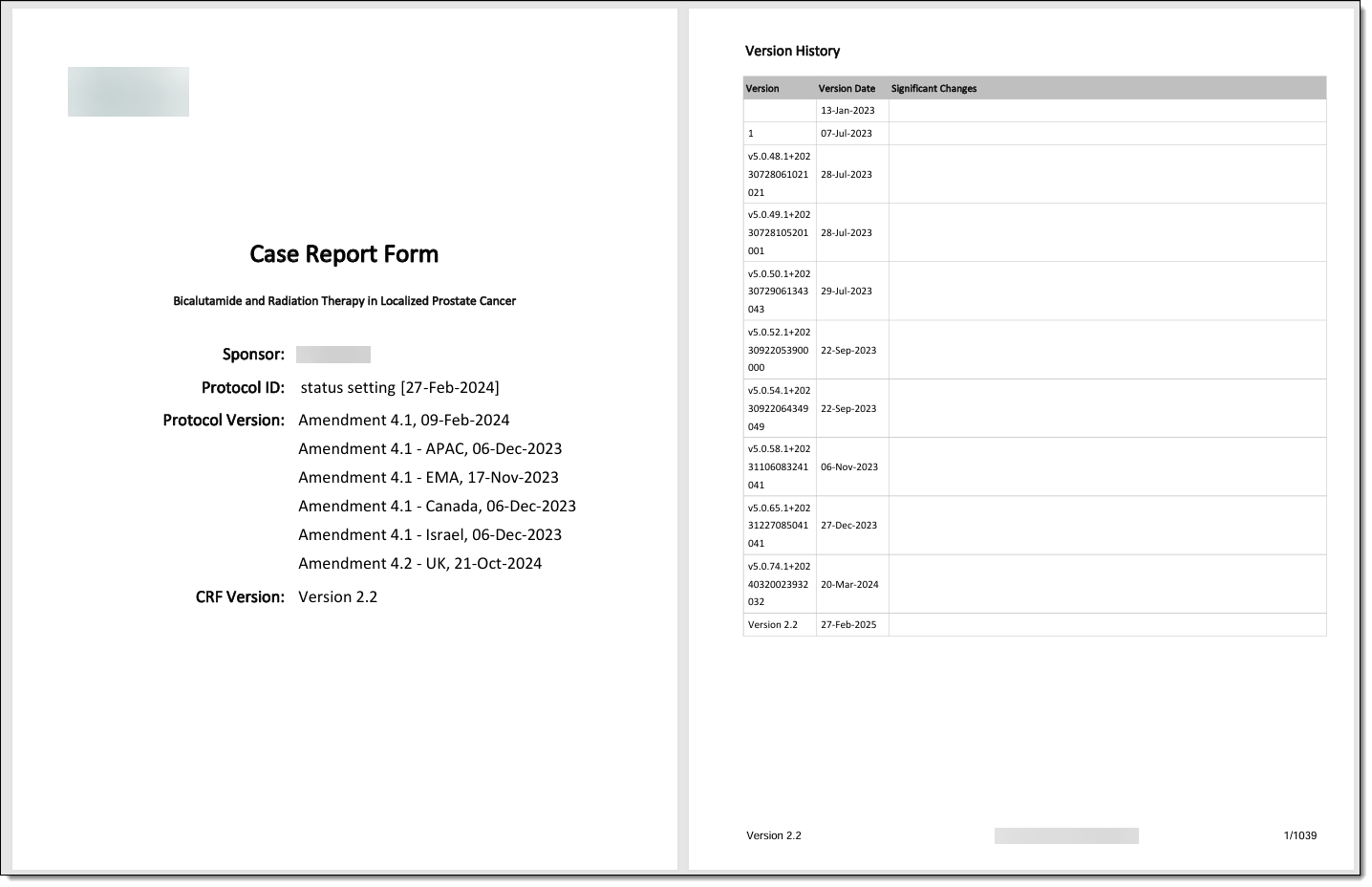
A CRF stands for case report form, a document used in clinical trials to collect and record study data. As the trial evolves, new insights or challenges may emerge, requiring changes to the CRF. These modifications, especially after data collection has commenced in the EDC system, lead to what is known as versioning. This process involves adapting the CRF to new protocol requirements or data collection processes during the clinical trial.
When maintaining CRF versions, you can export specification documents related to any of them. This functionality facilitates the download of files associated with a particular CRF version, including structure details and compliance-related documents. The export is pivotal in ensuring comprehensive access to all relevant resources required for review, adherence to regulatory standards, and management of the data collection process.
Important
You can only export specification documents for submitted CRF versions.
-
In the Study Designer application header, select the VERSIONING tab.
 Figure 1. Accessing CRF versions
-
From the workspace toolbar of the Version Information table that appears, select the needed lifecycle and role.
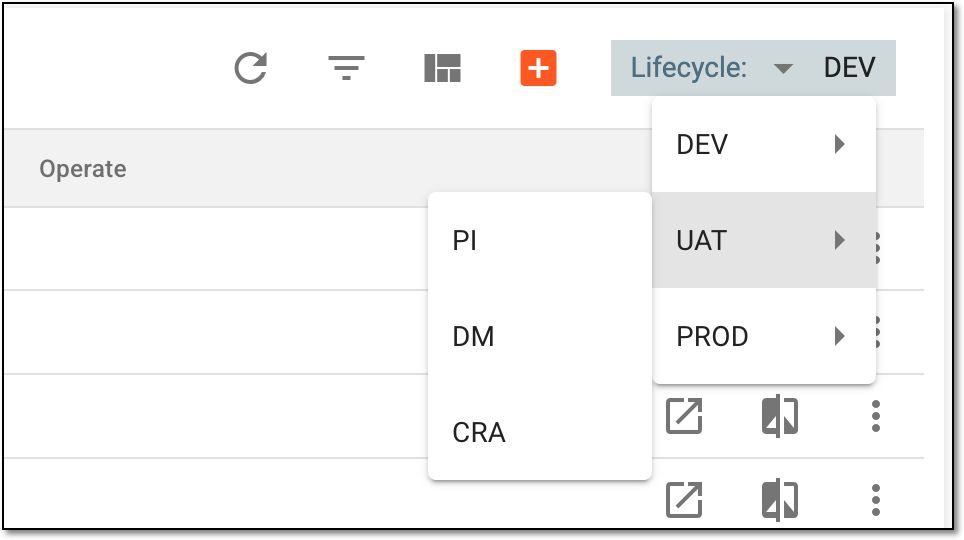 Figure 2. Selecting lifecycle and role
-
In the Version Information table, next to the needed CRF version, select Export
 .
. Figure 3. Selecting to export CRF version
-
In the Archive List dialog that appears, select the documents you want to export. This list of available document types is explained in the following table.
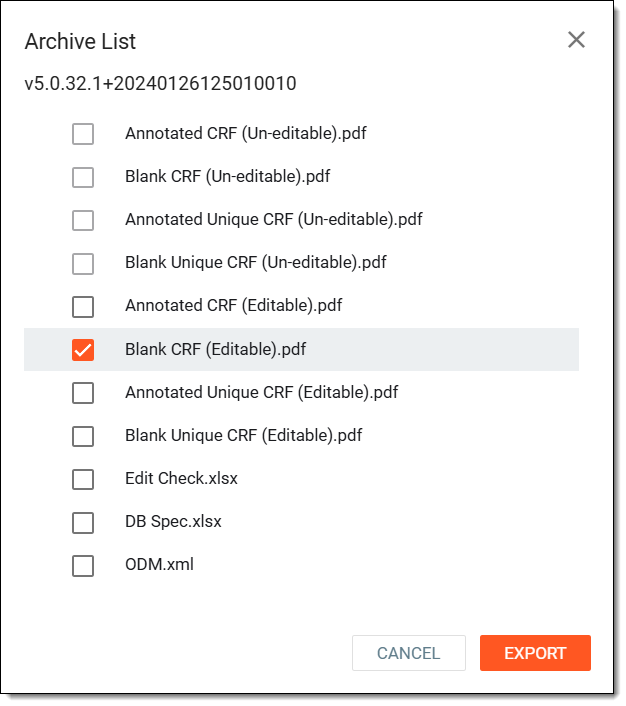 Figure 4. Exporting CRF version documents
Document type
Details
Annotated CRF (Un-editable).pdf
A file containing the CRF version with annotations indicating datasets and variables where the data is to be stored after being collected in EDC.
Blank CRF (Un-editable).pdf
A clean version of CRF without any guidance text or annotations that can be used for printing or electronic data entry.
Annotated Unique CRF (Un-editable).pdf
A file that contains the CRF version with unique form annotations only.
Blank Unique CRF (Un-editable).pdf
A file containing the CRF version with all unique forms used in the study.
Annotated CRF (Editable).pdf
An editable file containing the complete set of case report forms with technical annotations, including variable names, domain references.
Blank CRF (Editable).pdf
An editable file displaying the complete set of empty case report forms without any data entry or technical annotations, such as variable names and domain references.
Annotated Unique CRF (Editable).pdf
An editable file containing each unique case report form of current study with annotations, eliminating duplicate form types while retaining all variable names, database field references, and coding information.
Blank Unique CRF (Editable).pdf
An editable file containing one instance of each unique case report form with technical annotations, including variable names and domain references.
Edit Check.xlsx
A spreadsheet with edit checks that are to be applied during data entry in EDC.
DB Spec.xlsx
A specifications file outlining the structure of data that is to be stored in the database for this CRF version.
ODM.xml
An ODM file that defines the data structure in the XML format and can be used for data exchange with external systems.
Schedule of Assessments.xlsx
A spreadsheet outlining the established schedule of assessments for the study.
ALS.xlsx
The Architect Loader Spreadsheet document that is used for managing and loading the structure of a CRF version into the Medidata Rave EDC system.
Designer Metadata.xml
A file that contains XML metadata related to the CRF version, such as field definitions, form layouts, and other design elements.
Help Text.csv
A CSV file containing help text that is to be displayed within EDC for each field or section of the CRF version.
Metadata.xlsx
A spreadsheet that contains general information about the entire structure of the CRF version, including its design, codelists used, subject phase configurations, and more.
Visit Form List.xlxs
A spreadsheet showing one instance of each unique case report form without data entry or technical annotations (variable names, domain references, or database mappings).
Translated CRF
Select the respective translated CRF version to export a specific document related to any item. You can only export those documents whose CRF version is translated into a specific language. This makes it easy to send the translated CRFs directly to sponsors.
The system supports languages such as Spanish, Japanese, Arabic, and more. The character placement and text alignment in the exported version correspond to the linguistic requirements of the selected language.
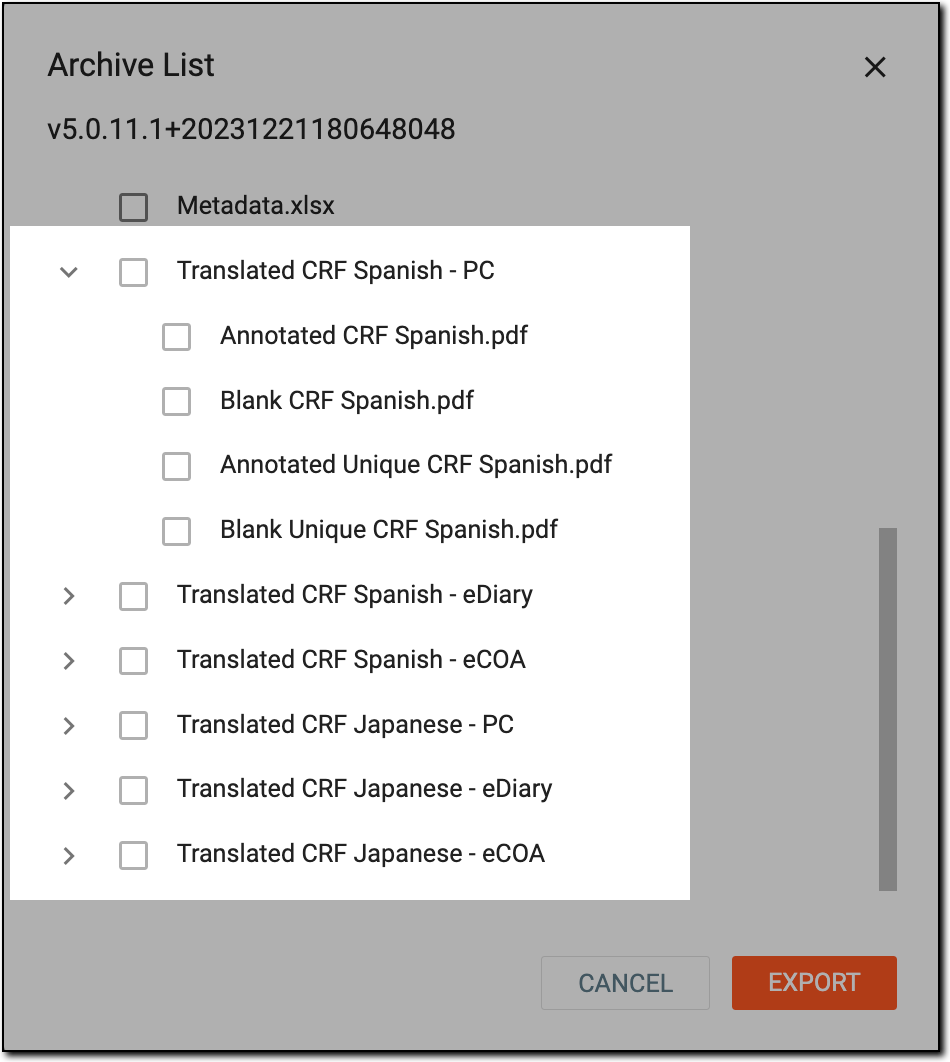 Figure 5. Translated CRF
Important
Some document types may be unavailable if related specifications have not been configured for a particular CRF version.
-
Select
 to download the selected documents.
Once selected, the CRF version documents are exported to your computer.