Rename CRF version
A CRF stands for case report form, a document used in clinical trials to collect and record study data. As the trial evolves, new insights or challenges may emerge, requiring changes to the CRF. These modifications, especially after data collection has commenced in the EDC system, lead to what is known as versioning. This process involves adapting the CRF to new protocol requirements or data collection processes during the clinical trial.
When maintaining CRF versions, you can rename the most recent one to better reflect its current purpose or content. Renaming helps in clearly distinguishing this version from previous ones and aids in effective organization and tracking, especially when multiple iterations exist due to ongoing updates and changes throughout the CRF design process.
Important
Note that you can rename a CRF version only if it has not been discontinued.
-
In the Study Designer application header, select the VERSIONING tab.
 Figure 1. Accessing CRF versions
-
In the Version Information table, next to the active CRF version, select More
 > Edit
  .
.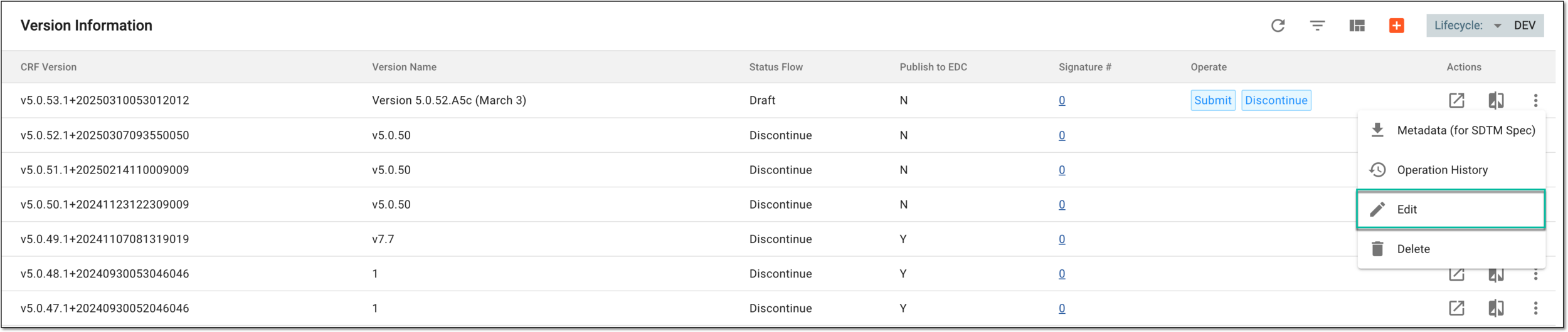 Figure 2. Selecting to edit CRF version
-
In the Update CRF Version dialog that appears, in the Version Name field, rename the CRF version as needed.
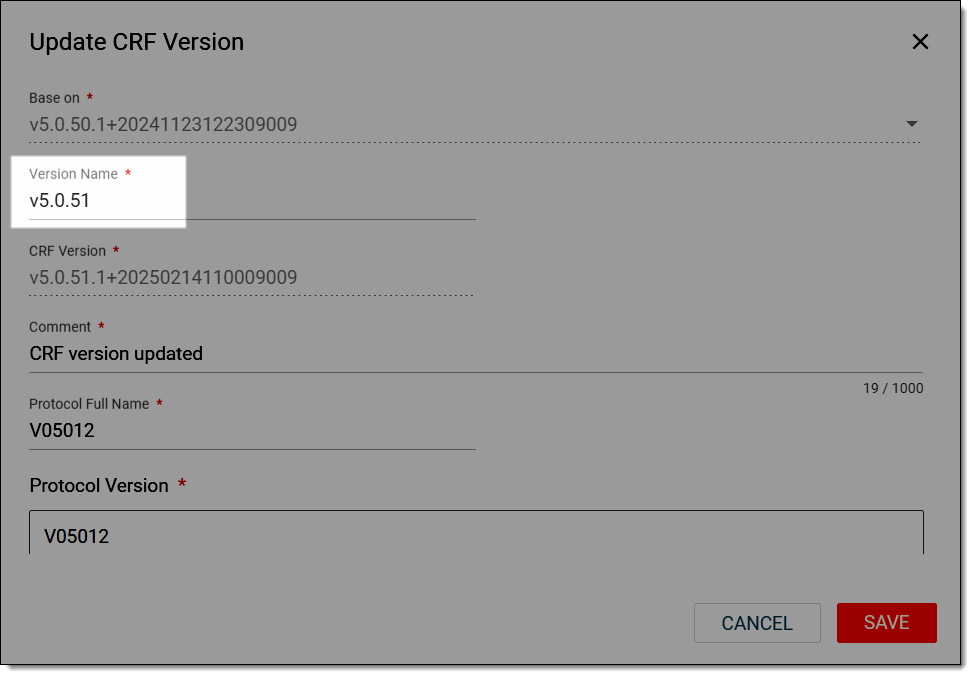 Figure 3. Renaming CRF version
-
In the Significant Changes section, indicate that you renamed the CRF version and enter the reason.
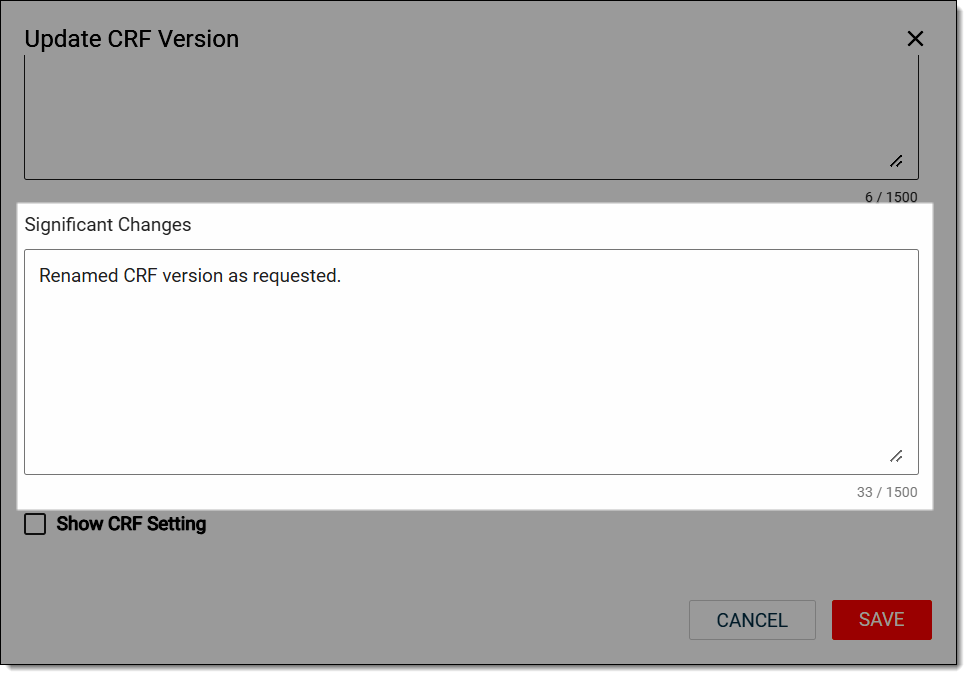 Figure 4. Describing reason changing CRF name
-
Select
 to apply the changes.
Once saved, the CRF version is renamed, and the system now initiates the rearchiving process to update the CRF header and footer details.