Edit ICSR
In PV, on the ICSR List page, you can find all the ICSR records created in PV or generated as a result of reviewing AE/SAE safety data extracted from EDC.
You can use the Edit feature to update ICSR forms during the processing of its current version.
With the PV system flexibility, you can configure users' ability to edit ICSR records depending on the sponsor's requirements. You can choose which cases are editable and under what statuses (Data Entry, Quality Review, Medical Review, and so on).
For instance, you want your ICSR to be editable at all stages of its management until it is ready for submission. Thus, the system lets users edit the ICSR record until it obtains the Case Submission status. Once the ICSR is under the Case Submission status, the Edit option is disabled, and no one can select it.
-
In the PV application header, select the ICSR tab.
 Figure 1. Accessing ICSR list
-
On the ICSR List page that opens, in the table, locate the ICSR record that you want to edit. Then select its case number to open the details page in the new browser tab.
Alternatively, from the Actions column next to your ICSR, select Edit
 to open the
ICSR details in the same browser tab.
to open the
ICSR details in the same browser tab. Figure 2. Selecting to edit ICSR
-
On the page that opens, in the left pane, navigate between the ICSR forms to edit the data as needed.
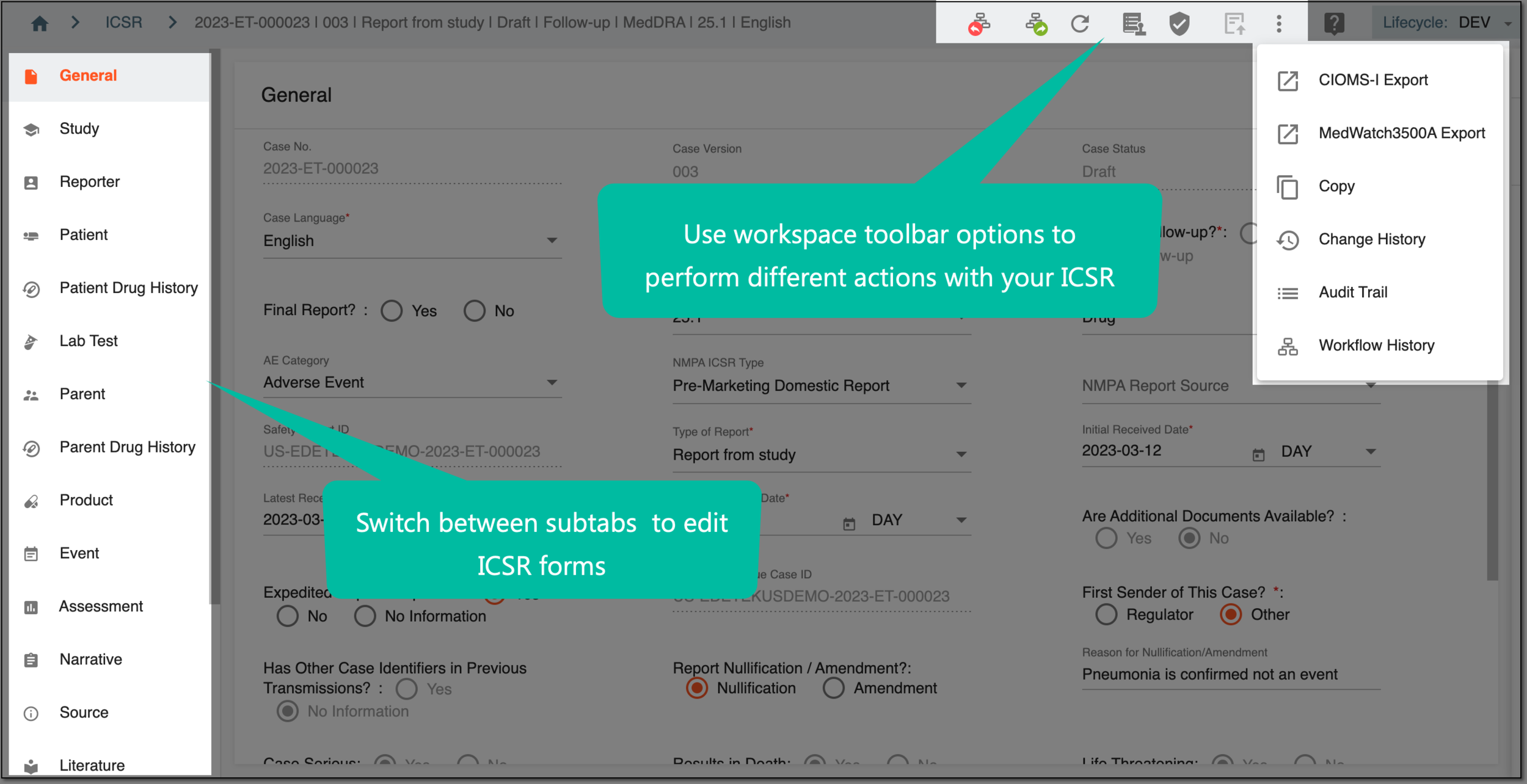 Figure 3. Editing ICSR forms
From the workspace toolbar of this page, you can also access the following actions:
-
Select
 to save the implemented changes.
Select
 to refresh the page, discard all your changes, and return the fields to their original values.
Upon saving, the ICSR is updated.