Copy ICSR from existing
In PV, you can create an ICSR based on the safety data pulled from EDC via data extraction task management, by creating a report from scratch and inserting all the required data manually, or by uploading an XML file. You can also copy an existing ICSR, for example, if you need to create a new ICSR for the same study but with some details different.
-
In the PV application header, select the ICSR tab.
-
On the ICSR List page that opens, in the table, locate the ICSR that you want to copy and in the Actions column next to it, select More
 > Copy
  .
.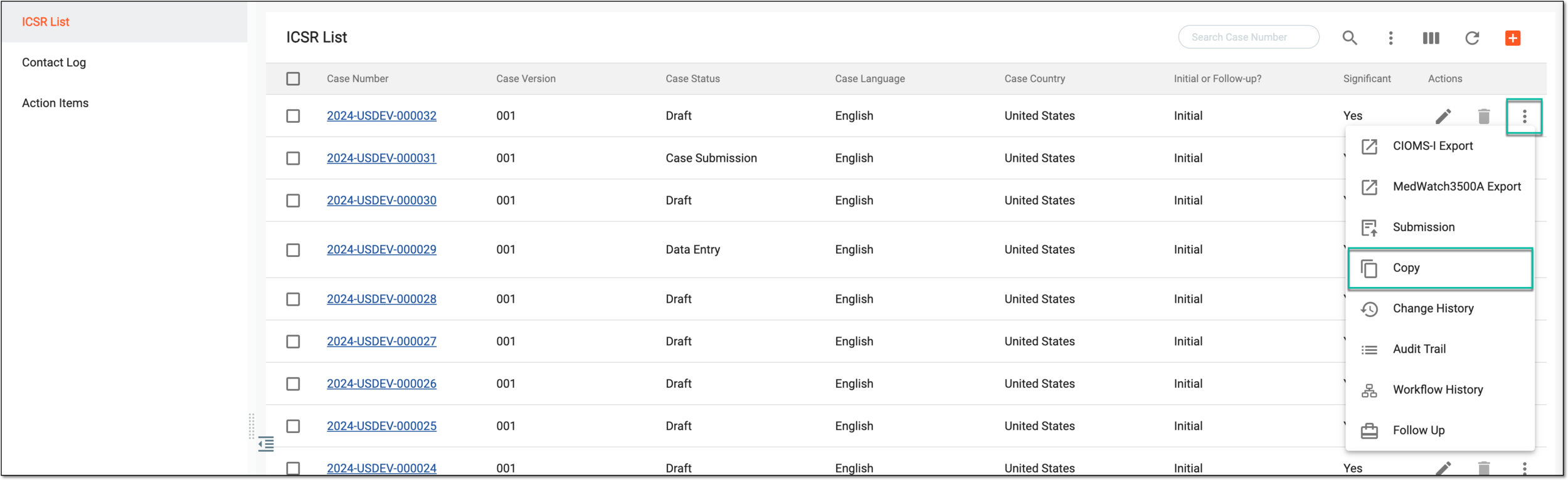 Figure 1. Copying ICSR
-
In the Copy dialog that opens, enter how many copies you want to create and then select the forms that you want to include in your copied ICSR version(s).
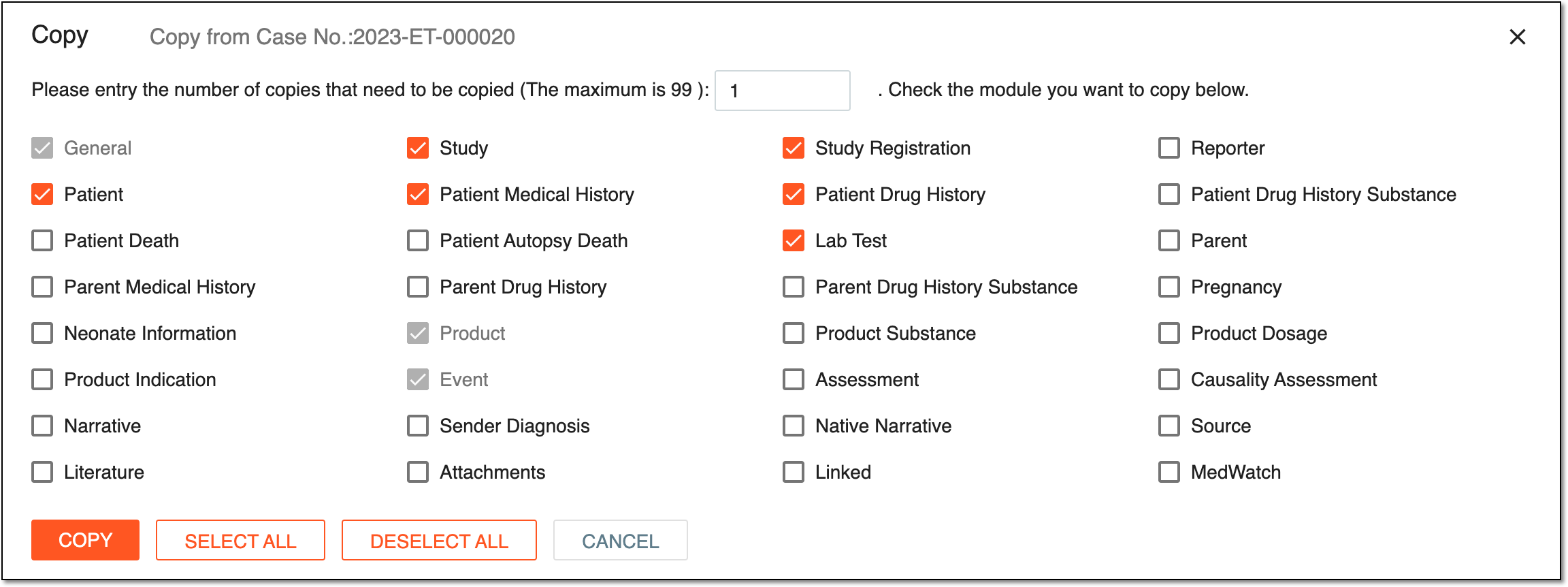 Figure 2. Selecting forms to include in copied report
Tip
Click
 to select all the forms from the list and include
them in the copied ICSR(s).
to select all the forms from the list and include
them in the copied ICSR(s).Click
 to clear the selection for all the forms from the
list, and do not include them in the copied ICSR(s).
to clear the selection for all the forms from the
list, and do not include them in the copied ICSR(s). -
Select
 to complete the ICSR copying.
Upon copying, the new ICSR(s) are created and you can proceed to its forms amendment if needed.