Create ICSR from scratch
In PV, you can create an ICSR based on the safety data pulled from EDC via data extraction task management, by copying an existing ICSR, or by uploading an XML file. You can also create a report from scratch and insert all the required data manually, for instance, if the information is taken from a paper form.
-
In the PV application header, select the ICSR tab.
-
On the ICSR List page that opens, from the workspace toolbar, select New
 .
. -
On the page that opens, fill in the details of the following forms:
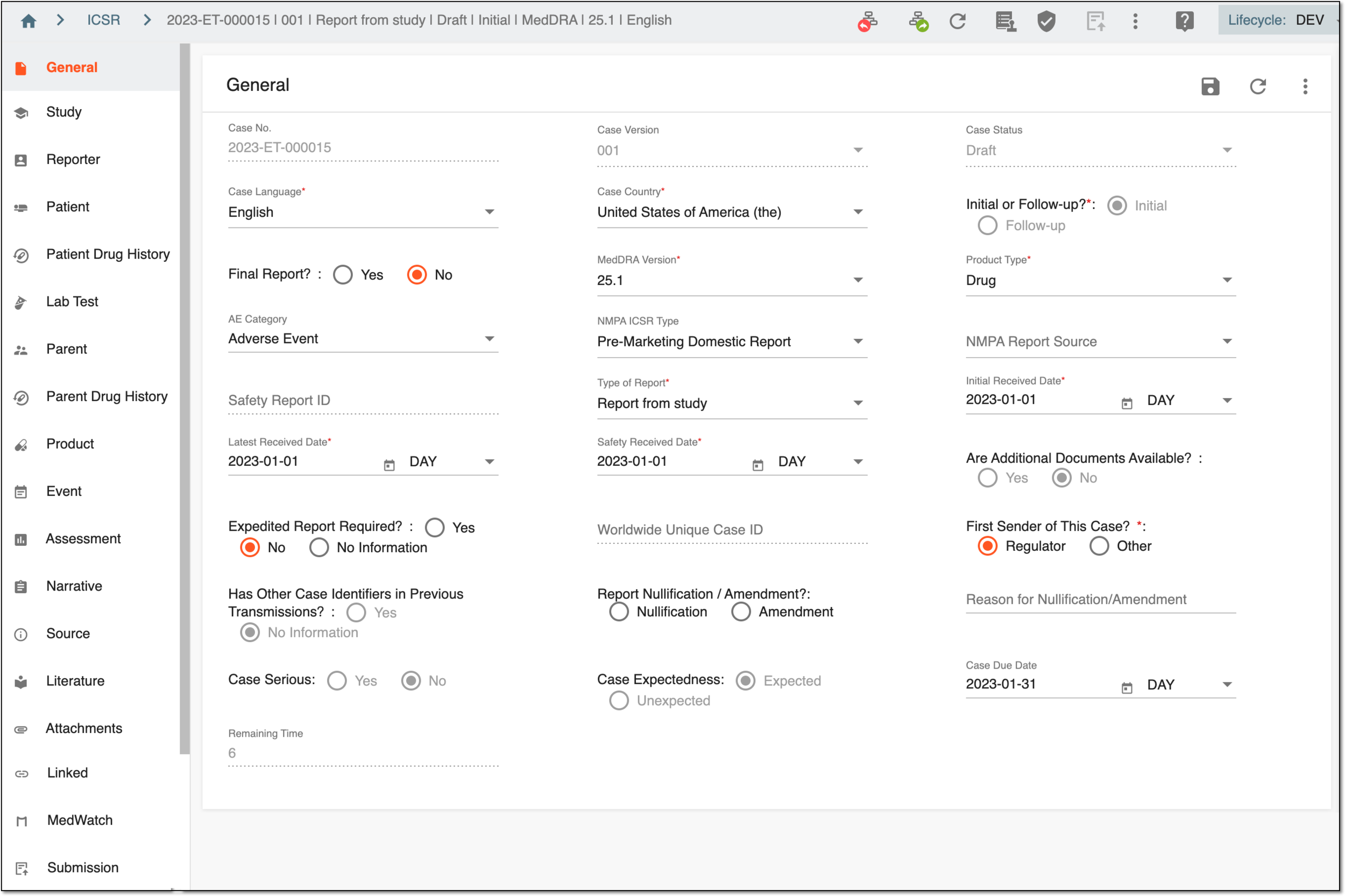 Figure 1. Creating ICSR from scratch
-
Complete general form: to complete the general details on the reported case and activate the following forms.
-
Complete study form: to specify the study details for which the case is reported.
-
Complete reporter form: to provide information and contact details of the person(s) who reports the case.
-
Complete patient form: to provide information on the patient for whom the case is reported, their medication history, and death (if such occurred).
-
Complete patient drug history form: to provide the detailed drug history related to the case that is reported.
-
Complete lab test form: to provide the laboratory test(s) data and results related to the case that is reported.
-
Complete parent form: to provide information on a parent of the patient for whom the case is reported.
-
Complete parent drug history form: to provide the detailed drug history of a parent of the patient for whom the case is reported.
-
Complete pregnancy form: to provide information on the patient's pregnancy, if any.
-
Complete products form: to provide details on the product—substance, dosage, and indication data—related to the case.
-
Complete events form: to provide detailed information on the event that is related to/has caused the case.
-
Complete assessment form: to provide the details on the drug causality to the case.
-
Complete narrative form: to provide a narrative that is an AE/SAE summary that concludes the causal relationship between drugs and events.
-
Complete source form: to attach the source document files to support the AE/SAE data.
-
Complete literature form: to provide a summary of the literature related to the ICSR.
-
Complete attachments form: to attach any document(s) related to the ICSR.
-
Complete linked form: to provide identification for another report related to the current one.
-
Complete MedWatch form: to provide required details on the case for MedWatch.
-
Submission form: to provide the report submission details and file.
Tip
To facilitate the form completion, enable Help
 . When enabled, the Help panel opens, showing the tips on the selected field completion according to regulatory or other requirements.
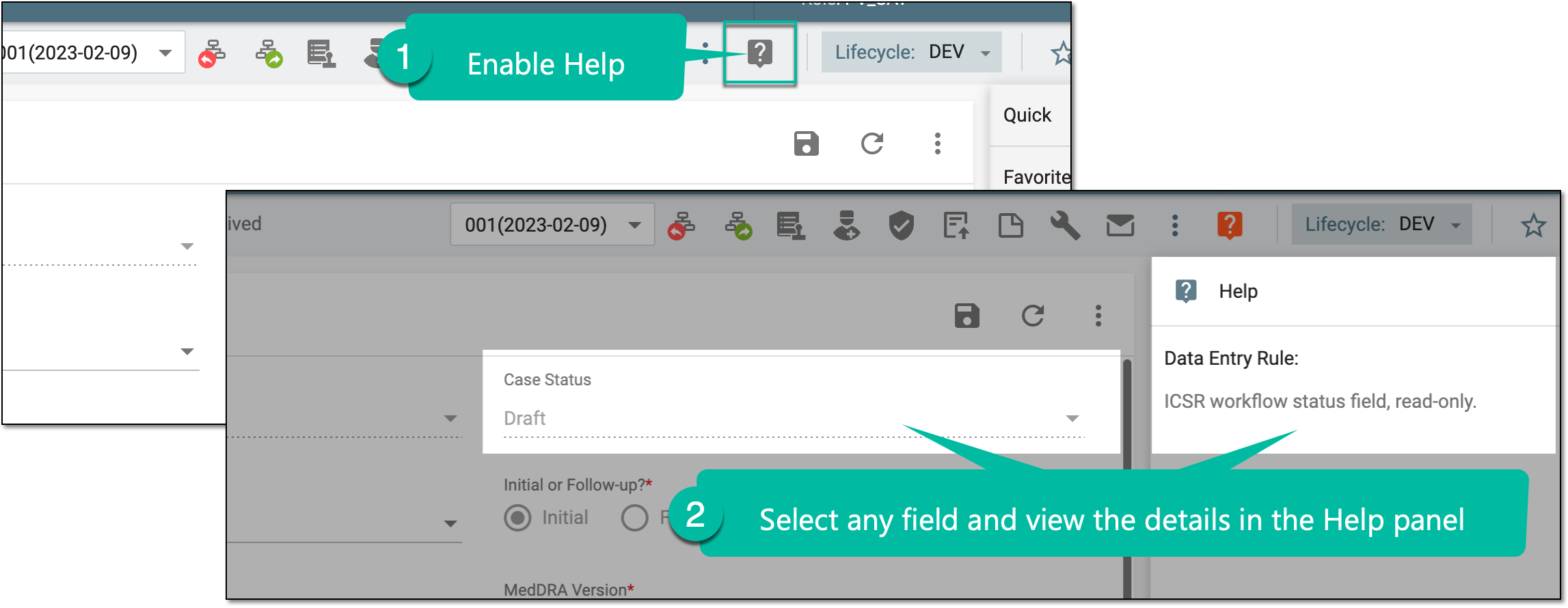 Figure 2. Enabling help to view tips on field completion
To close the panel, select Help
 .
. -