Add ICSR to favorites for quick access
When working with Individual Case Safety Reports (ICSRs) in PV, you can compile a list of those you need to frequently and conveniently access. For this, you can add individual ICSRs to the Favorites block of the Quick panel.
Tip
The recently visited ICSRs can also be accessed from the Recent block of the Quick panel.
-
In the PV application header, select the ICSR tab.
 Figure 1. Accessing ICSR list
-
On the ICSR List page that opens, in the table, locate the ICSR record that you want to add to your favorites. Then select its case number to open the details page in the new browser tab.
Alternatively, from the Actions column next to your ICSR, select Edit
 to open the
ICSR details in the same browser tab.
to open the
ICSR details in the same browser tab. Figure 2. Selecting to edit ICSR
-
On the ICSR page that opens, from the toolbar, select Favorites
 .
.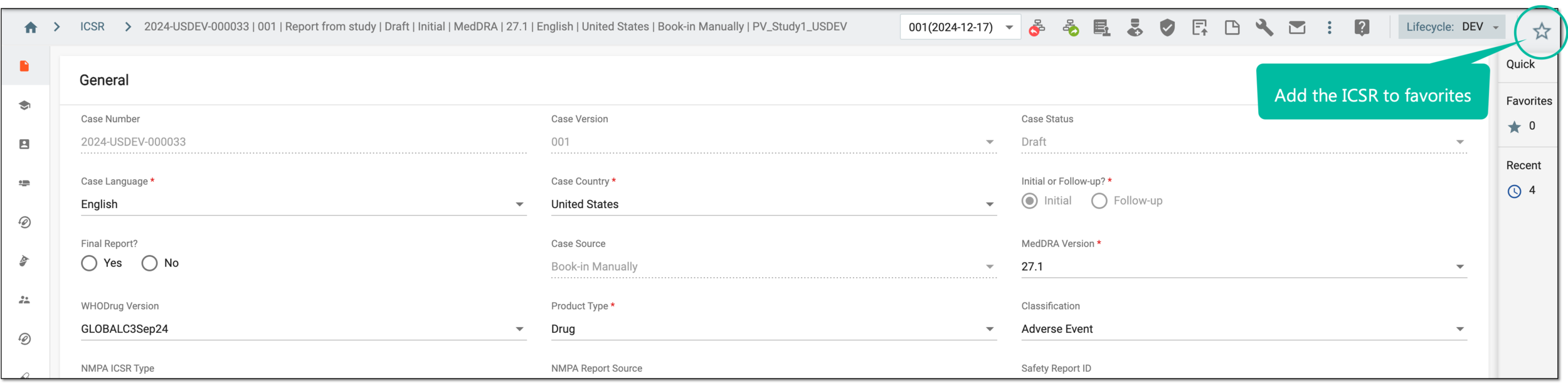 Figure 3. Adding ICSR to favorites
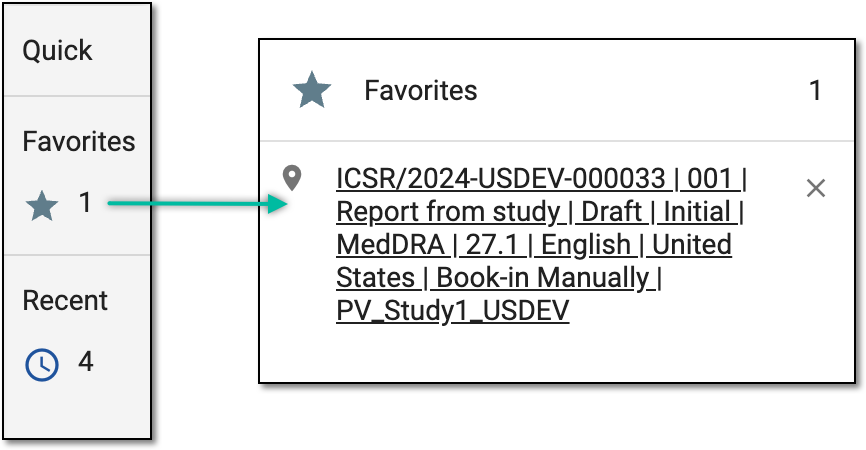
Once done, the ICSR is added and can be accessed from the Favorites block of the Quick panel.