Export MedWatch 3500A report
The MedWatch 3500A form is also known as the Form FDA 3500A. This form is used for mandatory adverse event reporting by IND reporters, manufacturers, distributors, importers, and user facilities personnel. Along with the follow-up investigations, this report can help to outline serious safety concerns.
With this functionality, you can export a draft MedWatch 3500A report only to check the case assessments and entries easily following the MedWatch 3500A template as we proceed with case processing and review. The exported file has the Draft watermark.
Tip
If you need the final version of the MedWatch 3500A report with no draft watermarks, it can be exported once the submission record is generated.
-
In the PV application header, select the ICSR tab.
-
From the left pane, select ICSR List.
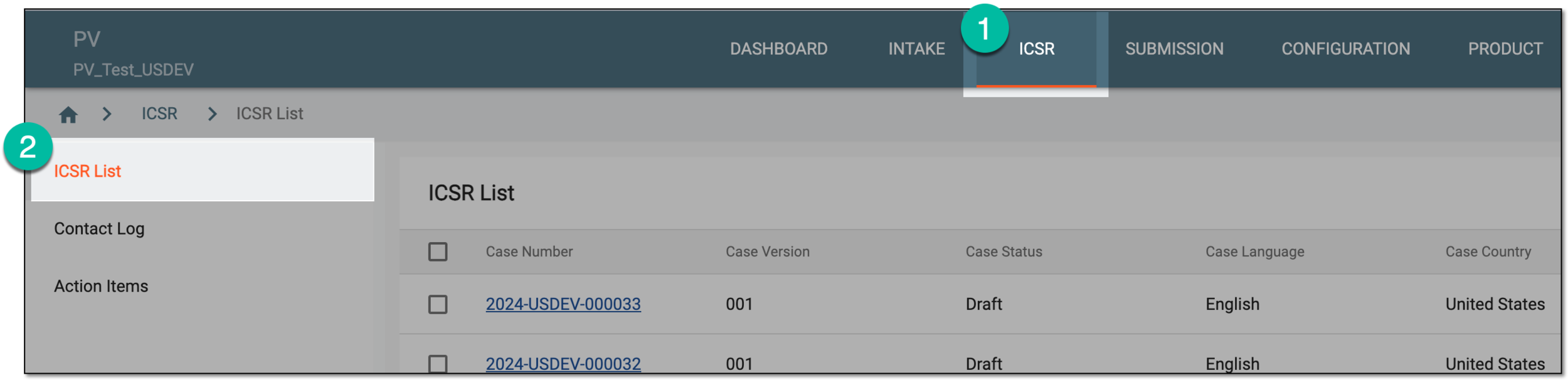 Figure 1. Accessing ICSR list
-
On the ICSR List page that appears, next to the needed ICSR case, select More
 > MedWatch3500A Export
  .
.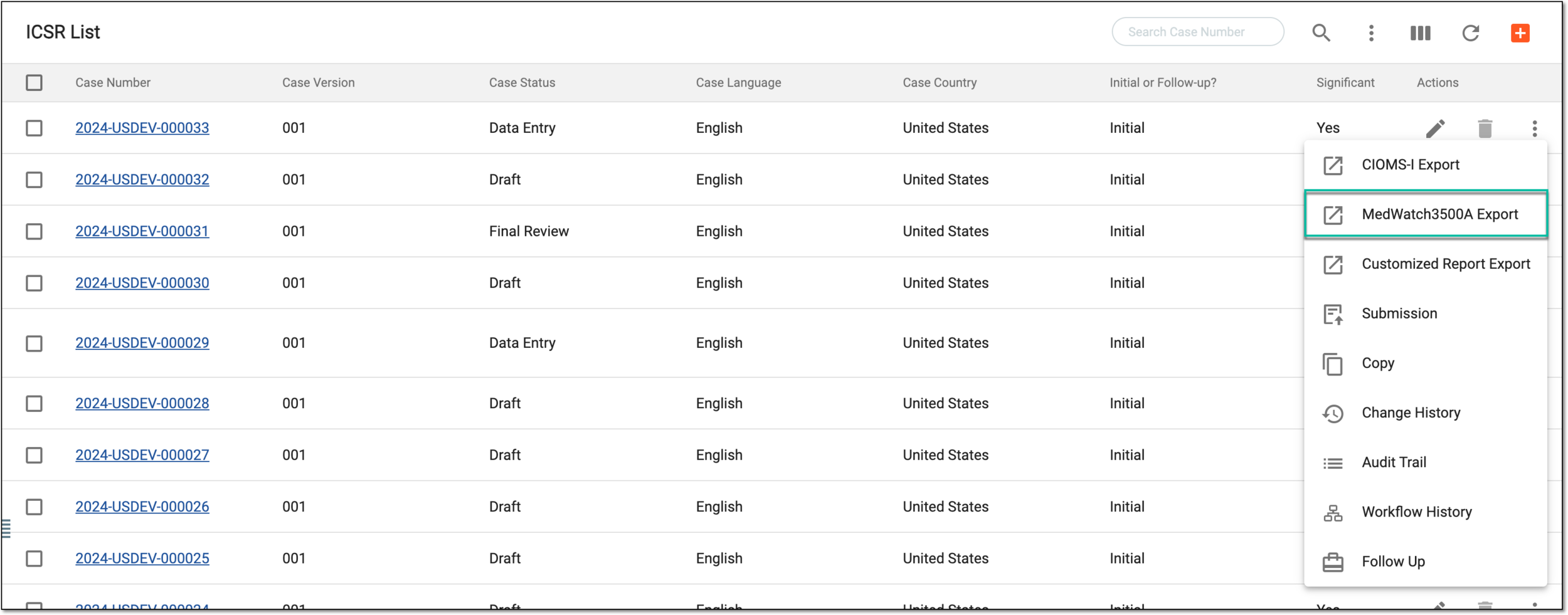 Figure 2. Exporting MedWatch3500A from ICSR list
Alternatively, from the ICSR List table, select the needed case number. On the ICSR details page that opens in the new browser tab, from the toolbar, select More
> MedWatch3500A Export .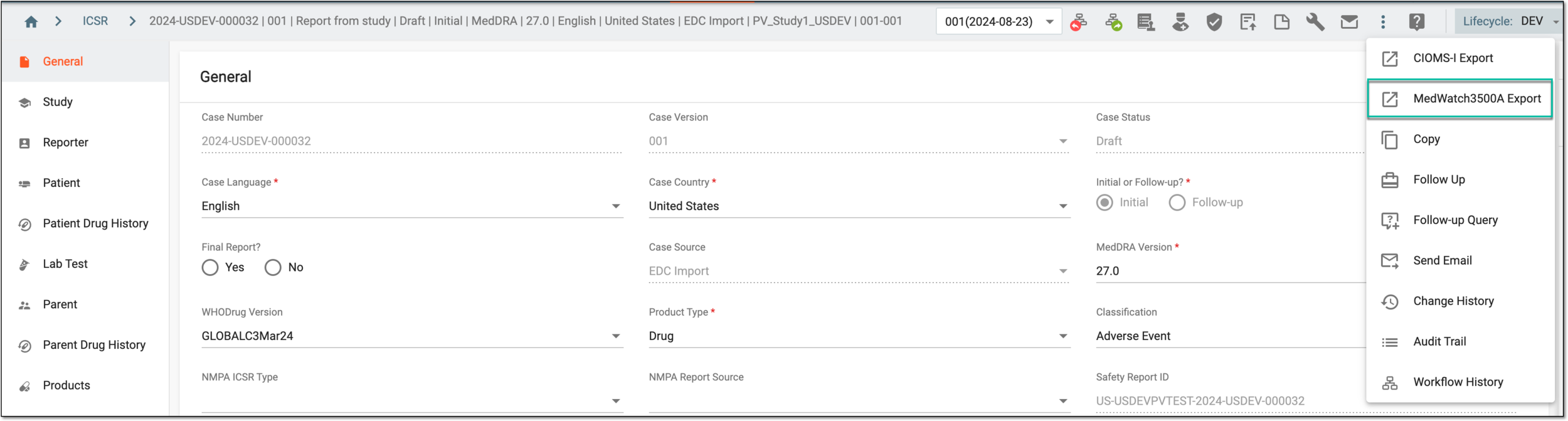 Figure 3. Exporting MedWatch3500A from ICSR details
-
In the MedWatch3500A dialog that appears, select one of the available FDA submission-method templates based on which report is to be generated. If there are multiple records, use the Search Submission Destination filter to facilitate your search.
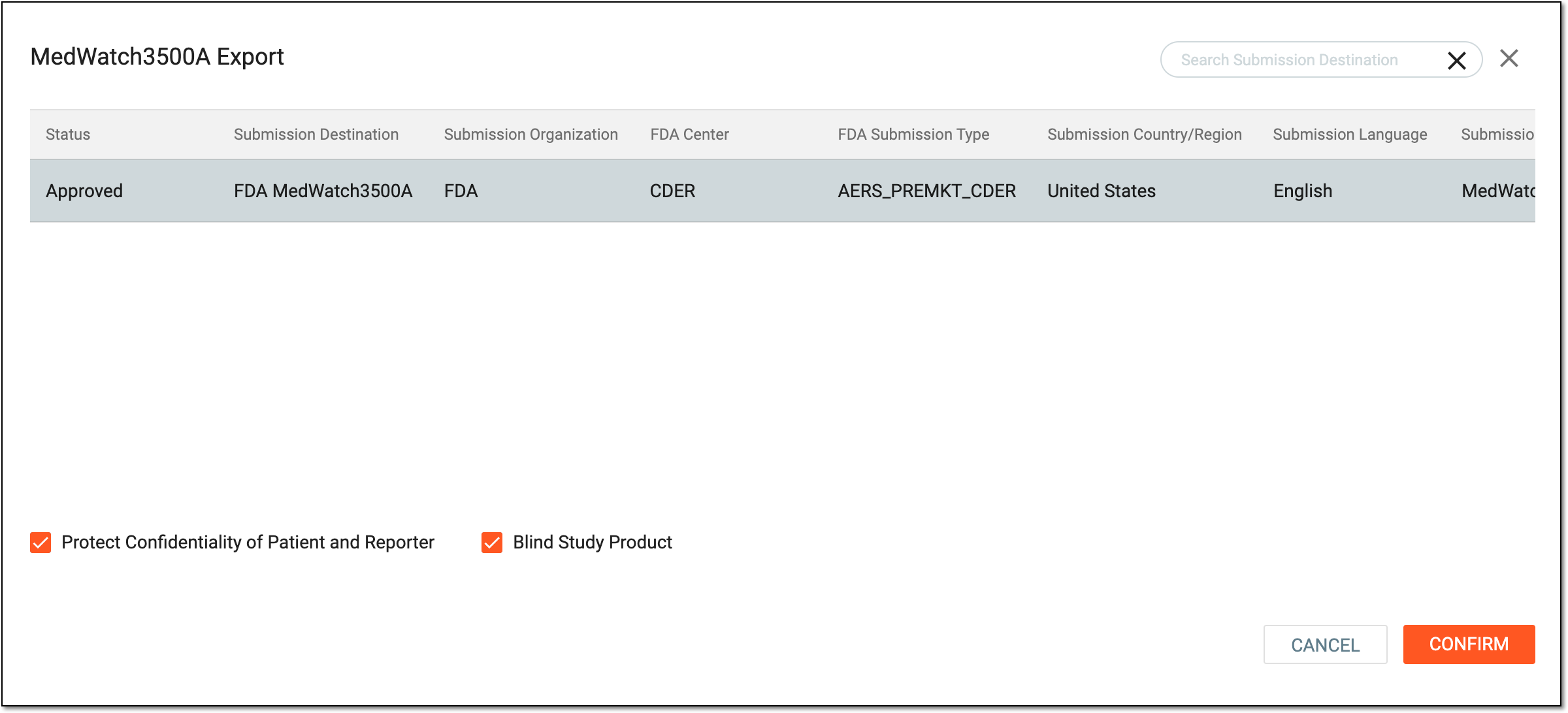 Figure 4. Selecting MedWatch3500A report to export
Important
Select the Protect Confidentiality of Patient and Reporter checkbox to hide sensitive patient and reporter data in the exported report.
Select the Blind Study Product checkbox to blind information about the study product in the exported report.
-
Select
 .
.
Upon confirmation, the MedWatch 3500A report opens in a new browser tab. You can now download it to your computer.