Subject information
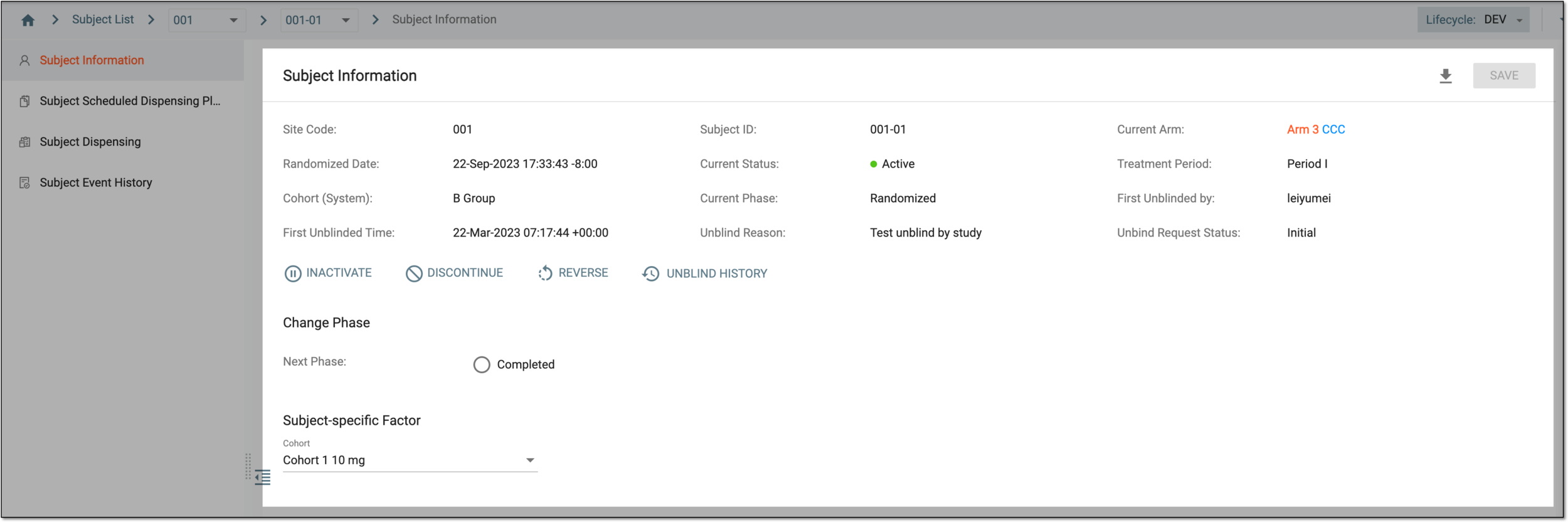
The Subject Information tab provides you with various details about the selected subject. If the subject is blinded, then on this page, you can unblind the subject. Other than this, there are numerous other details and actions provided in this subtab, the details of which are explained in the following table.
Tip
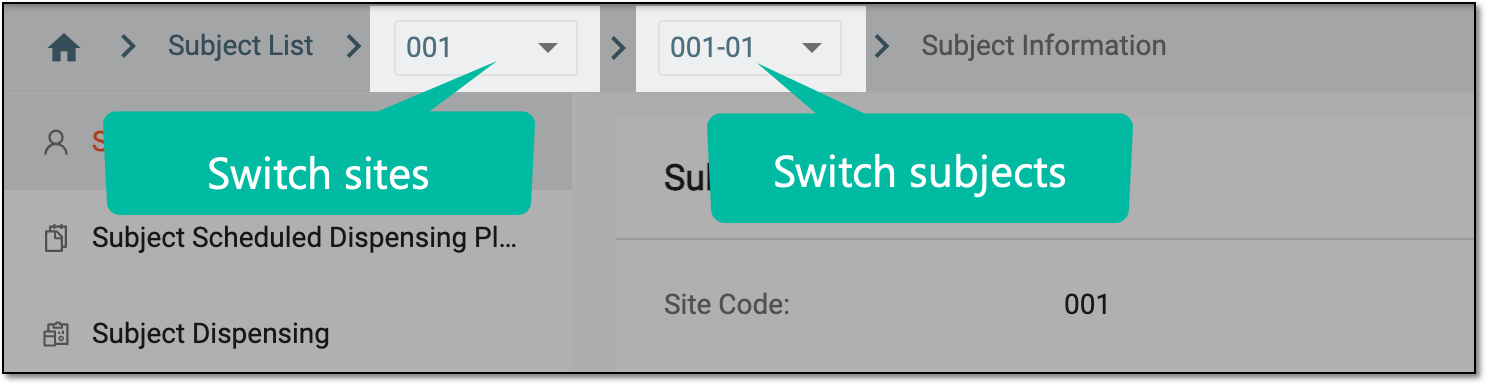
You can use the breadcrumbs navigation to switch between sites and subjects without the necessity to return to the main page.
 |
|
Element |
Details |
|---|---|
|
Site Code |
Represents the code of the site to which the selected subject belongs. |
|
[Unique ID Label] |
Represents the ID of the selected subject.
|
|
Randomization ID |
Represents the randomization ID of the subject.
|
|
Current Arm |
Represents the name of the arm to which the selected subject belongs. |
|
Randomized Date |
Represents the randomization date and time. The field name varies according to the phase, to which the subject is moved upon randomization. If the study does not use randomization or the subject is not randomized, then the randomization ID is not assigned and nothing is displayed in this field. |
|
Current Status |
Represents the current status of the subject, which can be Active or Inactive. When a subject is inactive, they are no longer part of a study, and you cannot change the phase or discontinue an inactive subject. |
|
Treatment Period |
Represents the treatment period of the subject. |
|
Cohort (System) |
Represents the name of the cohort to which the subject belongs. |
|
Current Phase |
Represents the current phase of the subject. |
|
Unbind Request Status |
Represents the current unblind request status. |
|
First Unblinded By |
If the subject is unblinded, this field represents the name of the user who unblinded the subject, otherwise, this field is not available. |
|
First Unblinded Time |
If the subject is unblinded, this field represents the date and time at which the subject has been unblinded, otherwise, this field is not available. |
|
Unblind Reason |
If the subject is unblinded, this field represents the reason for unblinding the subject, otherwise, this field is not available. |
|
REQUEST UNBLIND |
Select |
|
REVIEW UNBLIND REQUEST |
Select |
|
UNBLIND SUBJECT |
Select |
|
UNBLIND HISTORY |
Select |
|
INACTIVATE/ACTIVATE |
Select |
|
DISCONTINUE |
Select |
|
REVERSE |
Select |
|
Change Phase |
In this block, you can change the phase of the selected subject. |
|
Subject-specific Factor |
In this block, you can select a subject-specific factor for the subject. |
|
Sync Mapping Factor to EDC |
Select |
|
Download Subject Report |
Select |