Activate/Inactivate subject
If there is a subject in the system that has incorrect information or data, or the subject is registered by mistake, then this functionality provides you with the ability to inactivate such a subject. All deactivated subjects can be reactivated using the same feature.
Important
Note that once you inactivate the subject, their dispensing needs are no longer accounted for in the site's supply plan.
-
In the IWRS application header, select the SUBJECT tab.
-
From Subject List that opens, select the needed site and subject.
 Figure 1. Selecting site and subject
-
On the Subject Information page, select
 for an active subject to deactivate it. Or select
  for an inactive subject to activate it.
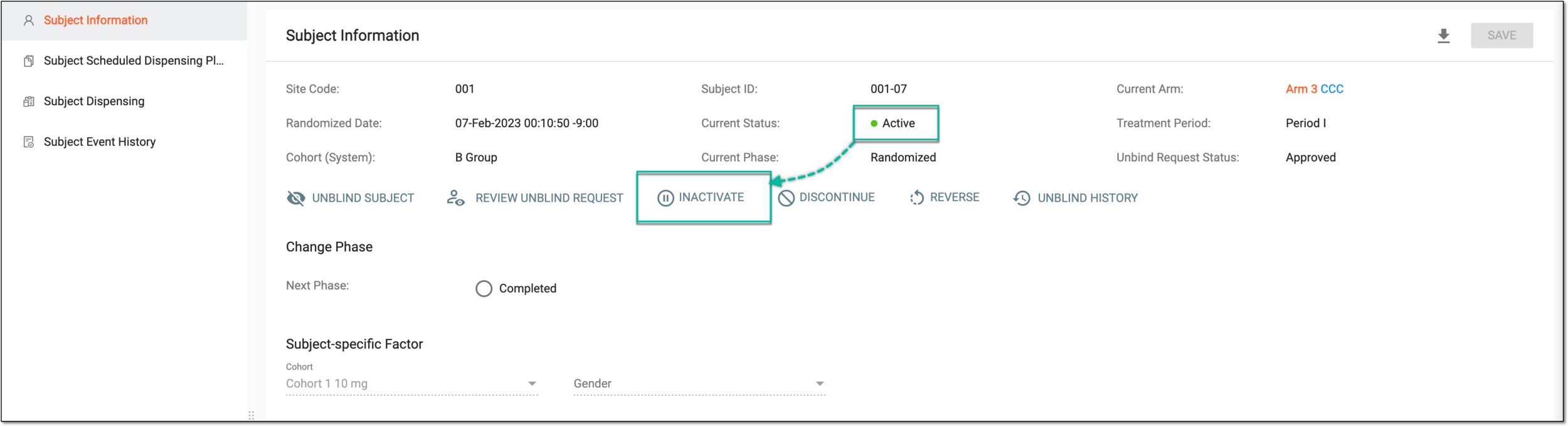 Figure 2. Inactivating active subject
Tip
Once the subject has been deactivated, you can no longer change the phase or discontinue this subject.
-
In the Change Reason dialog that opens, add the reason for deactivating or activating the subject.
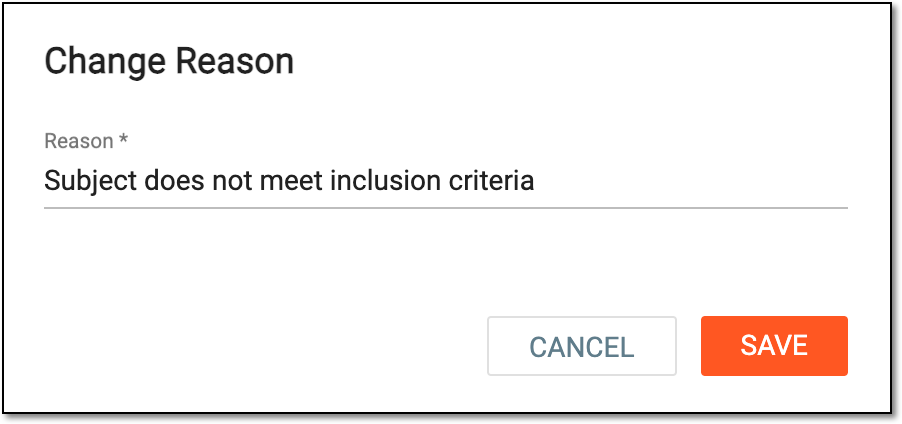 Figure 3. Adding reason to deactivate/activate subject
-
Select
 to proceed with your intended action.
Upon saving, the subject is deactivated or activated.