Change subject phase
A subject is a healthy volunteer or a patient who has enrolled to participate in the clinical trial according to criteria defined in the study protocol. A subject phase refers to the study stage that the enrolled subject has achieved during the trial and explains the most current subject status. When subjects are registered in the eClinical platform, they pass through different phases, such as screening, randomization, and so on.
In IWRS, you can manually change the phase of subjects according to your study requirements.
For example, you can move the subject to the Registered phase, and when the subject has passed the screening test, you can move the subject to the Enrolled phase, and so on.
-
In the IWRS application header, select the SUBJECT tab.
-
From Subject List that opens, select the needed site and subject.
 Figure 1. Selecting site and subject
-
Under the Subject Information tab, in the Change Phase block, select the next phase to which you want to move the subject.
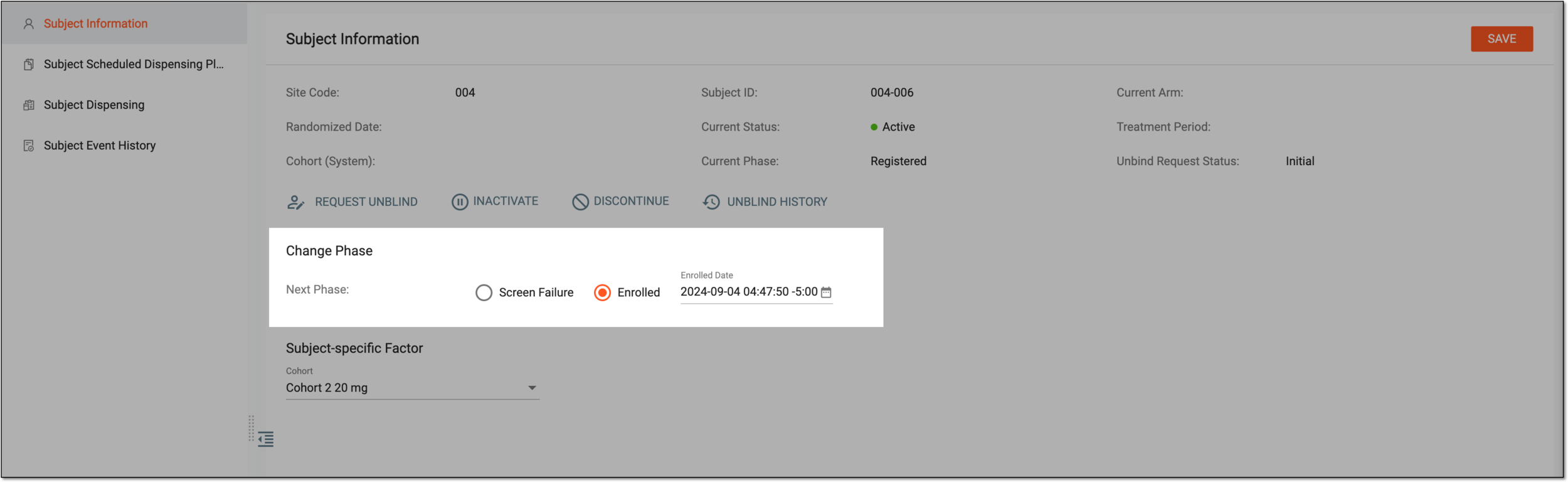 Figure 2. Changing subject phase
Important
You may also need to specify the date of the subject phase change if the subject phase configuration requires you to do so. The selected date and time are set as specified, however, if your timezone differs from the site time zone, you see that by the offset value next to the time, such as "-5" or "+2."
The date change functionality of the Randomization phase is only available for open-label studies.
-
From the workspace toolbar, select
 .
. -
If additional confirmation is configured for the cohort to which you enroll the subject upon the phase change, in the dialog that appears, select
 to proceed with your action.
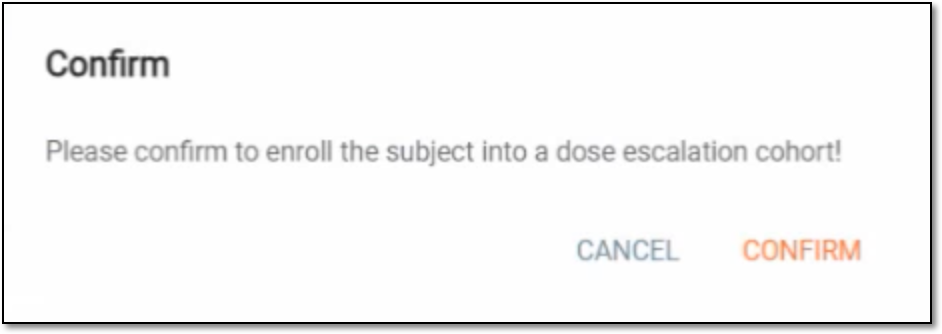 Figure 3. Example of confirming subject enrollment
Once saved and confirmed, the subject phase is updated. You can now select the subject-specific factor.