Select subject-specific factor
The subject-specific factor is a value or a piece of information that determines the drug dispensation for the subject. Factors like the subject's gender, date of birth, drug dosing, and so on are unlikely to change for the subject throughout the study. Based on the study protocol, the subject-specific factors can be defined and configured in IWRS.
Some subject-specific factors (for example, the dosing or cohort) can be assigned automatically upon randomization if the arm to which the subject is randomized has the specific associated factors. Nevertheless, you can also select the subject-specific factors manually.
-
In the IWRS application header, select the SUBJECT tab.
-
From Subject List that opens, select the needed site and subject.
 Figure 1. Selecting site and subject
-
Under the Subject Information tab, in the Subject-specific Factor block, select the subject-specific factor value from the dropdown list.
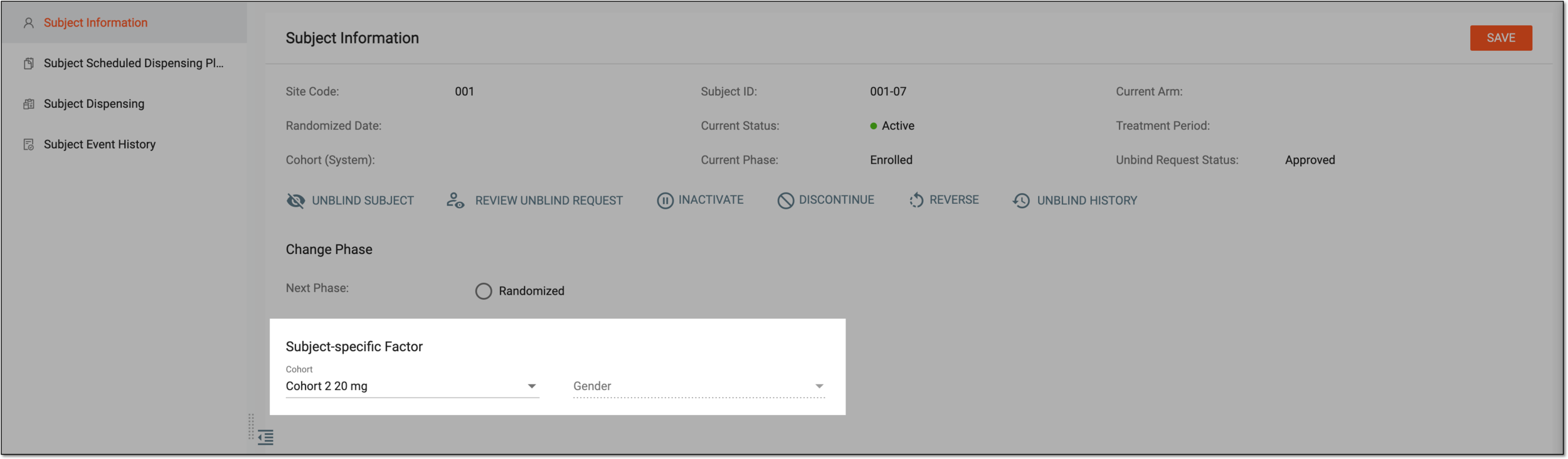 Figure 2. Selecting subject-specific factor value
Important
Based on the subject-specific factors and visit dispensing configurations, the number of subject-specific factors and values for them may differ.
-
From the workspace toolbar, select
 .
.
Once saved, the selected subject-specific factor value is now updated for the subject. If needed, you can manually sync this value to EDC.