Associate arm with factor
Arms within the cohorts refer to groups of subjects in a clinical trial that receive specific treatment or intervention or no treatment at all according to the study protocol.
In IWRS, you can associate each arm with specific factors.
For instance, associating the arm with the dosing factor automatically assigns a specific drug dosage to all the subjects added to this arm.
-
In the IWRS application header, select the TREATMENT DESIGN tab.
-
On the page that opens, in the left pane, select the Period subtab.
-
In the Period List table that appears, locate the period of your interest. Then in the Period Name column, select the value to open the period configurator.
 Figure 1. Accessing period configurator
-
In the period configurator, drill down the explorer menu and select the Cohort List subtab.
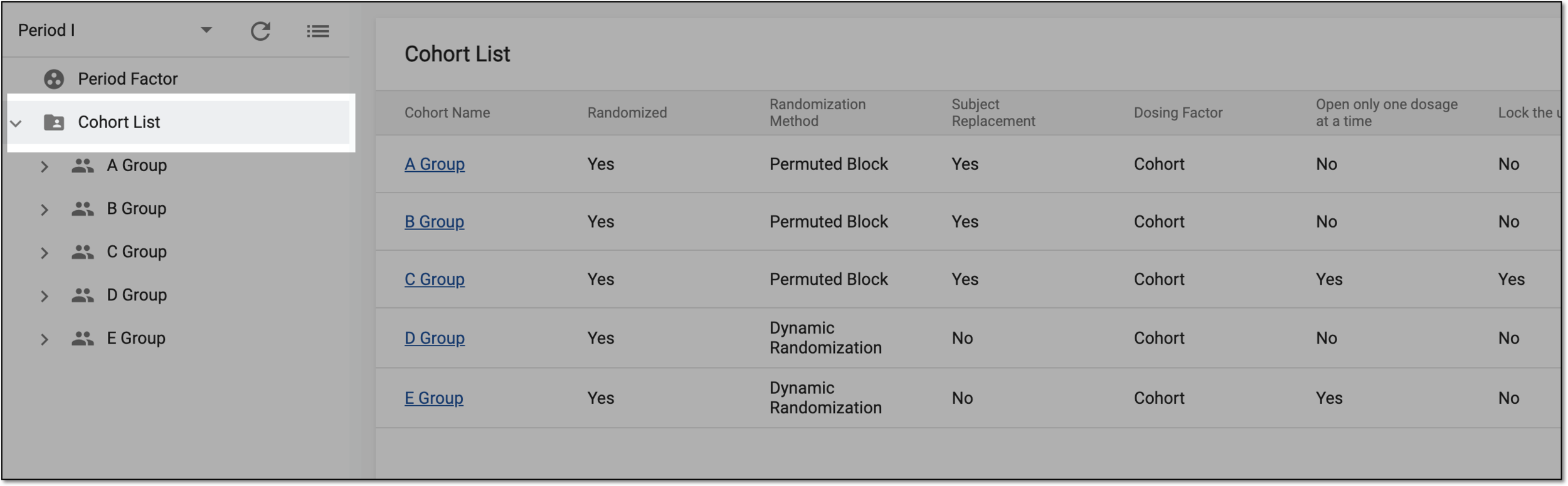 Figure 2. Accessing cohort list
-
From the list of cohorts, expand the one of your interest and select Arms.
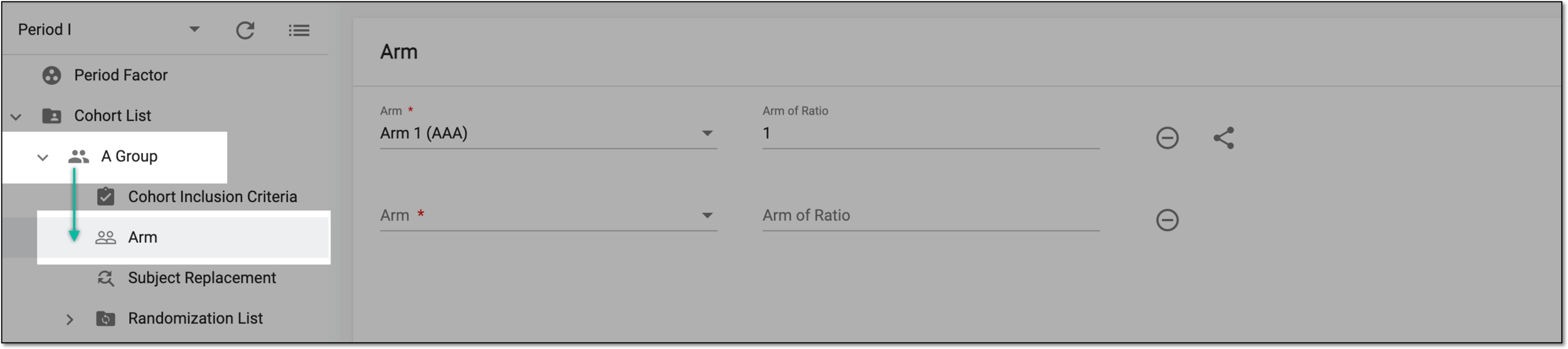 Figure 3. Accessing cohort arm
-
On the Arm page that appears, next to the arm that you want to associate with factors, select
 and in the Associate the Arm with Factors form that appears, complete the fields as explained in the following table.
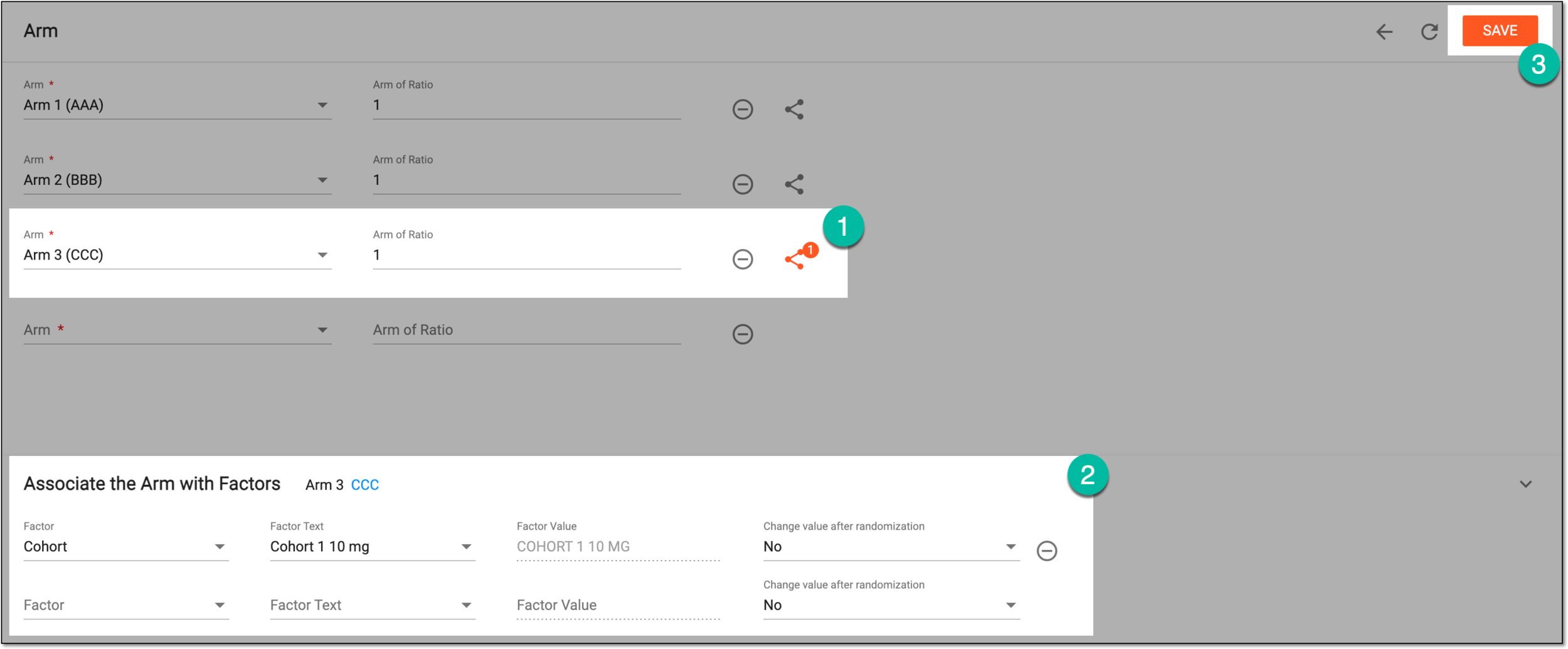 Figure 4. Associating arm with factors
Element
Details
Factor
Select the factor you want to assign to the subjects that are randomized to this arm.
Factor Text
Select the factor text that defines the factor value assigned to the arm.
Factor Value
Represents the factor value assigned to the arm.
The value is determined by the selected factor text and cannot be manually changed.Change value after randomization
Select if you want to allow (Yes) or restrict (No) the users to change the factor value for the subject after the randomization is completed.
For instance, if the value is set to Yes and the subject is randomized to the arm with the dosing factor of 40 mg, the authorized user can manually change the subject dose to another value.

Select this icon next to any of the rows to delete it.
SAVE
Select
 to save the implemented changes.
Upon saving, the arms are associated with the specified factors.