Sync subject-specific factor data to EDC
The subject-specific factor is a value or a piece of information that determines the drug dispensation for the subject. Factors like the subject's gender, date of birth, and so on are unlikely to change throughout the study. However, such factors as the drug dosing or cohort can fluctuate and be assigned automatically upon randomization or selected manually if there is a need for change during study conduct.
All subject data entered in IWRS, and in this case their specific factors, must be properly reflected on their case report forms (CRFs) in EDC. To achieve prompt data alignment, you can manually sync the data whenever needed—when some changes are introduced, or in other cases.
An example of this feature implementation can be when the subject factor is originally selected for a subject in IWRS, it was not mapped to any item (question) on the CRF in EDC. Thus, this data is not reflected by any EDC form. Then a new item is added to capture the subject-specific factor, and now you can manually sync your IWRS factor data to EDC so that it lands in its intended CRF item.
-
In the IWRS application header, select the SUBJECT tab.
-
From Subject List that opens, select the needed site and subject.
 Figure 1. Selecting site and subject
-
Under the Subject Information tab, from the workspace toolbar, select Sync Mapping Factor to EDC
 .
.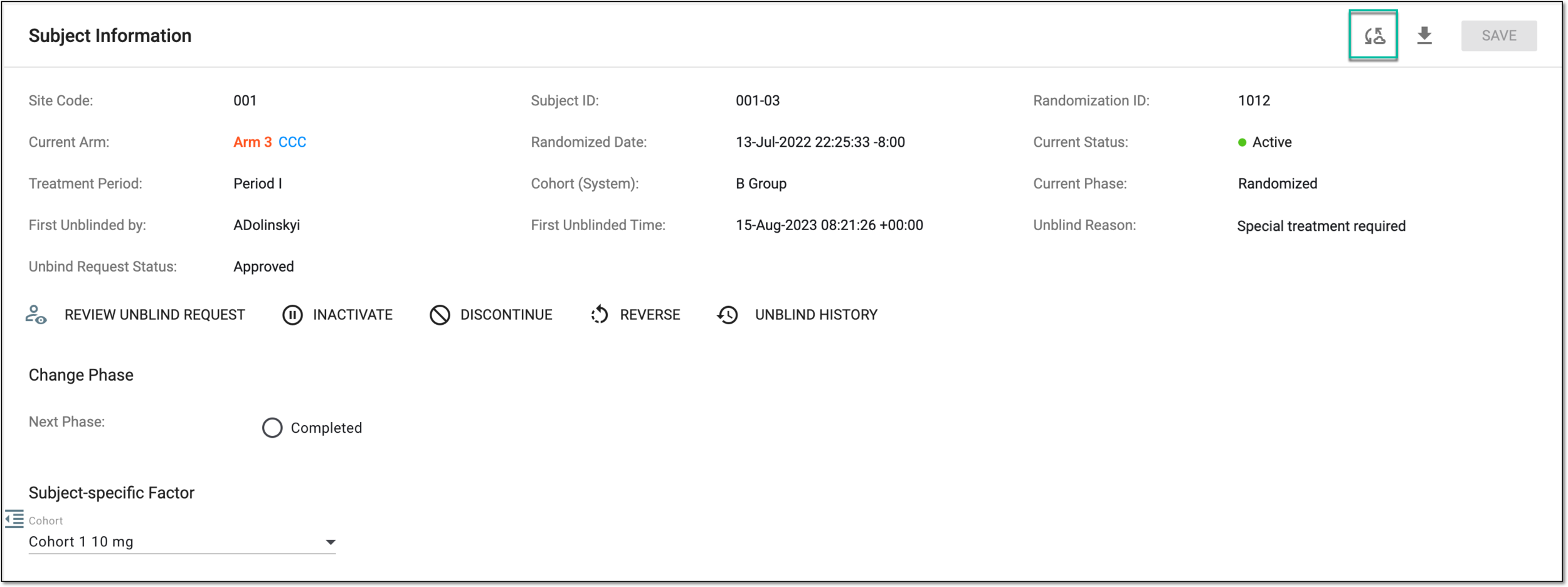 Figure 2. Selecting to sync subject-specific factor value to EDC
-
In the Confirm dialog that appears, all the values that are to be synced to EDC are listed. Select
 to
proceed with data sync.
to
proceed with data sync.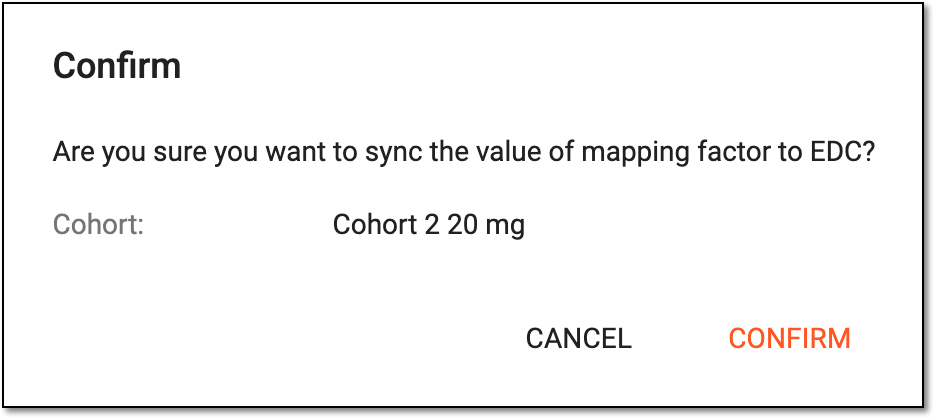 Figure 3. Confirming subject factor value sync
Upon confirmation, the factor data is synced to EDC as follows:
-
If the synced data differs from the existing data in the EDC CRF, the existing value is overwritten with the synced one. This change is reflected in the CRF audit and operation history in EDC.
-
If the synced data is the same as existing in the EDC CRF, no change is made to CRF data. Thus, no record of this sync attempt is made in CRF audit and operation history in EDC as redundant.