Remove subject from balance calculation
From the Subject Information tab, you can view and manage various details about the selected subject. One such option is to remove the subject from balance calculation in the randomization process.
This means that if the subject is randomized according to the dynamic randomization scheme, you can configure the system to stop accounting for this subject when running the arm selector and randomizing the subsequent study participants.
For instance, if the subject is discontinued from the study after being randomized and allocated to a specific treatment arm, you might not want to account for this subject as a factor when allocating the subsequent subjects to treatment arms.
-
In the IWRS application header, select the SUBJECT tab.
-
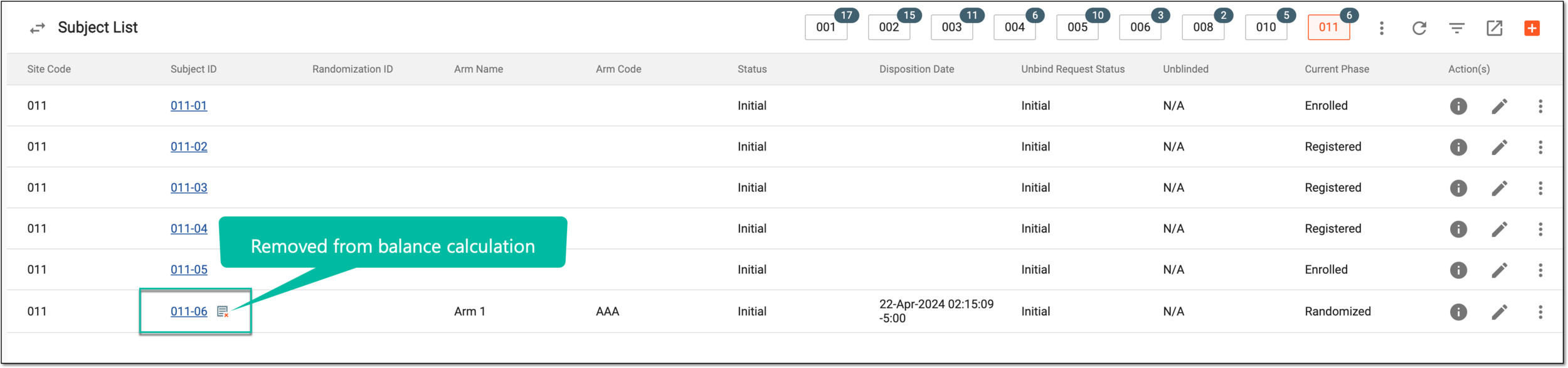
From the Subject List page that opens, select the needed site and subject.
 Figure 1. Selecting site and subject
-
From the Subject Information page that opens, select REMOVE FROM BALANCE CALCULATION
 .
.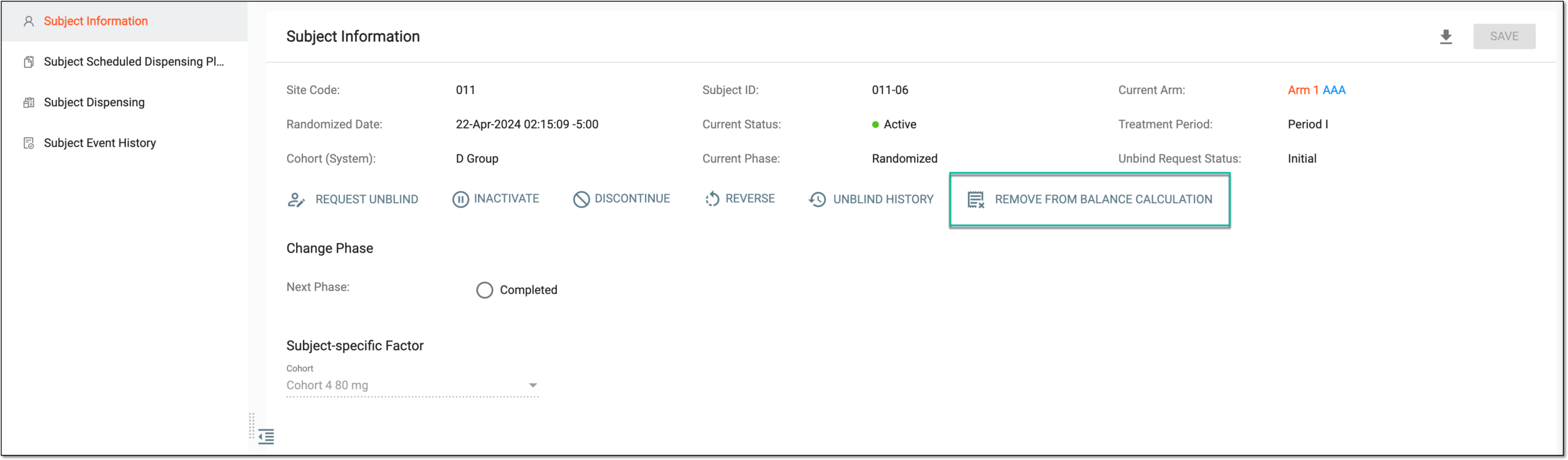 Figure 2. Removing subject from balance calculation
-
In the Remove from Balance Calculation dialog that appears, enter the reason for excluding subject from randomization algorithm. Then select
 to confirm your action.
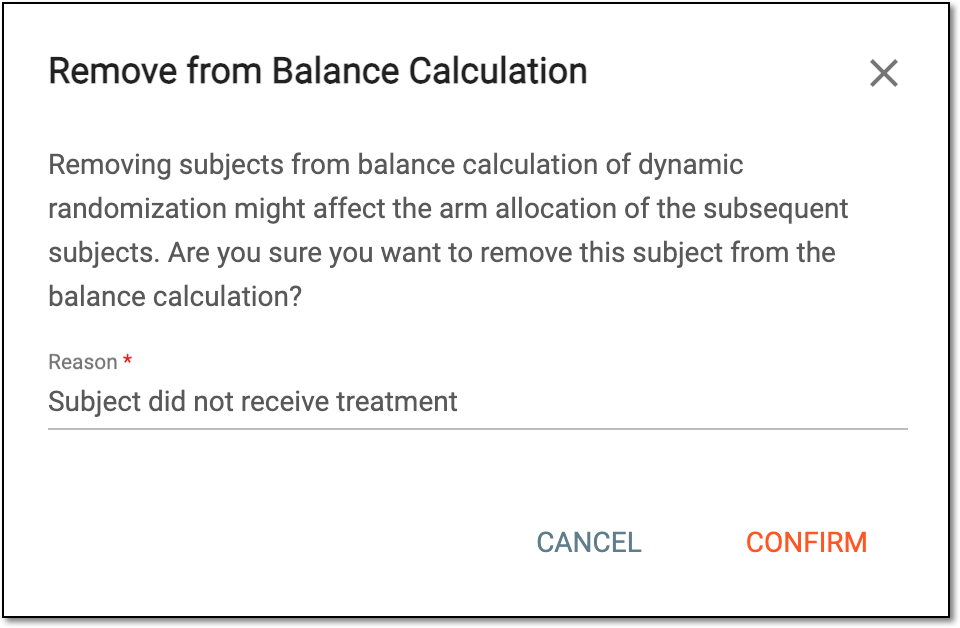 Figure 3. Confirming subject removal from balance calculation
Upon confirmation, the subject is excluded from the dynamic randomization balance calculation. Now when randomizing subsequent participants, the system disregards this subject's allocation and factors. The respective indicator appears next to the subject ID in the Subject List table for easier identification.