Discontinue subject
Under certain circumstances, the study may require discontinuing a subject. For example, you may want to stop working with the subject because they refuse or are unable to continue participating in the study, or the study has been terminated, and so on.
When the subject is discontinued, then their current phase changes to Discontinued. When the discontinuation is reversed, the subject phase is changed back to the one that has been before the discontinuation.

Important
Note that once you discontinue the subject from the study, their dispensing needs are no longer accounted for in the site's supply plan.
The option to discontinue a subject is unavailable if the subject has been deactivated. So, activate the subject first to discontinue it.
-
In the IWRS application header, select the SUBJECT tab.
-
From Subject List that opens, select the needed site and subject.
 Figure 2. Selecting site and subject
-
On the Subject Information page that opens, select
 .
.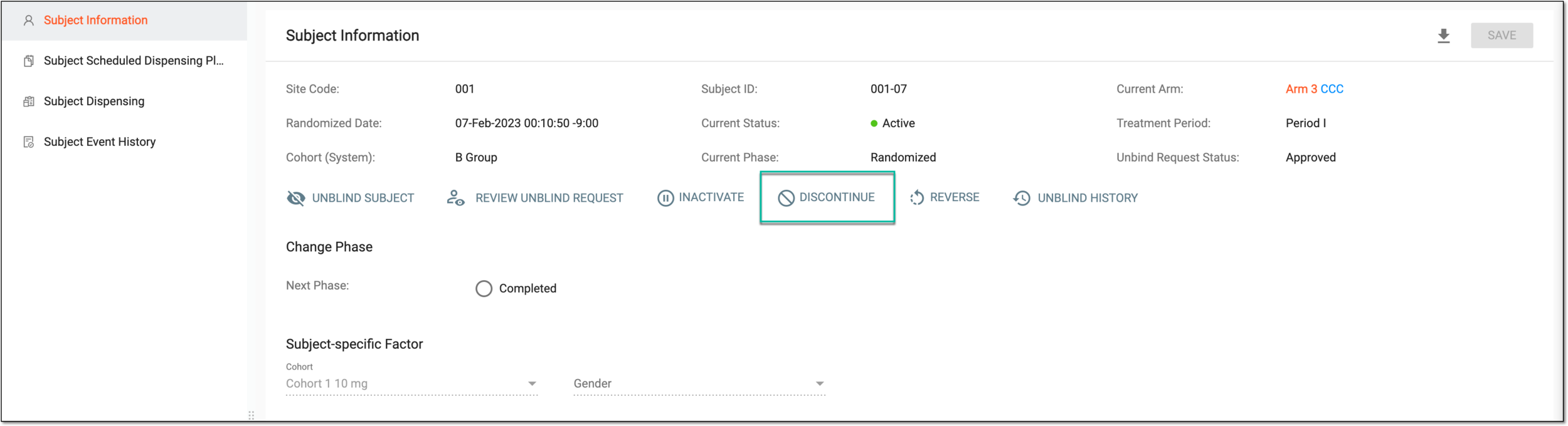 Figure 3. Discontinuing subject
-
In the confirmation dialog that opens, select
 .
.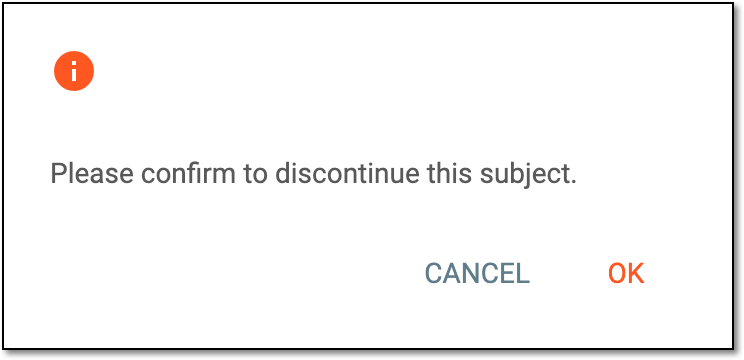 Figure 4. Confirming subject discontinuation
Upon confirmation, the subject is discontinued. You can also reverse the subject discontinuation if needed.