Set phase change date
A phase is one of multiple stages of the clinical trial characterized by specific activities conducted by scientists. Phase milestones may change depending on the phase itself and the clinical trial circumstances.
In the current configuration, you can define the change date of a certain phase. This feature ensures accurate tracking of subject progression and phase transitions, providing detailed accountability for subject phase changes.
For example, you set the change date for the Enrolled subject phase. When a CRC, investigator, or another study team member updates the status of the subject to Enrolled, they are prompted by the system to enter the date of subject enrollment.
-
In the IWRS application header, select the TREATMENT DESIGN tab.
-
On the page that opens, in the left pane, select the Subject Phase subtab.
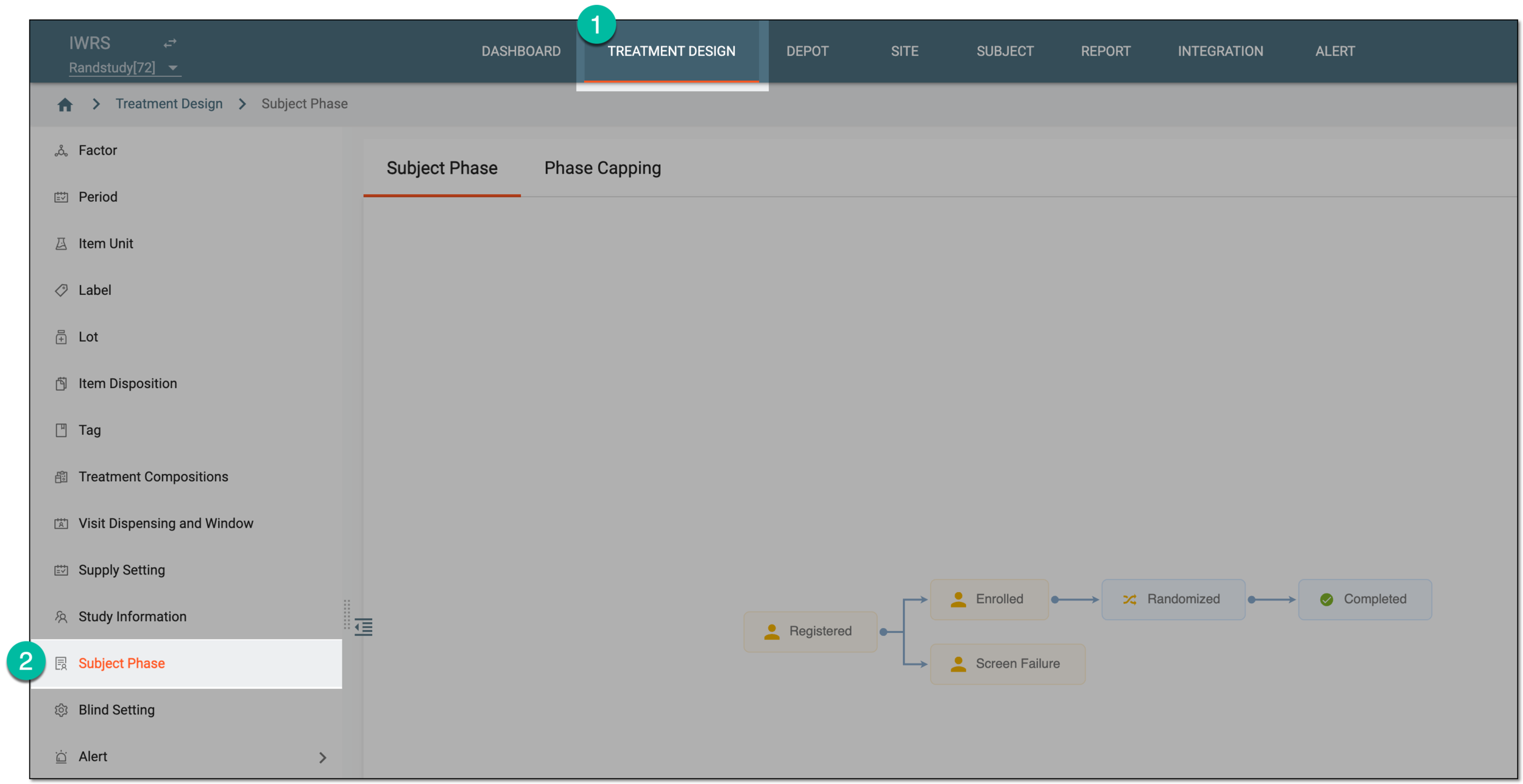 Figure 1. Accessing subject phase management
-
On the Subject Phase page that opens, select Set Phase
 and then
Set Change Phase Date.
and then
Set Change Phase Date.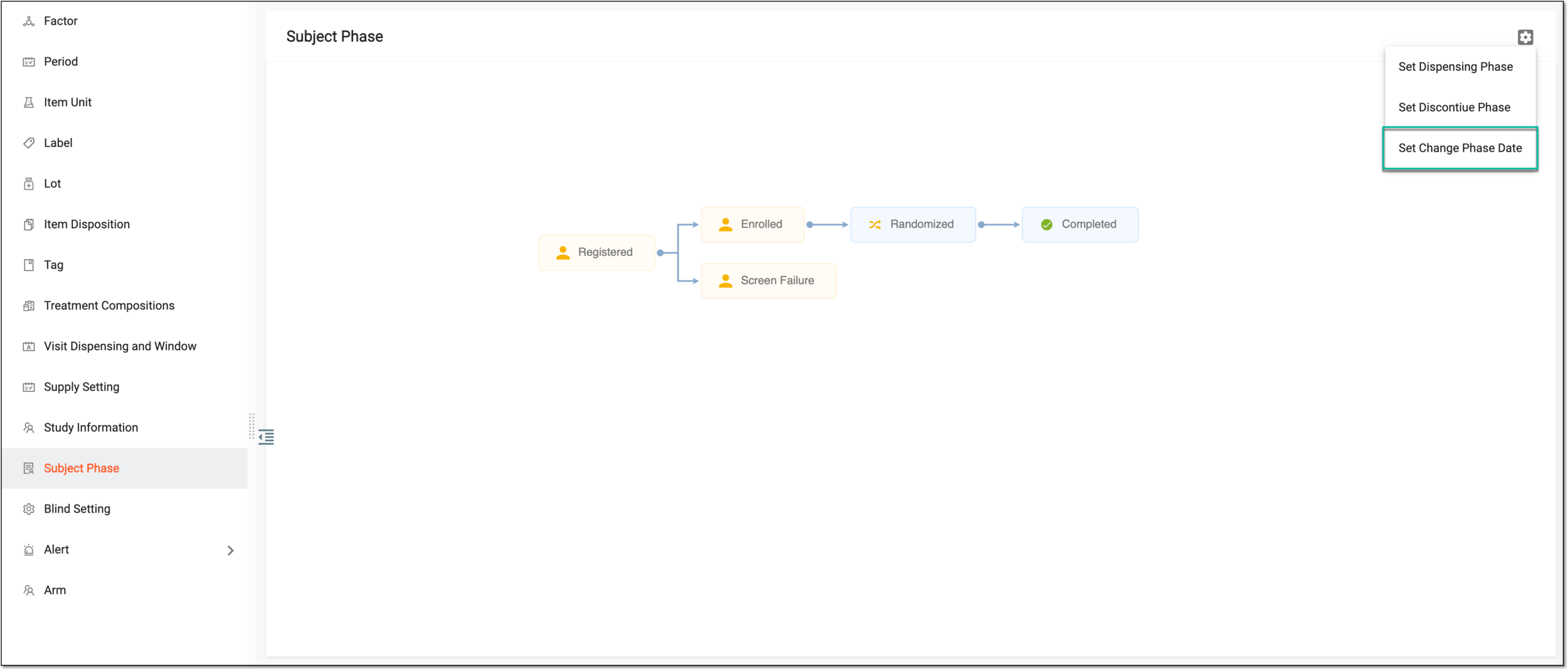 Figure 2. Selecting option to change phase date
-
In the Set Phase Support Edit Phase Date dialog that appears, select checkboxes next to the needed subject phases.
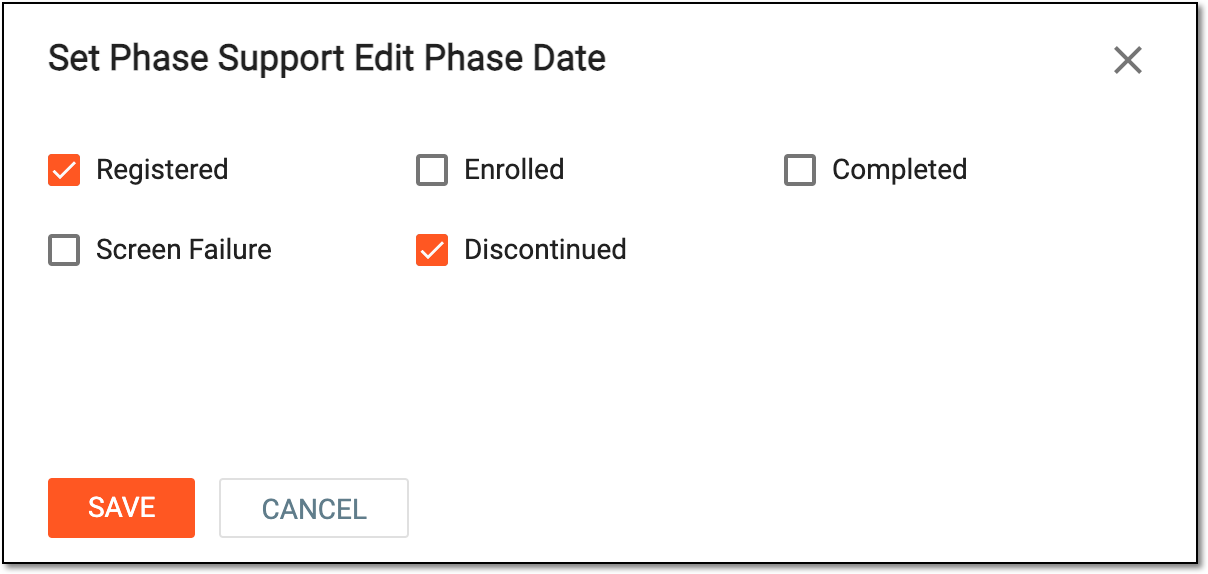 Figure 3. Setting change date for subject phases
Important
For open-label studies only, you can also set the Randomization phase changing date to be required. For blinded studies, this cannot be configured.
-
Select
 to save the implemented changes.
Once saved, the change date indication becomes required when forwarding the subject to selected phases.