View visits related to subject phase
Under the Subject Phase > Related Visits tab, you can view the list of visits planned for the study. The selected visits are the ones that the subject needs to complete upon entering this phase.
-
In the IWRS application header, select the TREATMENT DESIGN tab.
-
On the page that opens, in the left pane, select the Subject Phase subtab.
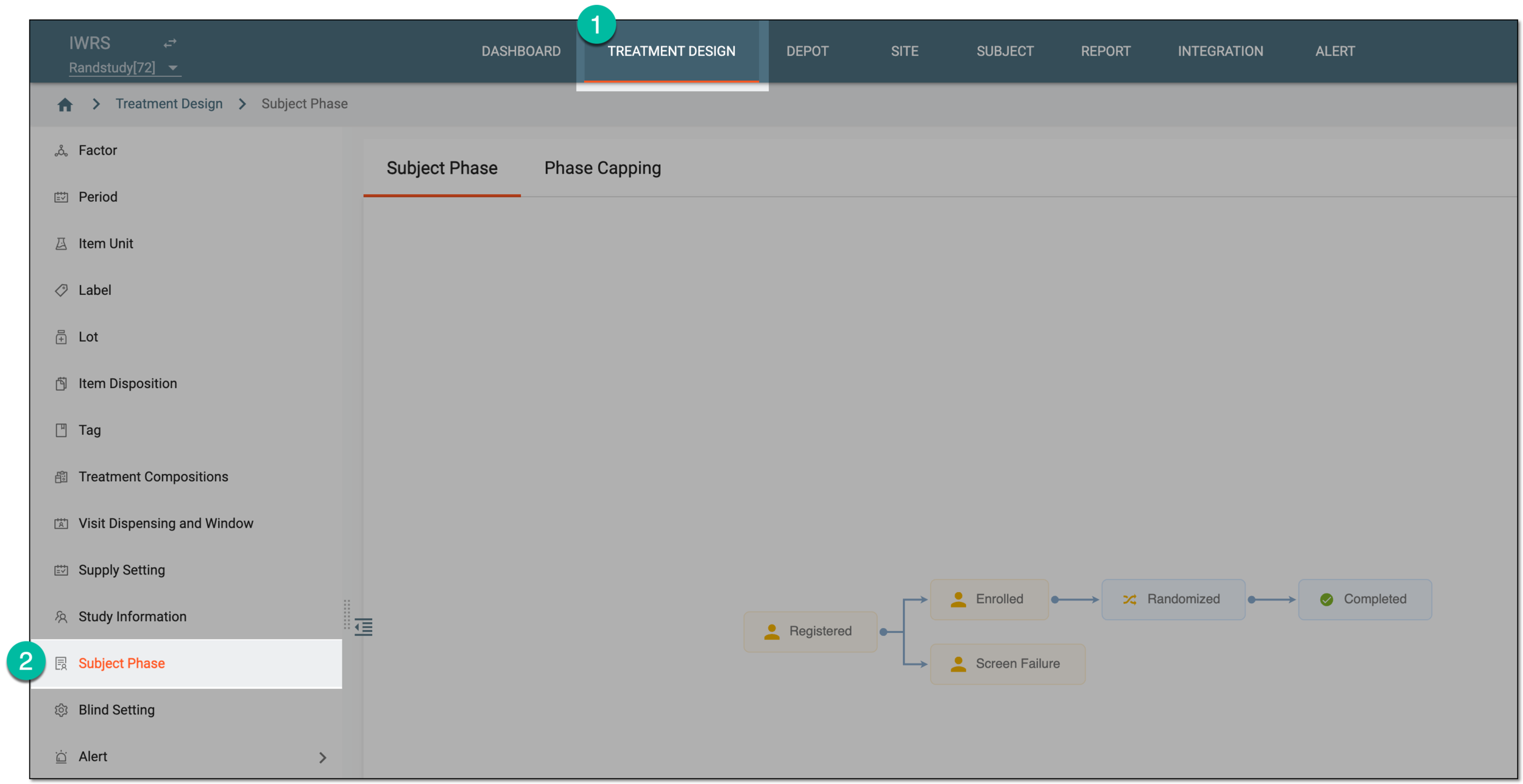 Figure 1. Accessing subject phase management
-
On the Subject Phase page that opens, on the contents panel, double-click the subject phase for which you want to view the related visit(s).
Tip
For quick access to the Related Visit and Property functionality, right-click the needed phase in the chart.
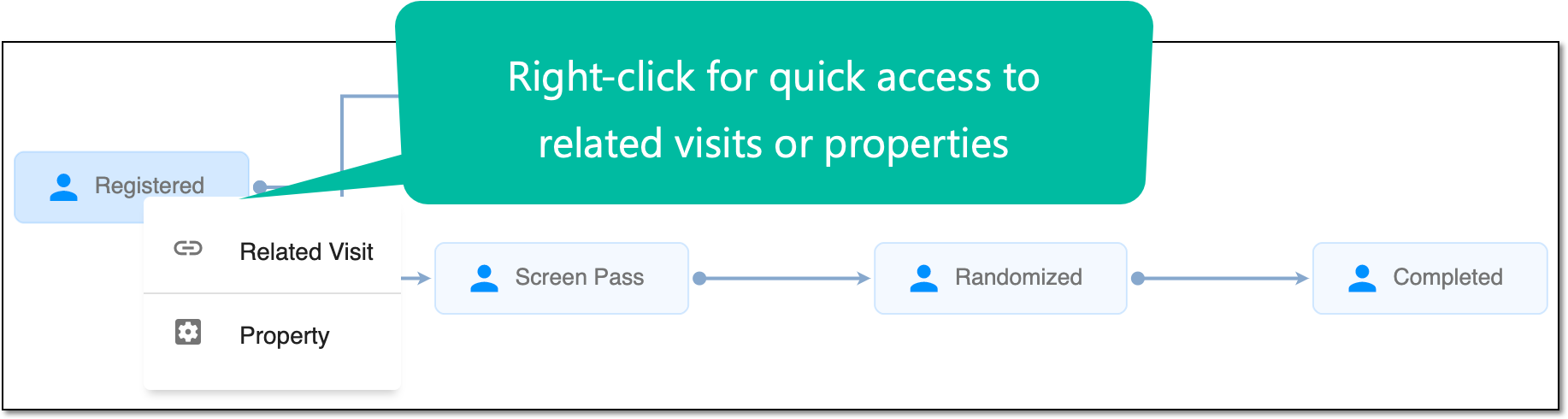 Figure 2. Accessing Related Visit and Property functionality
-
In the [Phase Name] Property dialog that opens, under the Related Visit tab, view the list of visits. The selected ones are the visits that are related to the selected phase.
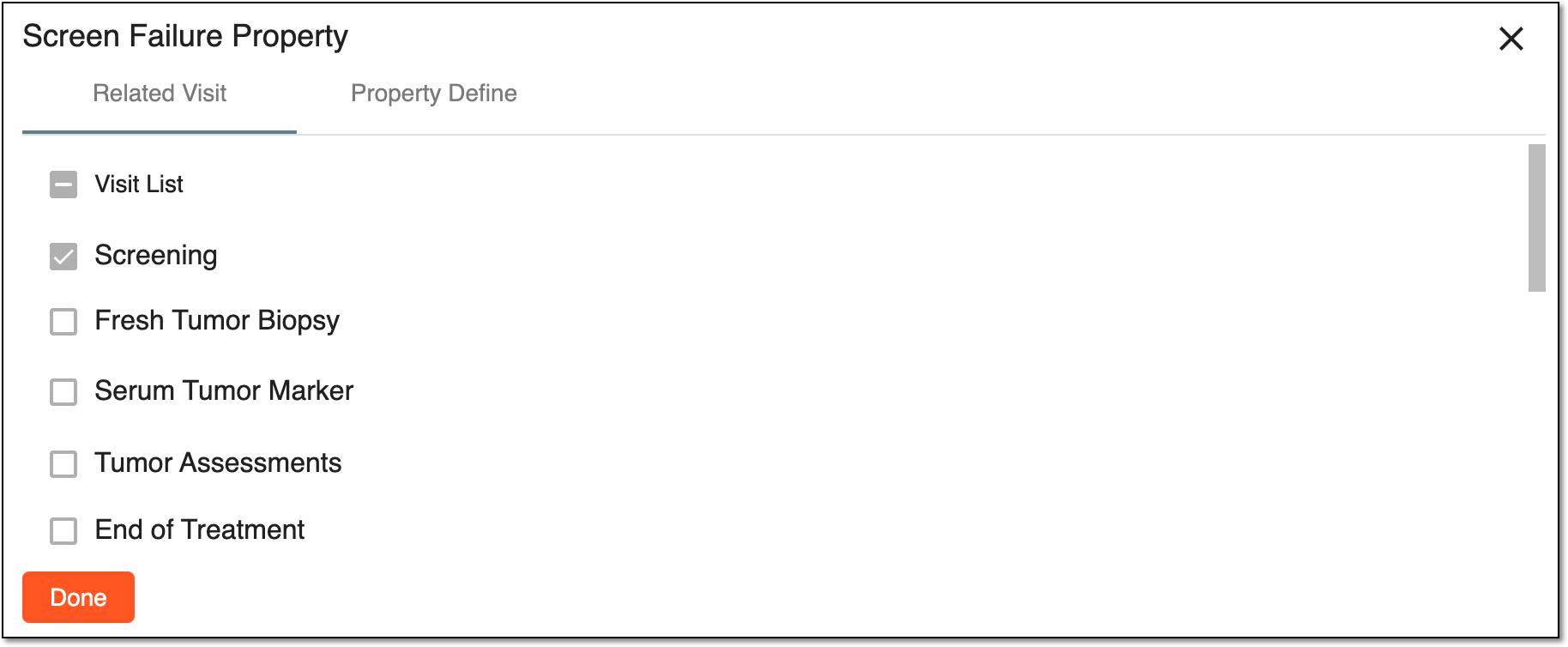 Figure 3. Viewing related visits
Important
These configurations are performed in the Study Designer application and are read-only in IWRS.
-
Select
 to close the dialog.
You have viewed the related visits for the subject phase. You can also define the subject phase properties.
An occurrence in a clinical trial in which the subject comes to a site to receive treatment, undergo some tests, or complete other required procedures.
A specific phase that a subject has to complete in the course of a clinical trial to move further to the next phase. For instance, Screening, Enrolled, Randomized, and others.
 |
In eClinical, subject phases are designed individually for each study via the SD application, although they are referenced in others, like IWRS or EDC.
An eClinical application that provides functionality to design and configure a study (clinical trial), namely to configure CRFs, set subject phases, visits, and others.
The application supports the design of the CDSIC ODM-compliant electronic CRFs to support EDC and eDiary data collection and management.
Get to know all the possibilities of the app with the comprehensive SD User Guide.