View subject unblind history
In IWRS, in case of an emergency, you can unblind any subject at the study level or within a period or visit and make its information, such as an arm name and the event history visible to both blinded and unblinded users across the eClinical platform. Since the unblinding can occur more than once (for different visits or periods), the respective actions are stored in the IWRS system as unblinding history.
Important
For the blinded user roles to be able to view the unblinded information, the respective permission must be granted in IWRS.
-
In the IWRS application header, select the SUBJECT tab.
-
From Subject List that opens, select the needed site and subject.
 Figure 1. Selecting site and subject
-
On the Subject Information page, select
 .
.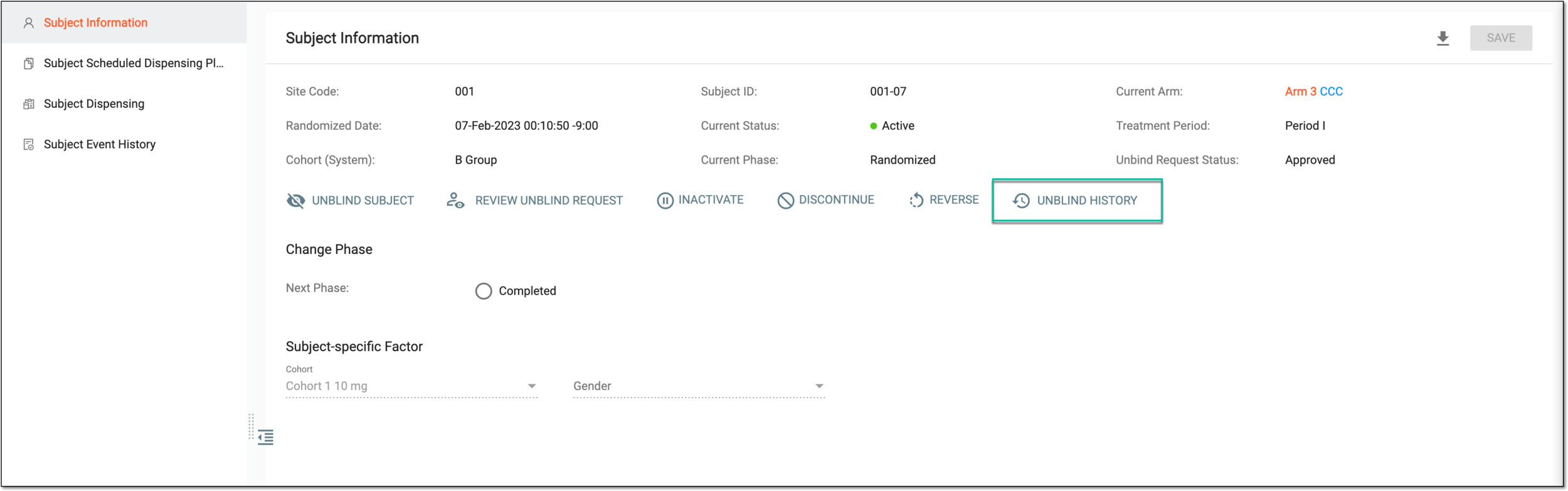 Figure 2. Accessing subject unblinding history
-
In the Unblind History dialog that opens, view the unblinding actions performed with the subject.
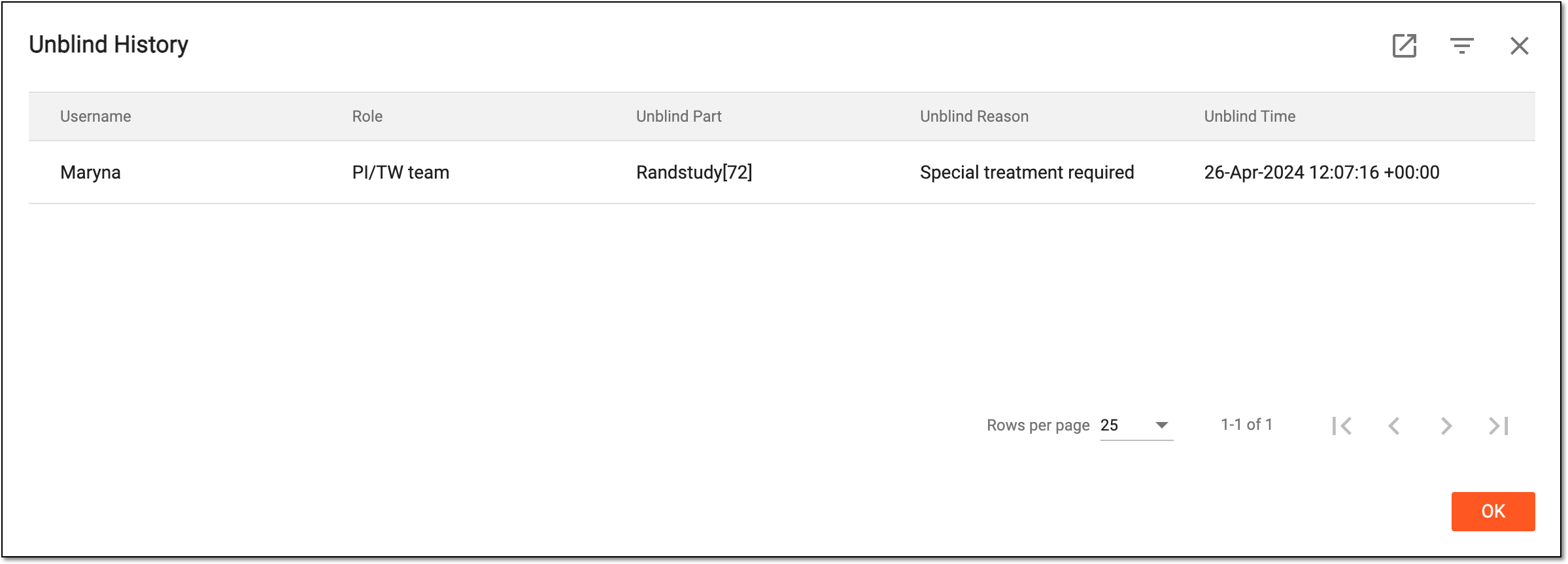 Figure 3. Viewing unblind history
Once viewed, select  to close the Unblind History dialog and return to the Subject
Information page.
to close the Unblind History dialog and return to the Subject
Information page.