Review subject unblind request
A subject unblind request refers to the process when authorized users request access to a subject's treatment assignment information, typically undertaken in situations where knowledge of the assigned treatment is deemed crucial for medical or ethical reasons. The request is sent when the subject's details, such as an arm name and the event history, need to become visible to both blinded and unblinded users across eClinical.
Important
You can skip the unblinding request step if it is irrelevant to your study. Under the Study Information tab of IWRS, you can customize if the unblinding requires approval.
When some user submits the subject unblind request, you need to review this request by learning the unblinding circumstances and then decide whether to revoke or approve the unblind request. If you approve this request, the data for a corresponding subject can be unblinded afterward.
-
In the IWRS application header, select the SUBJECT tab.
-
From Subject List that opens, select the needed site and subject.
 Figure 1. Selecting site and subject
-
Under the Subject Information subtab that opens by default, select
 .
.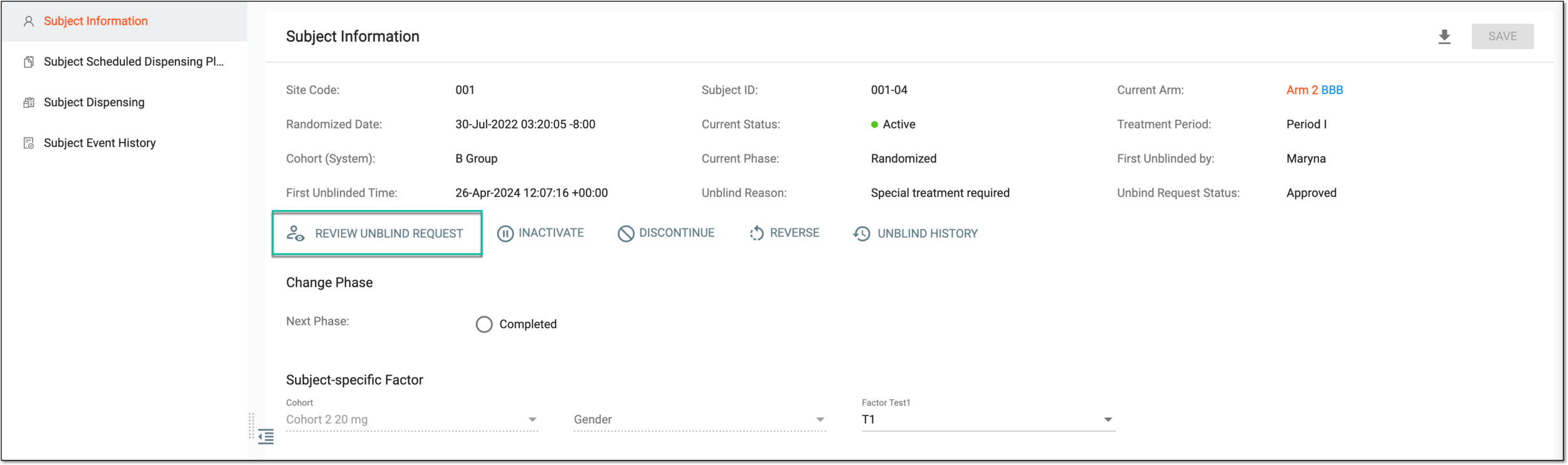 Figure 2. Selecting to review unblinding request
-
In the Review Unblind Request dialog that appears, select either
 to accept the subject unblind or
 to reject it.
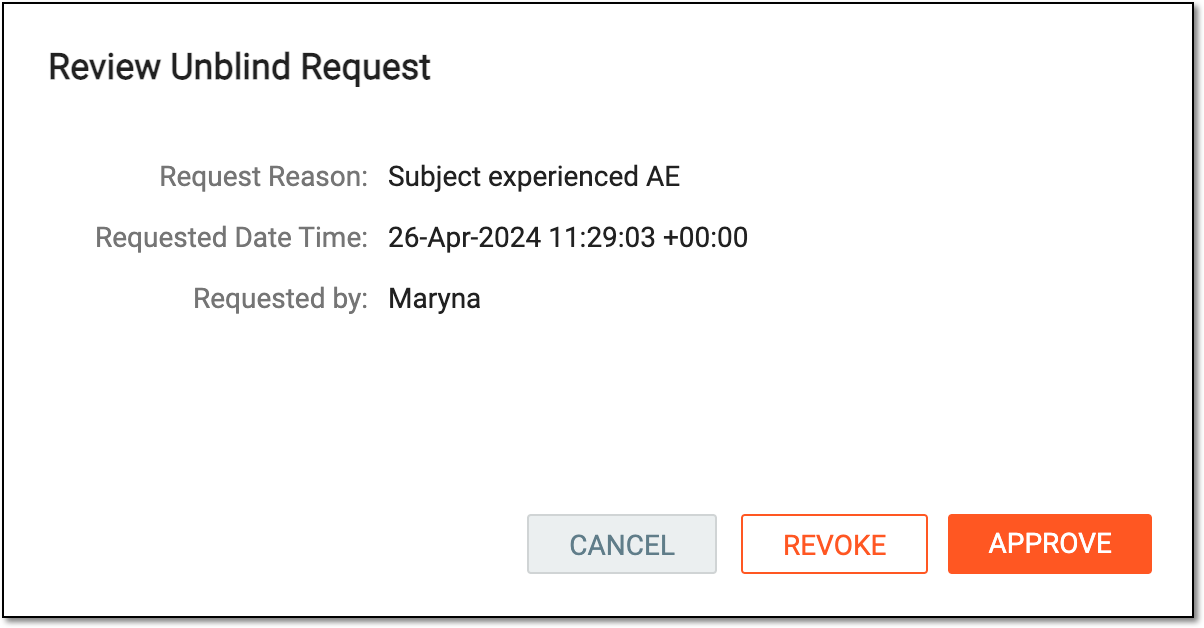 Figure 3. Reviewing subject unblind
If approved, the subject unblind becomes permitted. The users with proper permissions can now unblind the subject data.