Configure unique ID parameters
In clinical trials, unique identifiers (IDs) are used to distinguish trial participants. Unique IDs are intended for the protection of personal information and confidentiality. Using IDs can facilitate data integrity, blinding, randomization, monitoring, analysis, and other purposes in the course of a clinical trial.
A unique ID is configured in EDC and is automatically assigned to each subject registered in the system. In IWRS, you can specify the elements of the unique ID, whether the ID can be edited, and so on. Depending on the sponsor's requirements, there can be multiple IDs as the subject passes through different study phases. Additional subject identifiers are configured in EDC but they do not affect subject registration and management in IWRS.
-
In the IWRS application header, select the TREATMENT DESIGN tab.
-
On the page that opens, in the left pane, select the Study Information subtab.
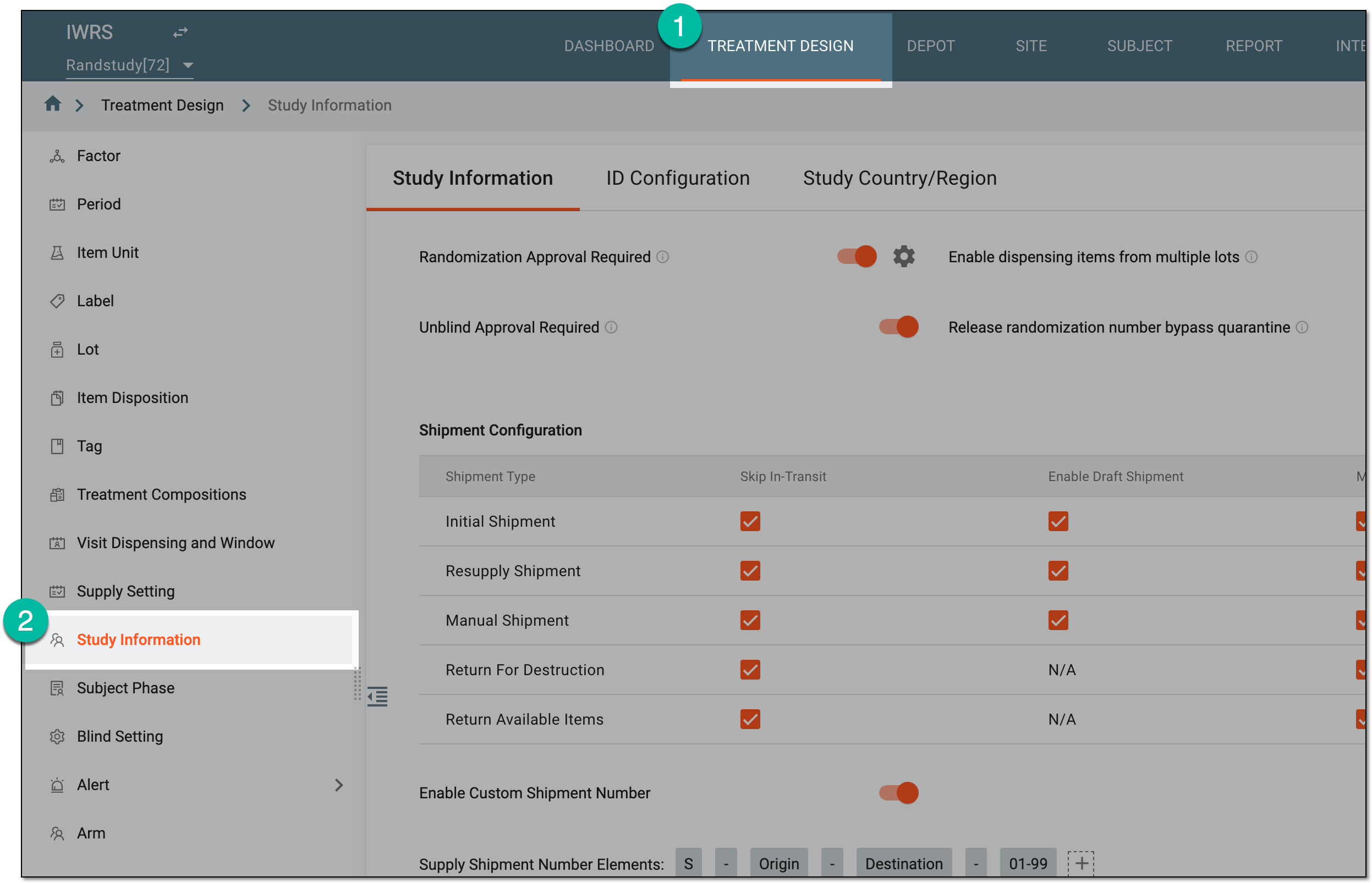 Figure 1. Accessing study configurations
-
From the Study Information contents panel, select the ID Configuration tab.
-
In the form that opens, configure unique ID parameters as explained in the following table.
 Figure 2. Configuring unique ID parameters
Element
Details
Unique ID Configuration
Auto Unique ID
Configure as follows:
-
Turn on this toggle to automatically assign a unique ID when registering a new subject in the system.
-
Turn off this toggle if you want the system users to enter unique ID manually when registering subjects in the system.
Edit Unique ID
Configure as follows:
-
Turn on this toggle to allow system users to edit the unique ID when registering new subjects (applicable to autogenerated unique ID) or editing subject details.
-
Turn off this toggle to prohibit the unique ID editing when registering new subjects (applicable to autogenerated unique ID) or editing subject details.
Unique ID Elements*
Select
 to choose the elements that are to compose a unique ID for a subject. You
can drag nodes to change their order. Available options are as follows: Site Code, Number Range (asc), Letter Range (asc), and Dash.
to choose the elements that are to compose a unique ID for a subject. You
can drag nodes to change their order. Available options are as follows: Site Code, Number Range (asc), Letter Range (asc), and Dash.For example, if you have selected Site Code - 01-99 where Site code = 001, then your unique ID is generated in the range of 001-01 - 001-99.
This setting is only available if Auto Unique ID toggle is turned on.Unique ID Label*
Enter the name of the unique ID displayed and recorded in the IWRS and EDC systems—in subject lists, reports, dispensation records, and so on. ID customization suits the business needs of different clients that may use "Subject ID," "Patient ID," or else in their studies to identify subjects.
SAVE
Select
 to save the implemented changes.
 -
Once saved, the unique ID configuration is applied.