Edit subject
A subject is a healthy volunteer or a patient who enrolled to participate in the clinical trial according to criteria defined in the study protocol. You can edit existing subjects that have been previously registered in IWRS. This functionality is available only if the subject editing has been enabled.
-
In the IWRS application header, select the SUBJECT tab.
-
On the Subject List page that opens, from the workspace toolbar, select a site where you want to register a new subject.
 Figure 1. Selecting site to view subjects
-
Then next to the needed subject, select Edit
 .
. -
In the Subject Detail dialog that opens, update the fields as needed. These fields are identical to the ones explained in the table of the Register new subject section.
Important
The number of fields can vary depending on the IWRS configurations and the subject's current phase.
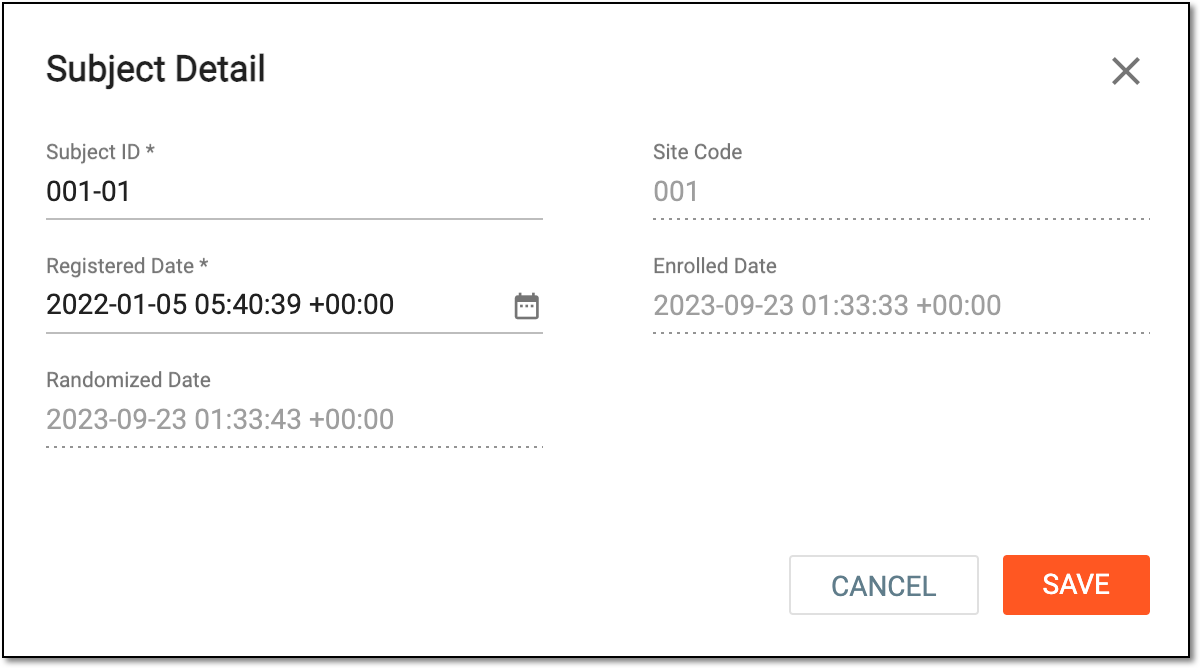 Figure 2. Editing subject
-
Select
 .
.
Once saved, the subject is updated.
A specific phase that a subject has to complete in the course of a clinical trial to move further to the next phase. For instance, Screening, Enrolled, Randomized, and others.
 |
In eClinical, subject phases are designed individually for each study via the SD application, although they are referenced in others, like IWRS or EDC.