Switch to visit window
A subject is a healthy volunteer or a patient who enrolled to participate in the clinical trial according to criteria defined in the study protocol. In IWRS, when managing subjects, you have the possibility to view the visit window for each of them within a single page. This window incorporates the schedule of dispensing visits when subjects need to attend a site for medication intake as per randomization results.
-
In the IWRS application header, select the SUBJECT tab.
-
On the Subject List page that opens, from the workspace toolbar, select the needed site.
-
Then, next to the table title, select Switch to Visit Window
 .
. Figure 1. Switching to visit window page
-
On the page that opens, view the visit window for subjects and apply the following actions if needed.
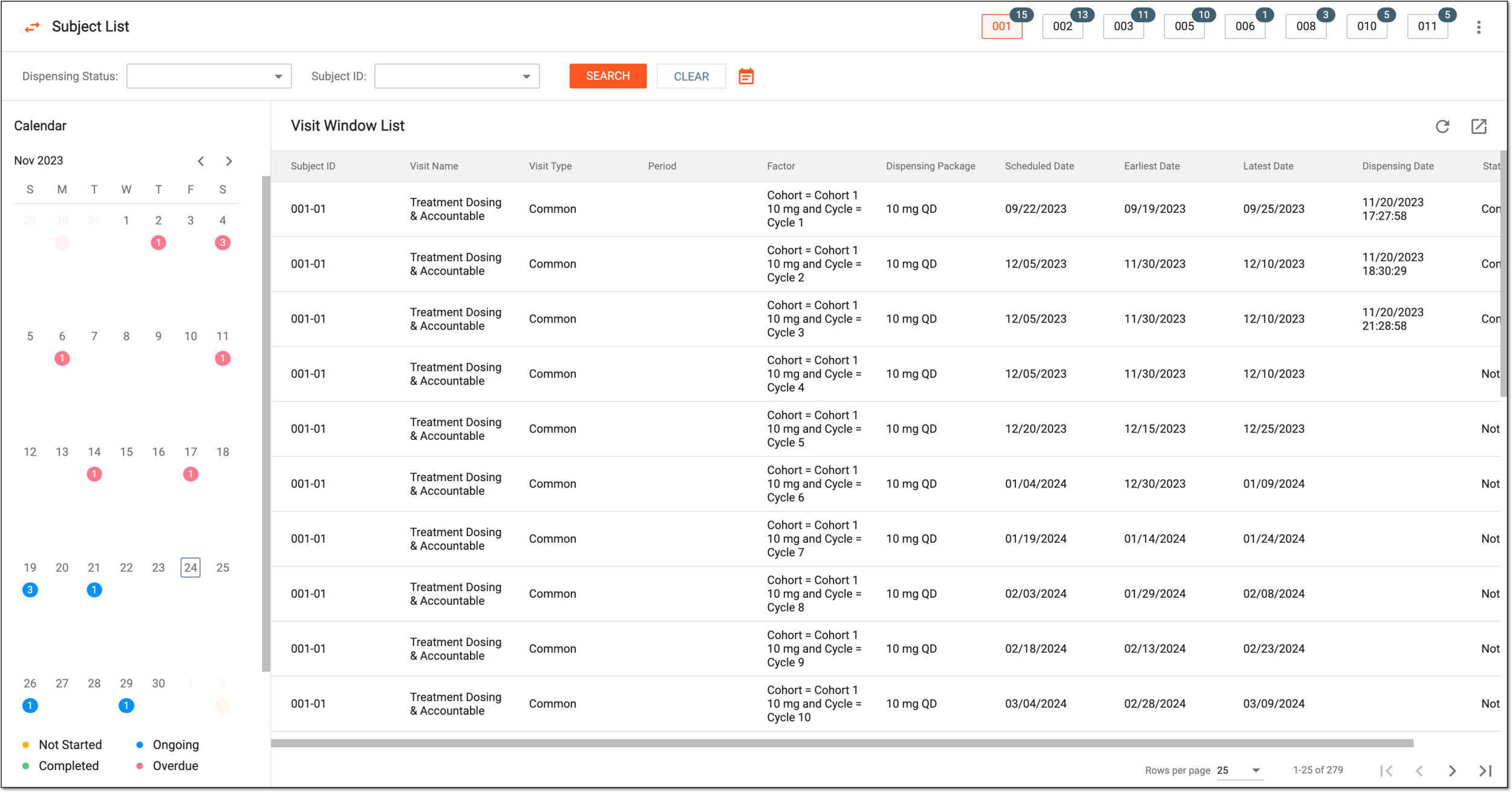 Figure 2. Viewing visit window for subjects
Element
Details
Switch to Subject List
Select
 to switch back to the subject
list.
to switch back to the subject
list.Dispensing Status
Select the necessary dispensing status to filter subjects in the Visit Window List table.
[Unique ID Label]
From the dropdown list, select the needed subject to filter them in the Visit Window List table.
The field name depends on the unique ID label configuration of your study.SEARCH
Select
 to apply the dispensing status and subject ID filters to the Visit Window List table.
CLEAR
Select
 to clear the dispensing status and subject ID filters.
Show/Hide Calendar
Select
 to hide or show the visit window calendar on the page.
Calendar
Select the needed date to view the list of dispensing visits for specific subjects in the Visit Window List table. Look for the colored numbers on the calendar as they indicate the number of visits scheduled on a specific date and their dispensing status.
Visit Window List
The table includes the list of dispensing visits scheduled for all or filtered subjects.
Export
Select
 to export the entire list of dispensing visits scheduled for all site subjects in the XLSX file to your computer.
Once viewed, you can switch back to the subject list to manage subjects there.