Approve/Withdraw subject randomization
Subject randomization is a method used in clinical trials to ensure that study participants are assigned to different treatment groups in a fair and unbiased manner. In IWRS, you can approve the subject to be randomized or withdraw such approval if needed.
-
In the IWRS application header, select the SUBJECT tab.
-
On the Subject List page that opens, from the workspace toolbar, select a site whose subject you want to randomize or withdraw from randomization.
-
Then, in the Randomization Approved column, switch the toggle on to approve the randomization of a corresponding subject. If the subject is randomized, switch the toggle off to withdraw the randomization of a corresponding subject.
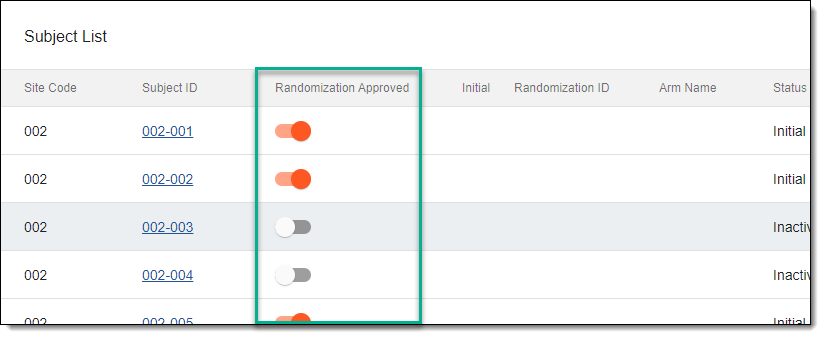 Figure 1. Switching randomization toggle
-
In the dialog that appears, enter your user credentials and the reason for your action.
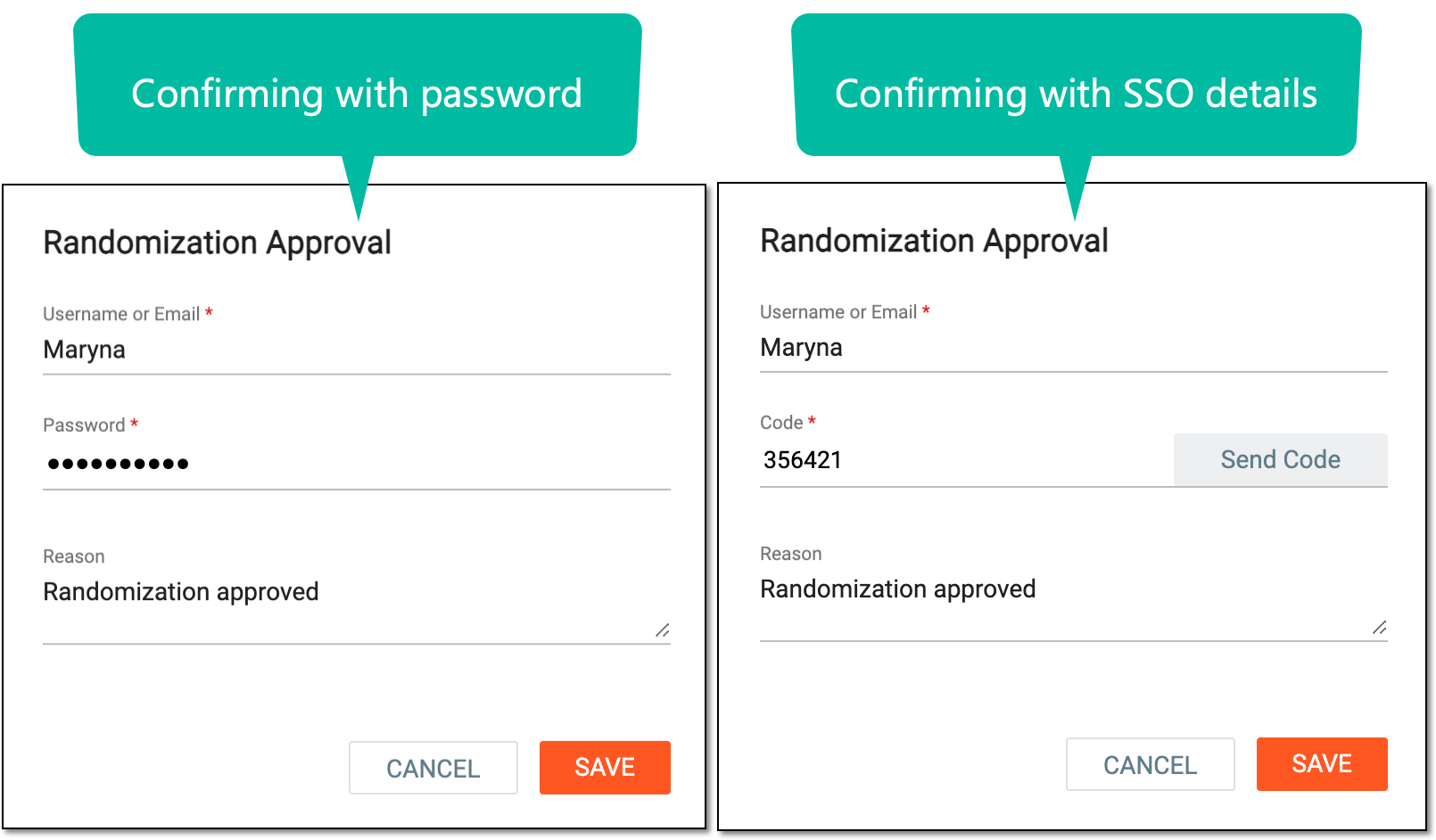 Figure 2. Approving/Withdrawing subject randomization
-
Select
 .
.
Once saved, subject randomization is approved or withdrawn. You can now view the subject details.