Download subject report
A subject is a healthy volunteer or a patient who enrolled to participate in the clinical trial according to criteria defined in the study protocol. Detailed information about the subject can be downloaded in a PDF file so you can view it offline on your computer.
Important
Note that you can only download reports for randomized and completed subjects.
To download the subject report
-
In the IWRS application header, select the SUBJECT tab.
-
From Subject List that opens, select the needed site and subject.
 Figure 1. Selecting site and subject
-
Under the Subject Information tab, from the workspace toolbar, select Download Subject Report
 .
.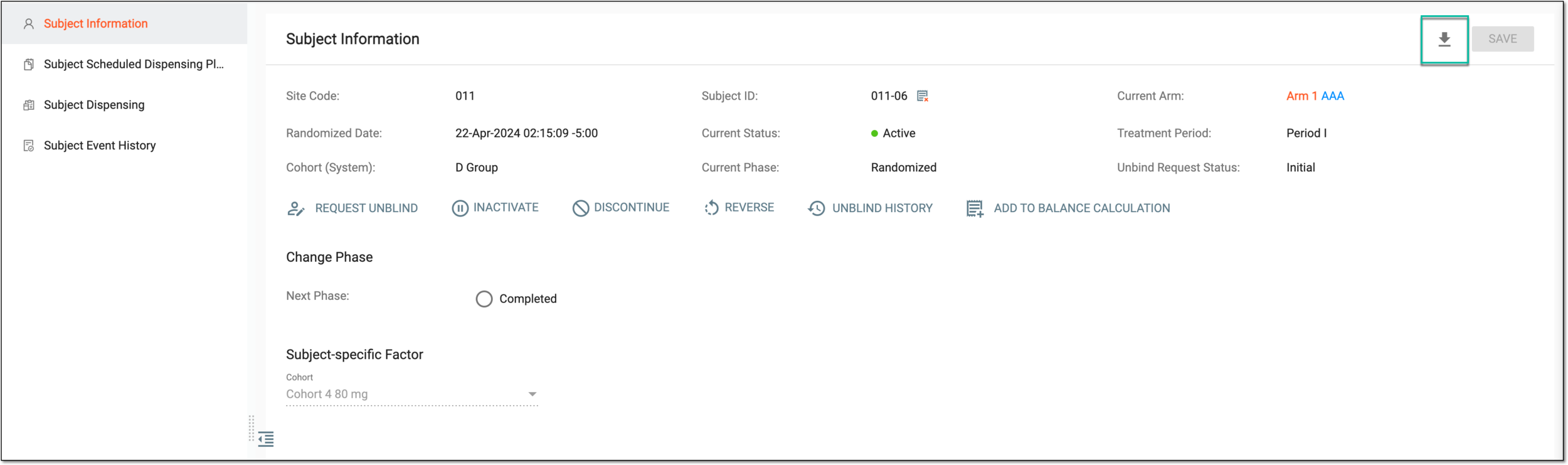 Figure 2. Downloading subject report
Once selected, the subject report is downloaded. You can now view it on your computer.