Create initial shipment request
Once a new site is added to IWRS, its inventory is empty. Thus, to receive the items, the site has to request an initial shipment from a supplier.
In IWRS, for all new sites, you need to create the initial shipment request to notify the supplier of the need to ship items.
Another use of the initial shipment trigger is for the sites to manually request the item resupply when the automatic trigger set in the site's supply plan is not executed for some reason.
For instance, Site 001 has to trigger the automatic resupply request to Depot A once the number of Item A is lower than 10. However, Depot A is inactivated, thus, the autosupply request fails. You can go to the supply depot setting, change the supplier for Item A to another depot, and manually create the shipment request
using the Assign Initial Shipment Trigger  option.
You can enable the draft shipment request to control if the initial order is created as a draft first and then confirmed and sent out by the personnel in charge or sent immediately, skipping the draft approval.
Important
To request the initial shipment, the following preconditions must be met:
-
The site already has a supply plan.
-
The site already has an associated recipient.
-
The site already has supply depots in active status.
-
The number of available items in the supply depot’s inventory is greater than the number of items in the initial shipment.
The number of items in the initial shipment is determined by the Initial Stock parameter indicated in the supply plan selected for the site.
-
In the IWRS application header, select the SITE tab.
 Figure 1. Accessing site management
-
On the page that opens, in the Site List table, locate the newly added site of your interest and activate it by selecting Activate
 .
.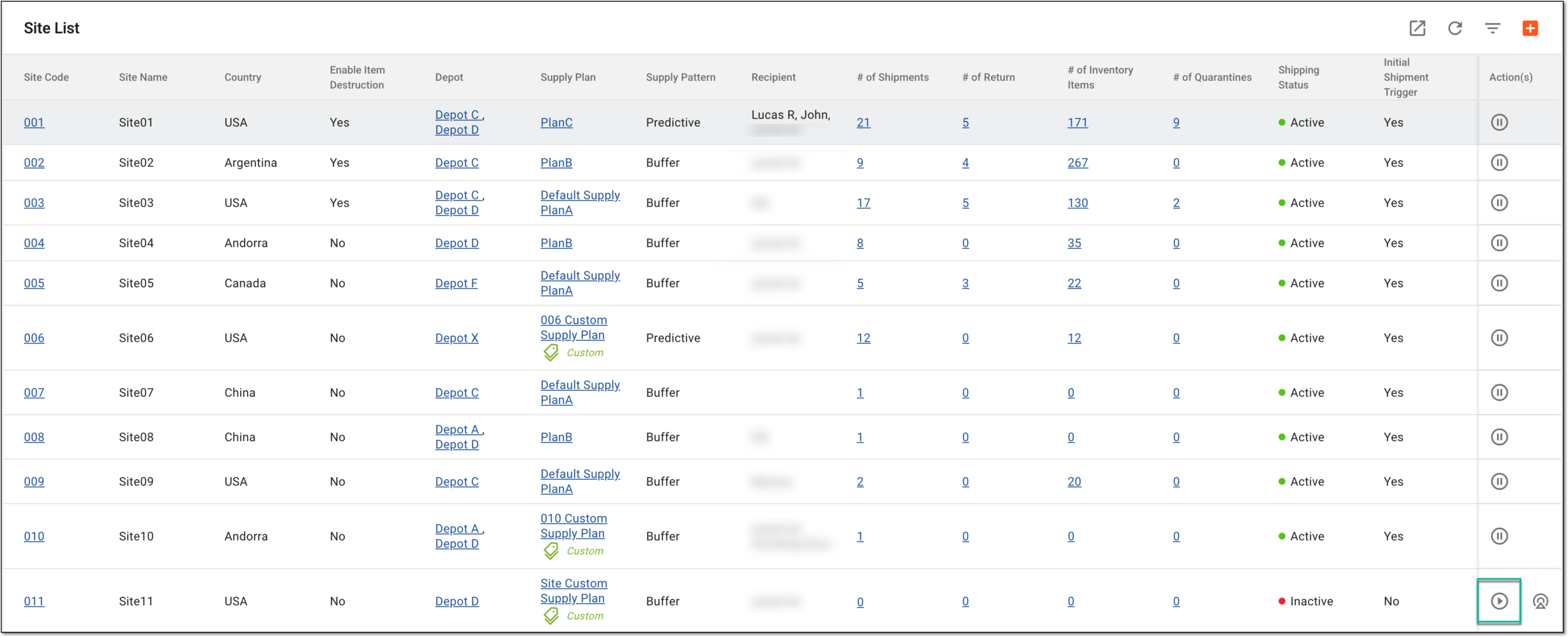 Figure 2. Activating newly added site
-
Upon the site activation, in the Actions column, select Assign Initial Shipment Trigger
to request the initial shipment.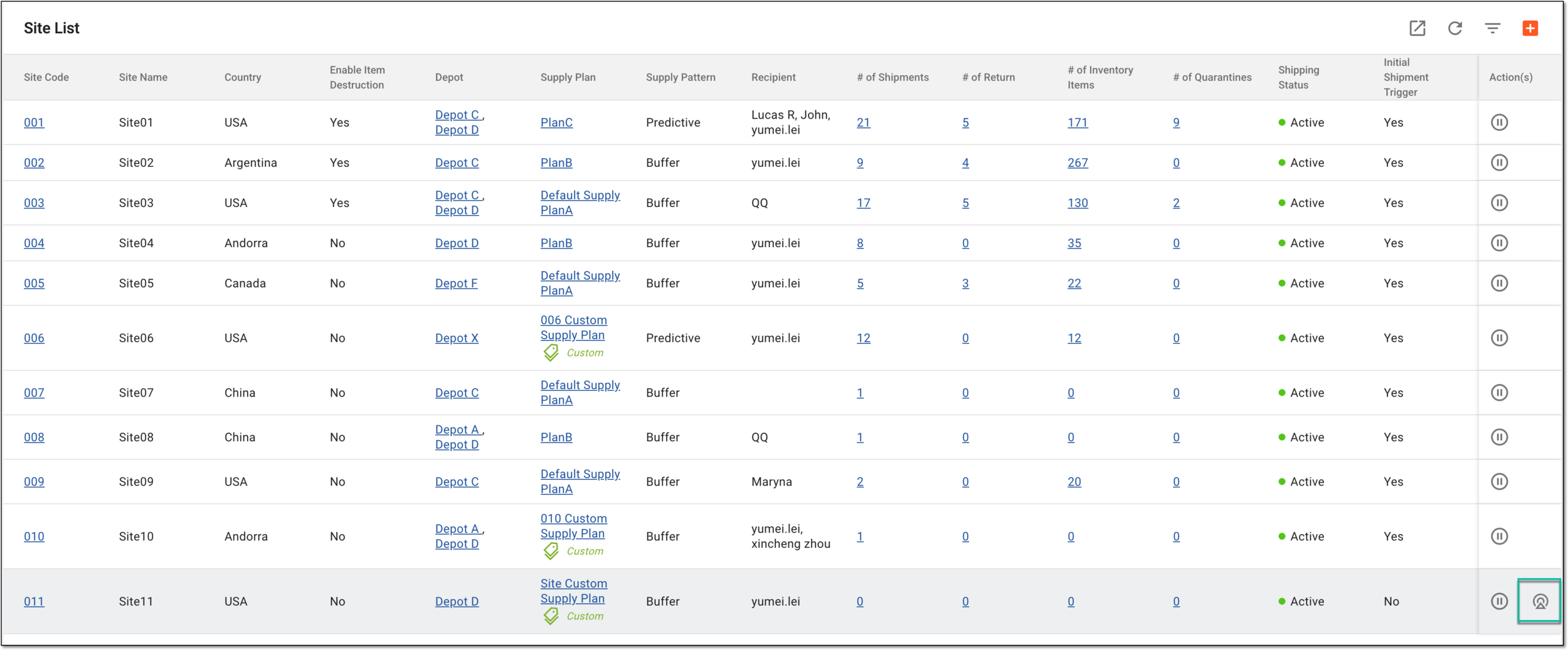 Figure 3. Creating initial shipment request for site
Tip
If any of the preconditions are not met, the system prompts you with an error message. Resolve the issue and repeat this procedure to request the initial shipment.
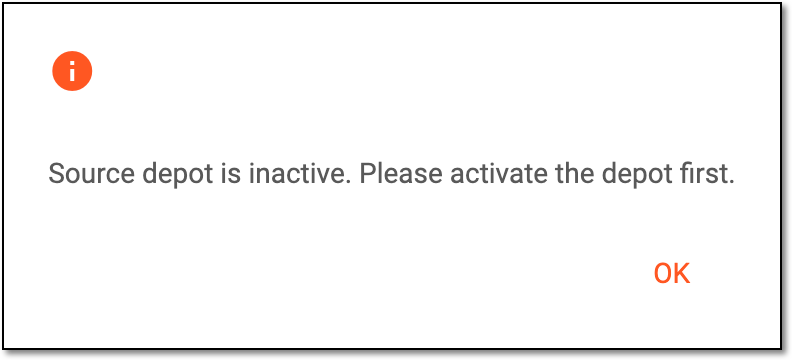 Figure 4. Initial shipment error
The initial shipment request has now been created as follows:
-
For studies with the draft shipment disabled, the request is sent out automatically to the supplier. You do not need to additionally approve it or perform any other actions. Trace your request status via the shipment list of your site.
-
For studies with the draft shipment enabled, the request is created with the Draft status and added to the shipment list of the site. You can now request the initial shipment according to this draft.