Select supply plan for site
In a clinical trial, sites are locations where the subject treatment (item dispensation) occurs. To properly maintain the item inventory and dispensation, you need to select a supply plan for a site.
In IWRS, the supply plans are configured under the TREATMENT DESIGN tab via the Supply Plan functionality. From the Supply Plan page, you can select which of the preconfigured plans you want each site to follow.
Important
The resupply shipment requests start triggering according to the selected plan only after the initial shipment request is sent manually or autotriggered based on the set conditions.
When switching between supply plans for your site, if the newly selected plan requires additional items in your inventory, the shipment request is generated automatically as a draft or sent out to the supplier skipping the draft state based on the configurations of your study.
-
In the IWRS application header, select the SITE tab.
-
On the Site List page that opens, in the table, select the site code of your interest.
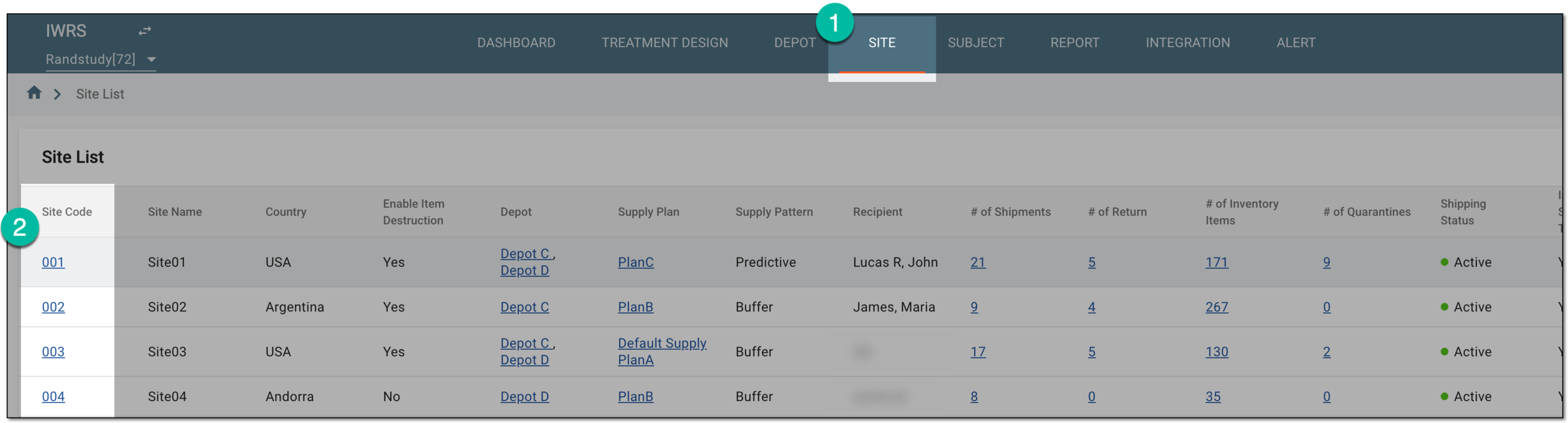 Figure 1. Selecting site to open its details
-
On the page that opens, in the left pane, select the Supply Plan subtab.
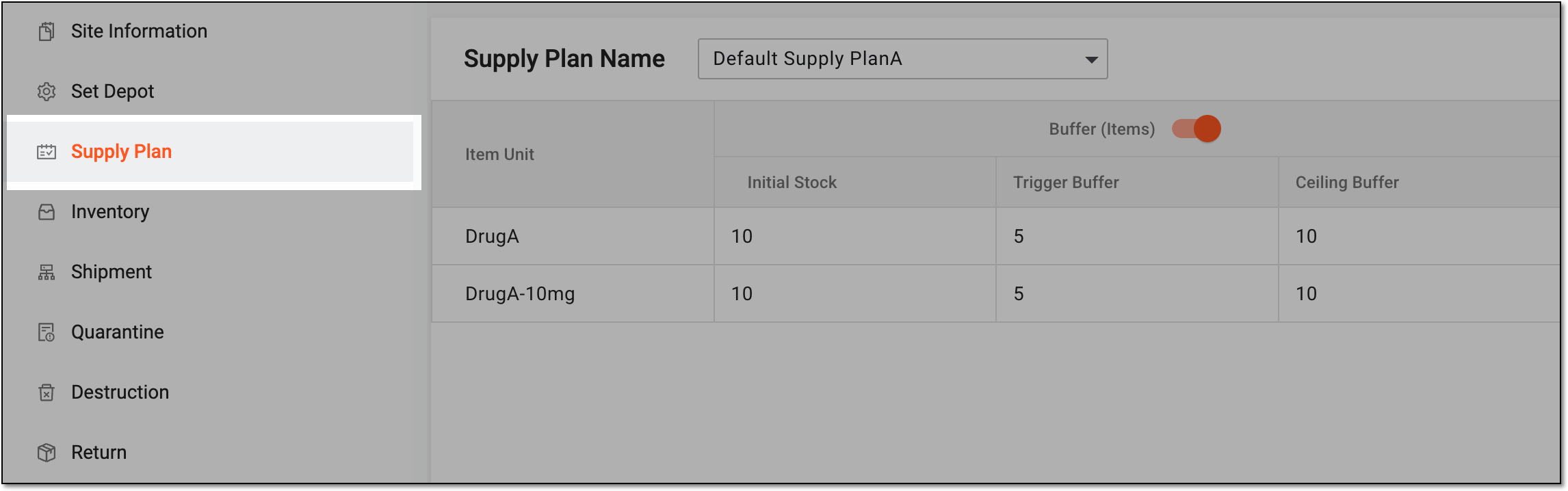 Figure 2. Accessing site supply plan
-
On the Supply Plan page that opens, from the Supply Plan Name dropdown list, select one of the preconfigured supply plans.
 Figure 3. Selecting supply plan for site
Upon selection, the new supply plan becomes effective for a site. If the basic settings of the plan are not satisfactory for your needs, you can edit a supply plan for a site.