Manage site details
In a clinical trial, sites are the locations that cover the dispensation process—providing subjects with items that are part of their treatment.
-
In the IWRS application header, select the SITE tab.
-
In the Site List table that appears, select the name of the site to access its details.
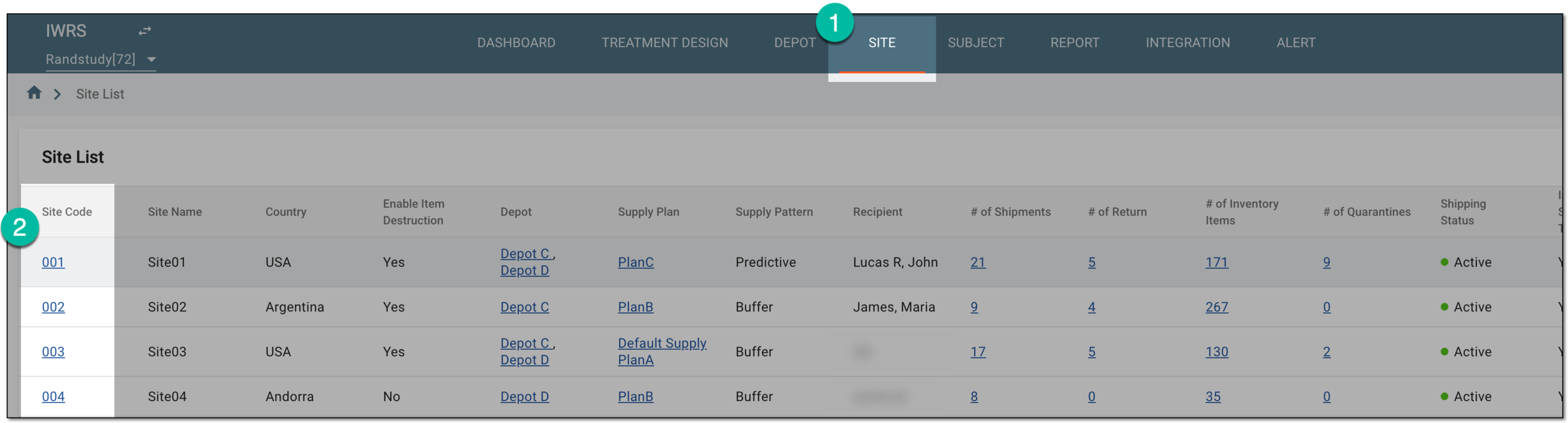 Figure 1. Selecting site to open its details
-
On the page that opens, navigate between the available site management pages explained in the following table.
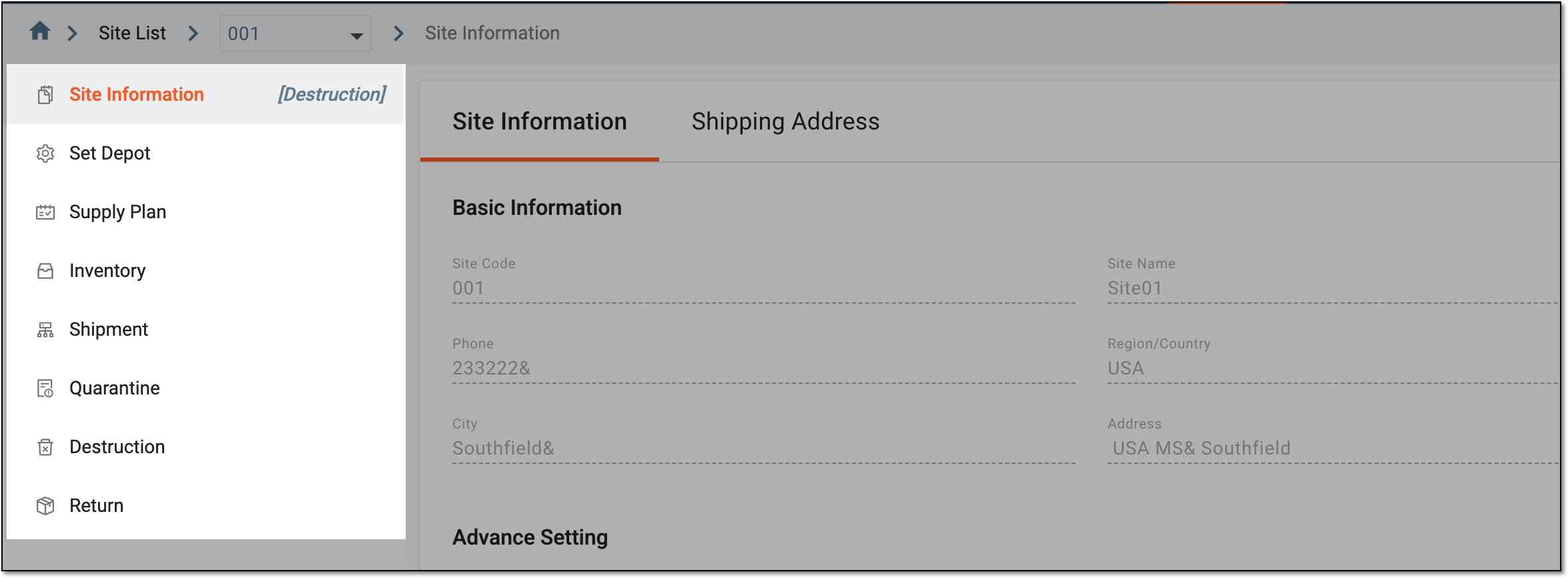 Figure 2. Site management subtabs
Page
Details
Manage basic site information and the possibility of item destruction and site-to-site shipment.
Manage the supply depots of your site and add new depots if needed.
Review and manage the supply plans configured for your site.
Review and manage inventories of your site by summary, lot, and item, as well as perform item reconciliation.
Review and manage shipments for your site.
Review and manage the items that are quarantined for some reason, for instance, if the packaging is damaged or the origin of the drug is questionable.
Destroy the items that are ready for disposal.
Return the items to the supply depot if they are compromised or extra.
You have accessed the site management functionality of IWRS.