Associate external recipient with site/depot
By maintaining the recipient list, you can create a contact sheet of people who are not necessarily eClinical system users, thus enabling external parties to become recipients of various system notifications.
Each external recipient account can be associated with different sites or depots to which they relate. This allows the system to notify interested parties of site and depot shipments and their proceedings.
-
In the IWRS application header, select the ALERT tab.
-
On the page that opens, from the left pane, select External Recipient.
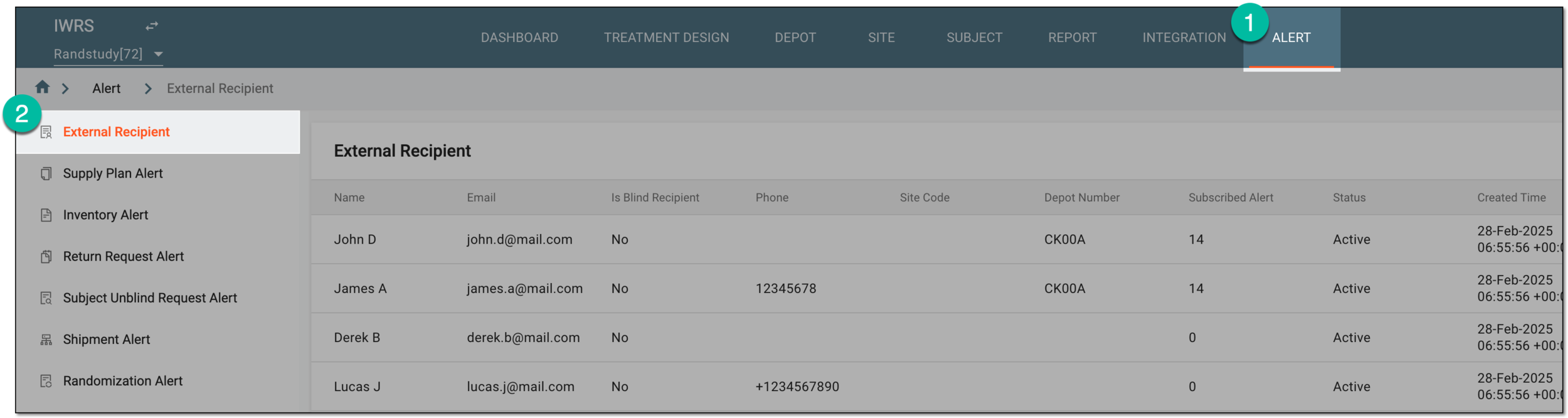 Figure 1. Accessing external recipient list
-
On the External Recipient page that opens, locate the recipient's account that you want to associate with the site or depot. Then from the Action(s) column next to it, select More
 > Associate
  .
. Figure 2. Accessing option to associate recipient account with site or depot
-
In the Associate dialog that appears, under the Site or Depot list, select the checkboxes next to those with which you want to associate the recipient's account. Then select
 .
.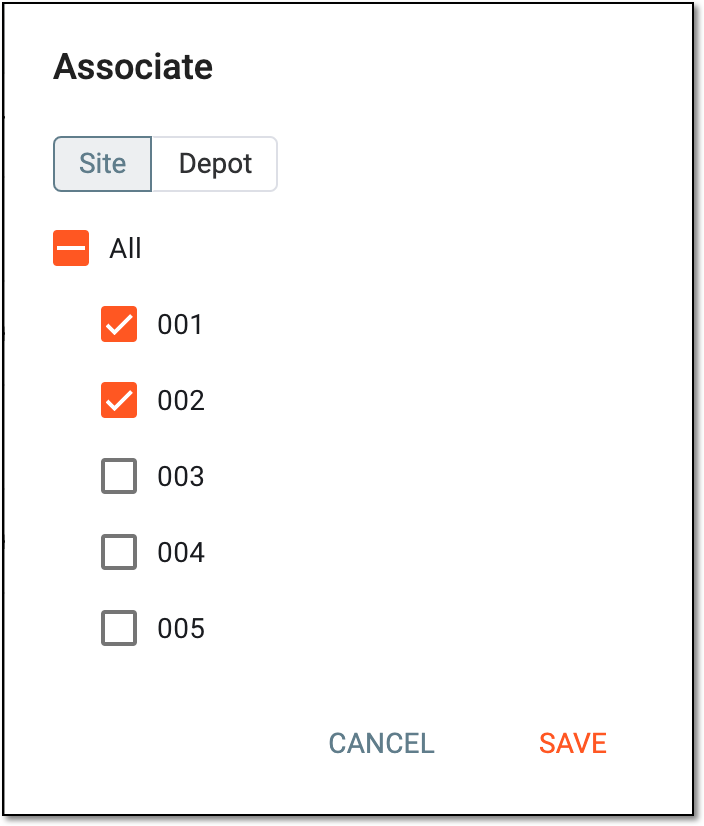 Figure 3. Associating recipient account with site or depot
Once saved, the account is associated with the selected site or depot. The recipient starts receiving shipment correspondence for their respective site or depot.