Email template
An email template is a model created in eTMF to facilitate user interaction with the system, as you can create several versatile templates and then reuse them for different occasions instead of composing new letters every time.
There are a few scenarios that benefit from utilizing an email template:
-
Workflow configuration: associate the email template with the event occurring according to the workflow, such as the approval or rejection of a file.
-
Task reminder configuration: use the email template to create a reminder to perform a certain system task.
-
Query reminder configuration: use the email template to create a reminder to resolve queries assigned to the user.
For instance, you want to send email notifications to the users when they are assigned tasks to audit a file, and for this, you need to configure multiple task alerts. Thus, you create an email template that includes text and variables pertinent to the needed scenario, and then reuse this template when configuring various task alerts for your system users instead of adding email contents from scratch every time.
The email templates can be of the following two types:
-
Task Reminder: this type of email templates are used to notify about the file-related tasks such as auditing a file, uploading the file from document warehouse to desired location, and so on.
-
Query Reminder: this type of email templates are used to notify about the query.
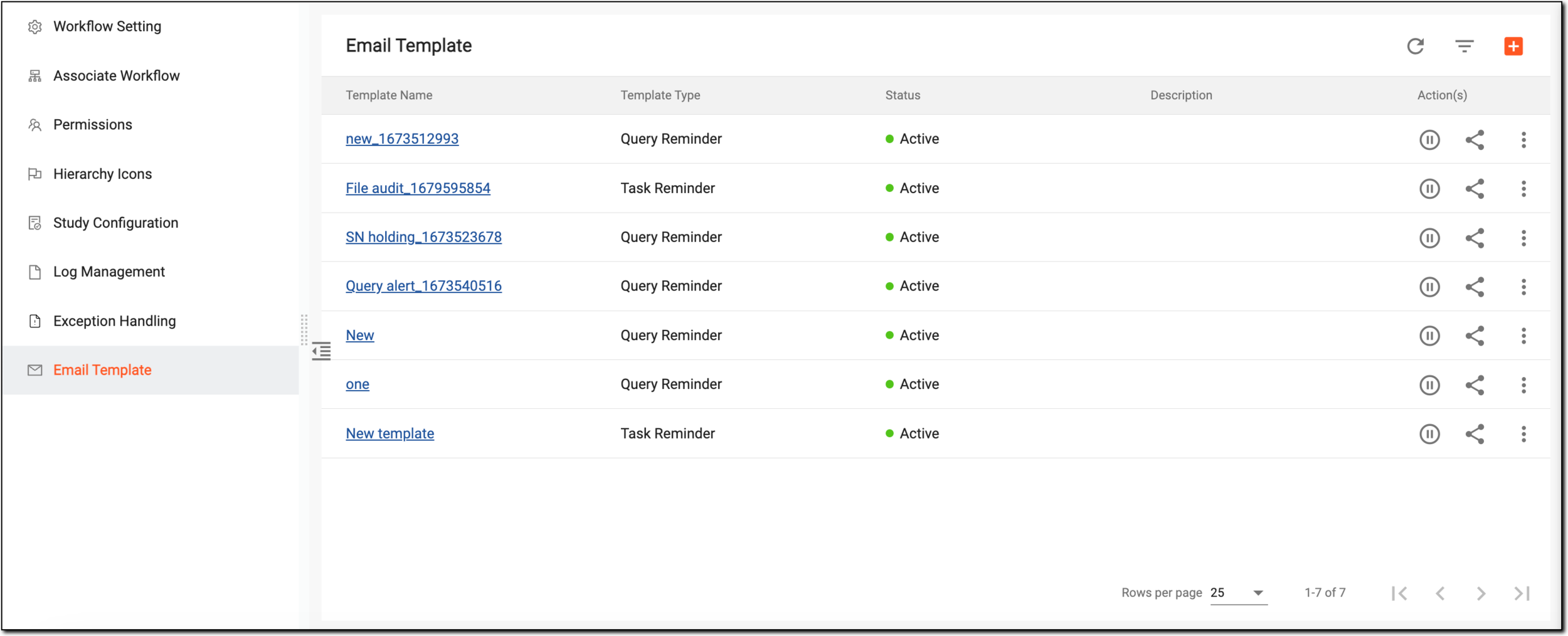
The Email Template table represents the lists of all the email templates created in the system and their details as explained in the following table.
|
Column |
Details |
|---|---|
|
Template Name |
Represents the name of an email model. By selecting the hyperlink, you can edit the email template on the page that appears. |
|
Template Type |
Represents either of the following categories of the email model:
|
|
Status |
Represents whether the email model is active or inactive. |
|
Description |
Represents brief information of the email model. |