Delete email template
In eTMF, you can delete an email template that is no longer in use and is not required. Once deleted, the email template is removed from the list of templates and cannot be used to send any emails.
Important
An email template cannot be deleted if it is used in workflow, task, or query configurations. To find out where exactly in the system the template is used, you can check email template reference details.
-
In the eTMF application header, select the ADMIN tab.
-
On the page that opens, in the left pane, select Email Template.
-
From the Email Template table that appears, next to the needed email template, under the Action(s) column, select More
 > Delete
  .
.Important
If the email template is used by a workflow, task, or query, the delete option
cannot be selected.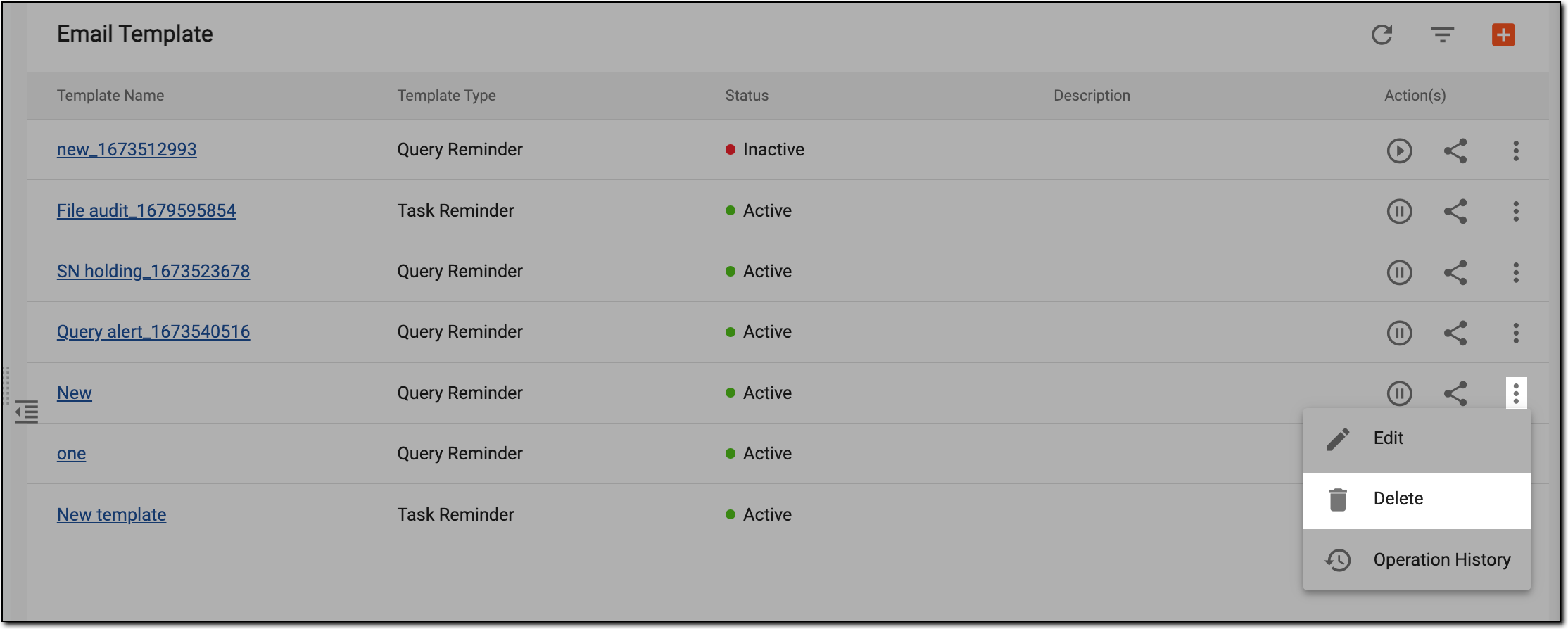 Figure 1. Deleting email template
-
In the Reason dialog that appears, enter the reason for deleting the email template.
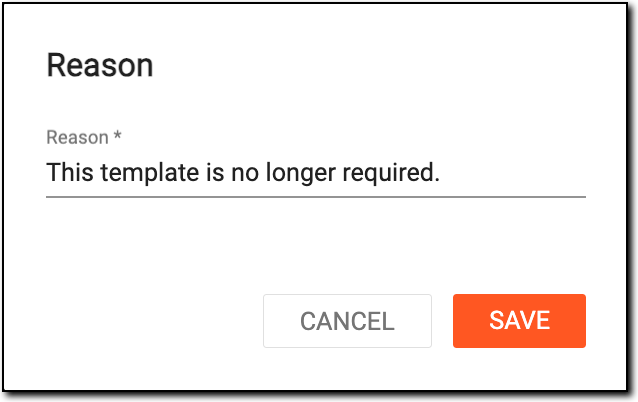 Figure 2. Adding reason to delete email template
-
Select
 to save your changes.
Upon saving, the email template is deleted from the eClinical system.