Check email template reference details
An email template is a model created in eTMF to facilitate user interaction with the system, as you can create several versatile templates and then reuse them for different occasions instead of composing new letters every time.
In eTMF, you can view the list of all the exact locations of where a particular email template is used. This may be required if you want to edit, activate/inactivate, or delete the email template but want to have an analysis of its current use to avoid messing up the existing emails and resulting in any issues.
-
In the eTMF application header, select the ADMIN tab.
-
On the page that opens, in the left pane, select Email Template.
-
From the Email Template table, next to the needed one, under the Action(s) column, select Reference Item
 .
.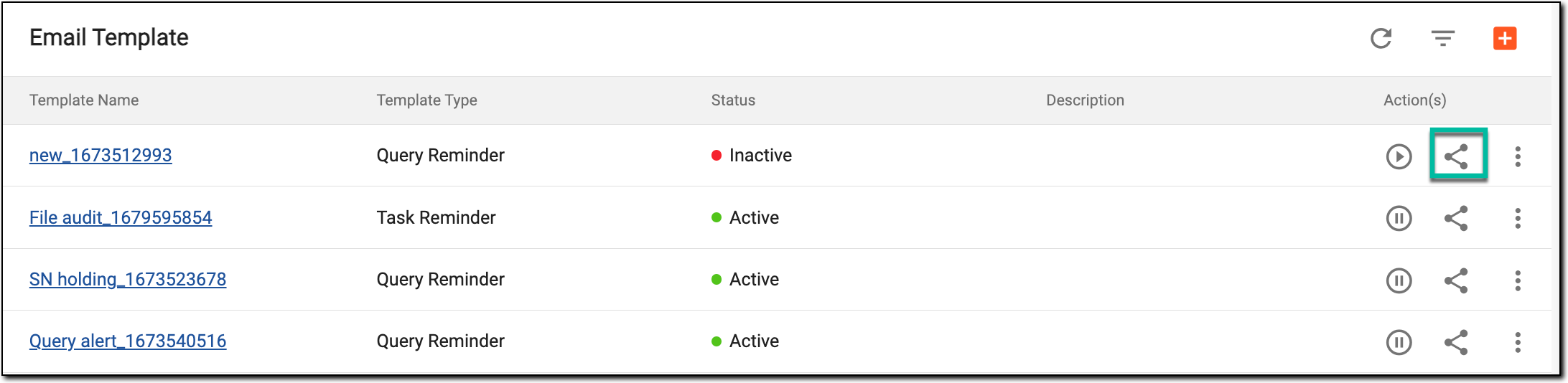 Figure 1. Accessing email template reference details
-
In the Reference Item(s) dialog that appears, view the details as explained in the following table.
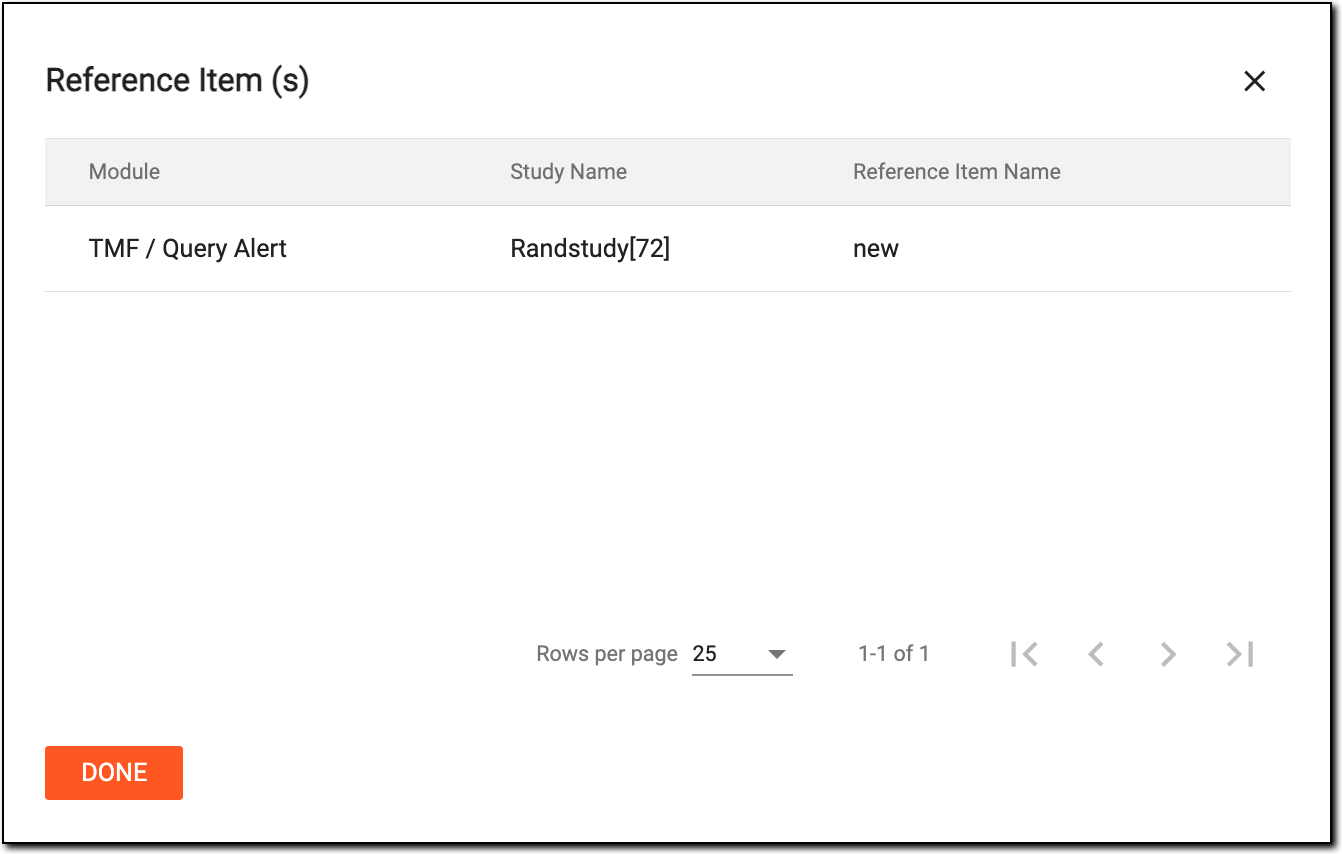 Figure 2. Viewing email template reference details
Element
Details
Module
Represents the exact path to the system instance—alert, workflow, or else—in which the email template is being used.
Study Name
Represents the name of the study in which the email template is being used.
Reference Item Name
Represents the name of the email template.
Once the reference details are checked, select  to return back to the Email Template page.