Upgrade/Roll back subject dispensing plan version
In IWRS, the subject dispensing plan configurations—namely the dispensing visit and window—are version-bound to help with tracking the change history and satisfying the needs of multisite studies, where different sites and even subjects can adhere to their own dispensing plans. Such versioning helps you keep track of changes in these configurations applied to all or specific sites or subjects.
Thus, when a new dispensing settings version is added, you can upgrade each subject to this version individually. However, if you made a mistake and upgraded the version for the wrong subject or, for instance, prematurely, then you can roll back the dispensing plan to the previous version.
Tip
You can also upgrade the sites and subjects to the needed dispensing plan version in bulk.
-
In the IWRS application header, select the SUBJECT tab.
-
From Subject List that opens, select the needed site and subject.
 Figure 1. Selecting site and subject
-
In the left pane of the page that opens, select the Subject Scheduled Dispensing Plan tab.
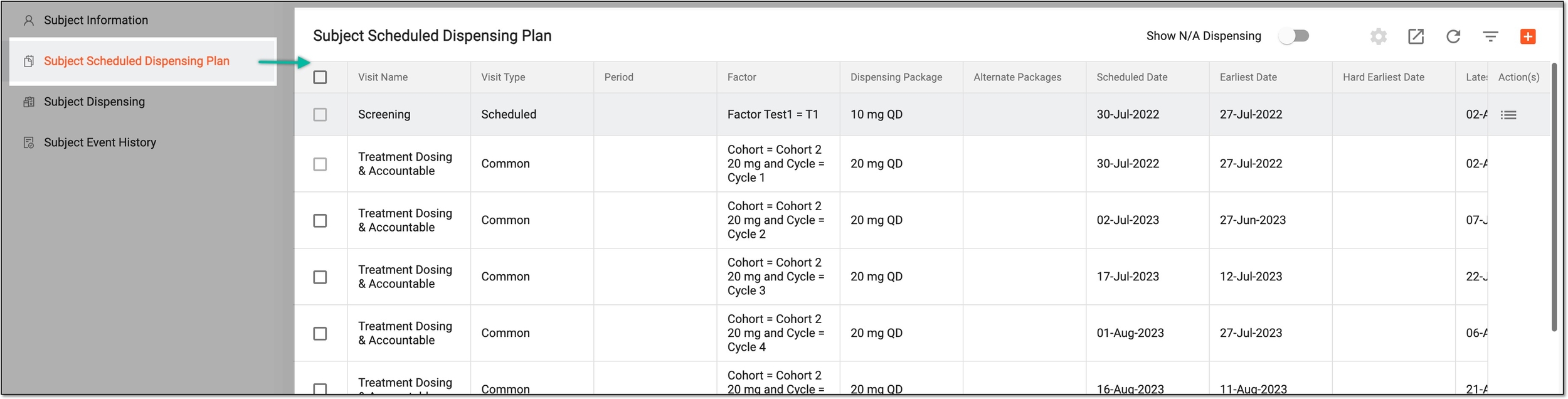 Figure 2. Accessing subject scheduled dispensing plan
-
On the Subject Scheduled Dispensing Plan page, based on your desired action, do the following.
-
From the workspace toolbar, select More
 > Upgrade
  .
. Figure 3. Accessing version upgrade for subject dispensing plan
-
In the Upgrade dialog that appears, select the dispensing plan version to which you want to upgrade your subject. Then select
 .
.Important
Only the active dispensing plan versions are available for selection. If you cannot find the needed one, check if the version is activated under the Treatment Design > Visit Dispensing and Window functionality.
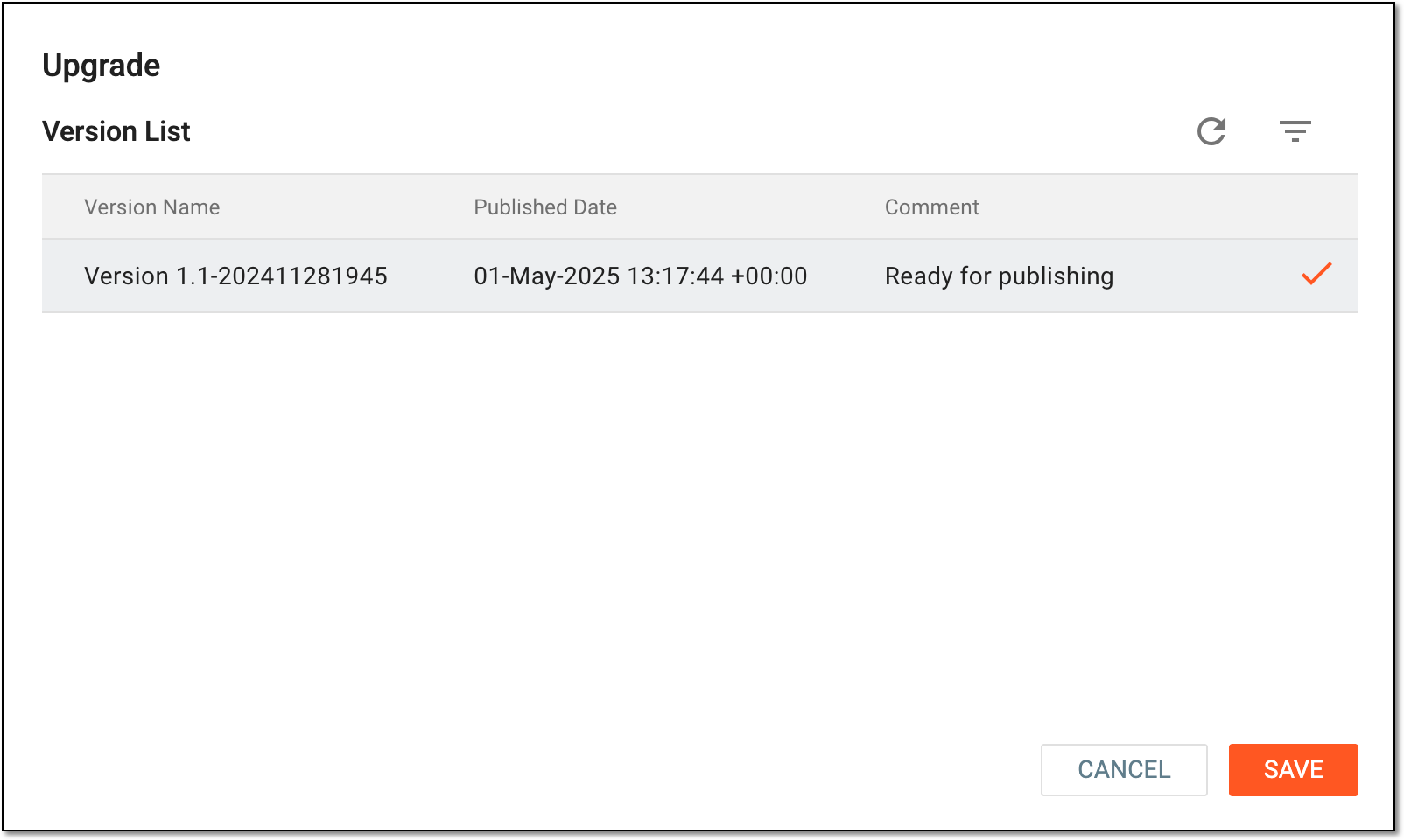 Figure 4. Upgrading version for subject dispensing plan
Important
You can only roll back the version of the dispensing plan for which no items were yet dispensed to the subject. If any dispensation occurred, you need to undo item dispensation and then roll back the plan version.
-
From the workspace toolbar, select More
> History  .
. Figure 5. Accessing upgrade history for subject dispensing plan
-
In the Upgrade History dialog that appears, select
 .
.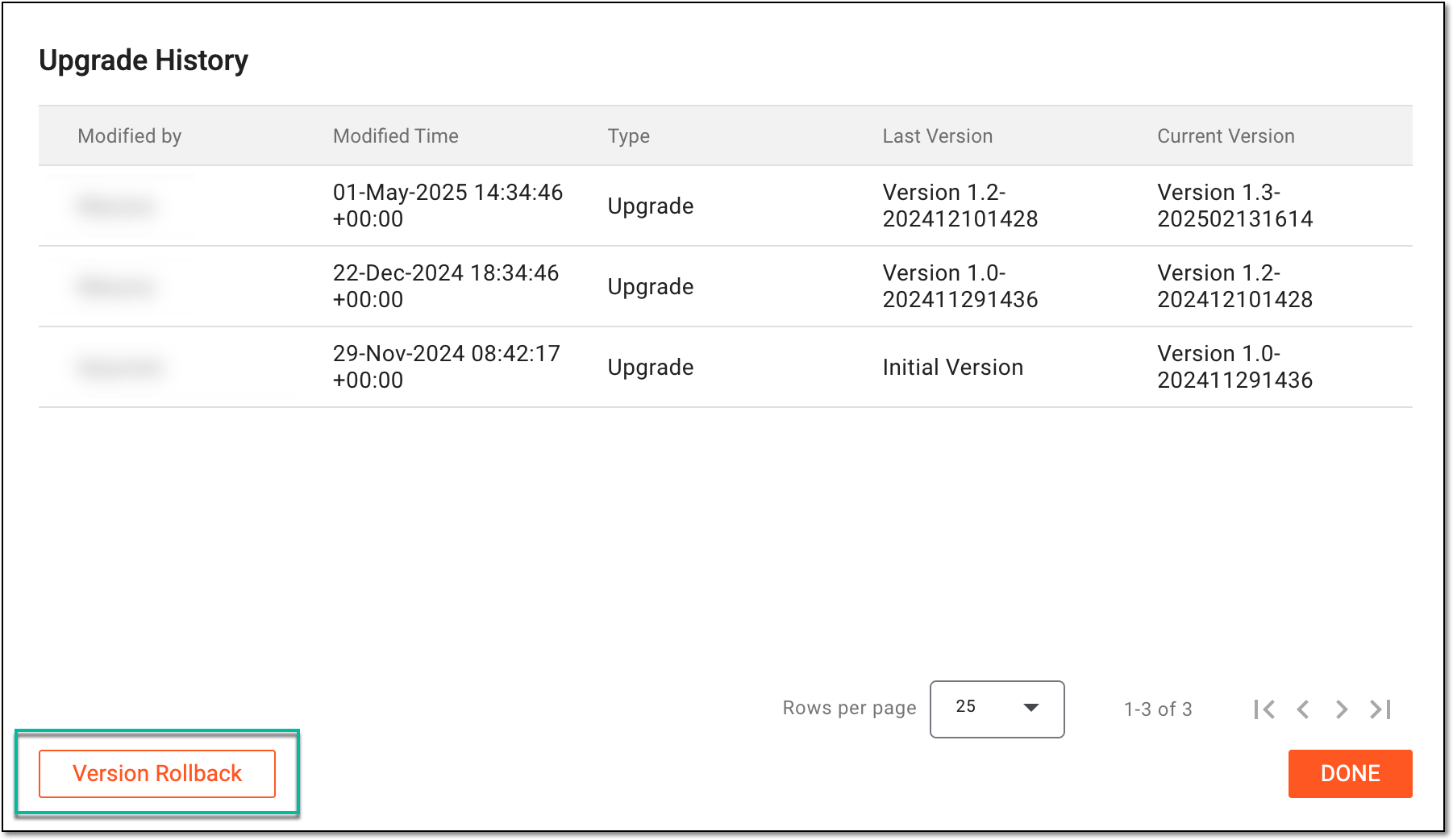 Figure 6. Selecting option to roll back version for subject dispensing plan
-
In the Rollback dialog that appears, select
 to proceed with your action.
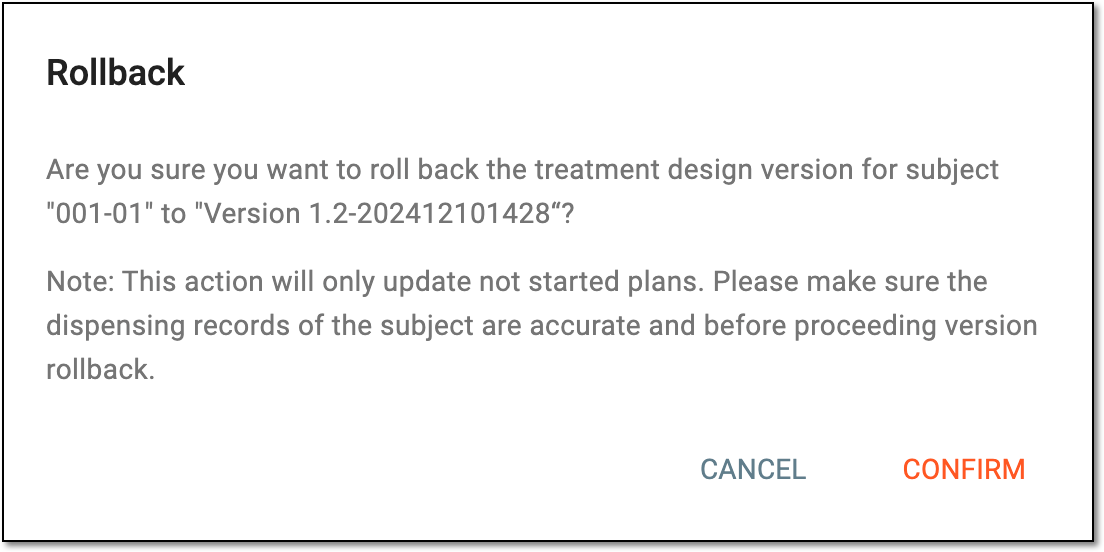 Figure 7. Confirming to roll back version for subject dispensing plan
-
Once done, the subject's dispensing plan is upgraded to the selected or rolled back to its previous version.