Undo item dispensation
In IWRS, you can manage the process of drug dispensation to subjects. Once a drug has been dispensed in the system, this means a subject has received it during a corresponding visit. However, there may be scenarios when a drug has been dispensed to the subject by mistake. In such a case, you can undo the dispensation to cancel the drug distribution to the subject.
Important
If the record about drug dispensation has already been synced to EDC, after you undo the dispensation, the system automatically removes this data from the corresponding CRFs in the EDC application.
-
In the IWRS application header, select the SUBJECT tab.
-
From Subject List that opens, select the needed site and subject.
 Figure 1. Selecting site and subject
-
In the left pane of the page that opens, select the Subject Dispensing tab.
-
In the Subject Dispensing table that appears, select More
 >
Undo Dispensation
>
Undo Dispensation  .
.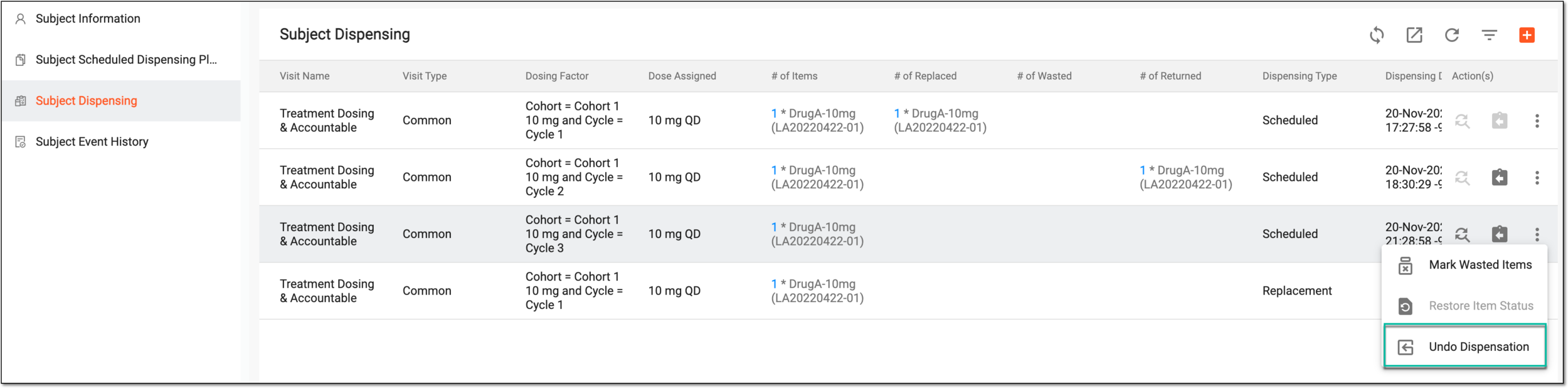 Figure 2. Selecting to undo dispensation
Important
The Undo Dispensation option is disabled if the item has already been returned.
-
In the Undo Dispensation dialog that appears, provide the details for undoing dispensation as explained in the following table.
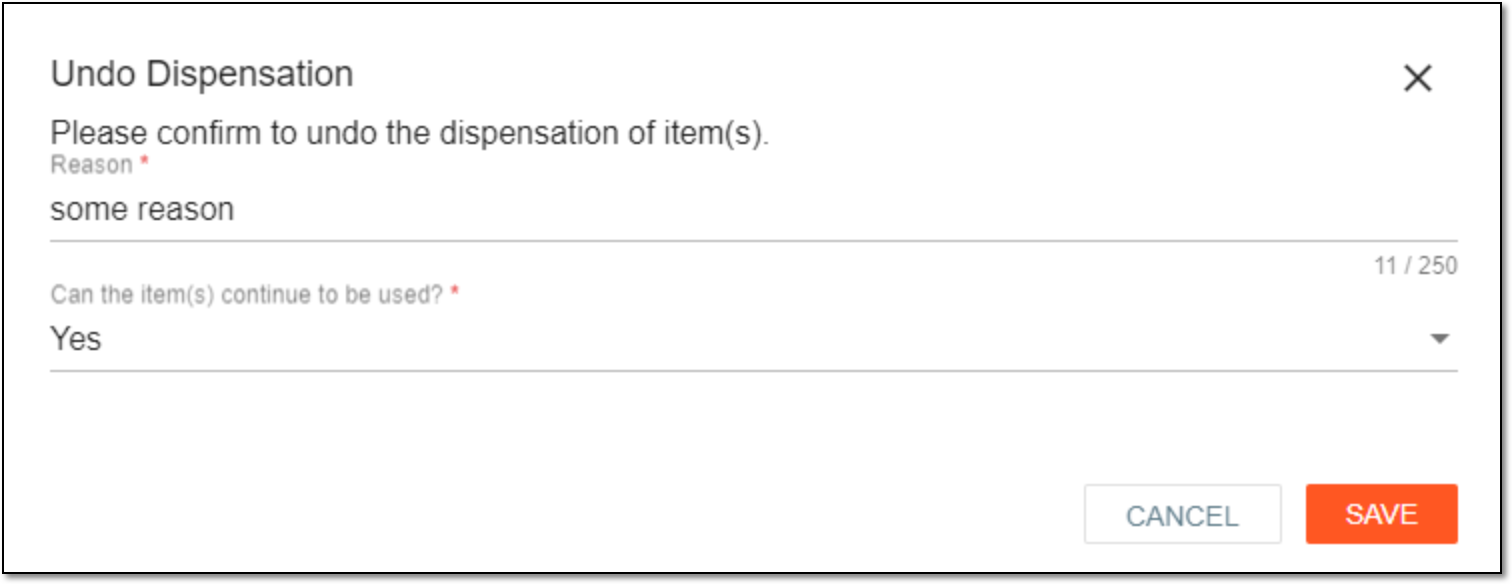 Figure 3. Undoing dispensation
Tip
In the following table, mandatory elements are marked with an asterisk (*).
Element
Details
Reason*
Enter a reason for undoing drug dispensation.
Can the item(s) continue to be used*
Select Yes if you want the drug to become available again in the site inventory after the dispensation is undone. In this case, the drug can be dispensed again to another subject.
Select No to make the drug quarantined at the corresponding site after the dispensation is undone. In this case, the drug can be dispensed to other site subjects only after it is removed from the quarantine.
SAVE
Select
 to save your changes and undo dispensation.
CANCEL
Select
 to dismiss your changes without saving.
Once saved, the drug dispensation is undone.