Waste dispensed item
In a course of a clinical trial, there can be scenarios when medication meant for dispensation needs to be wasted. If a drug is discontinued before the full course of treatment is completed, any remaining doses of the drug can be considered as wasted. If a drug is not stored properly or is mishandled in some other way, such as being contaminated or damaged, then it may become unusable and considered wasted.
Important
This section explains the process of how to waste items with the Hide Item Number (H.I.N.) permission granted. If you are not granted the H.I.N. permission, then the process of wasting items is different.
-
In the IWRS application header, select the SUBJECT tab.
-
From Subject List that opens, select the needed site and subject.
 Figure 1. Selecting site and subject
-
In the left pane of the page that opens, select the Subject Dispensing tab.
-
In the Subject Dispensing table that appears, select More
 >
Mark Wasted Items
>
Mark Wasted Items  .
.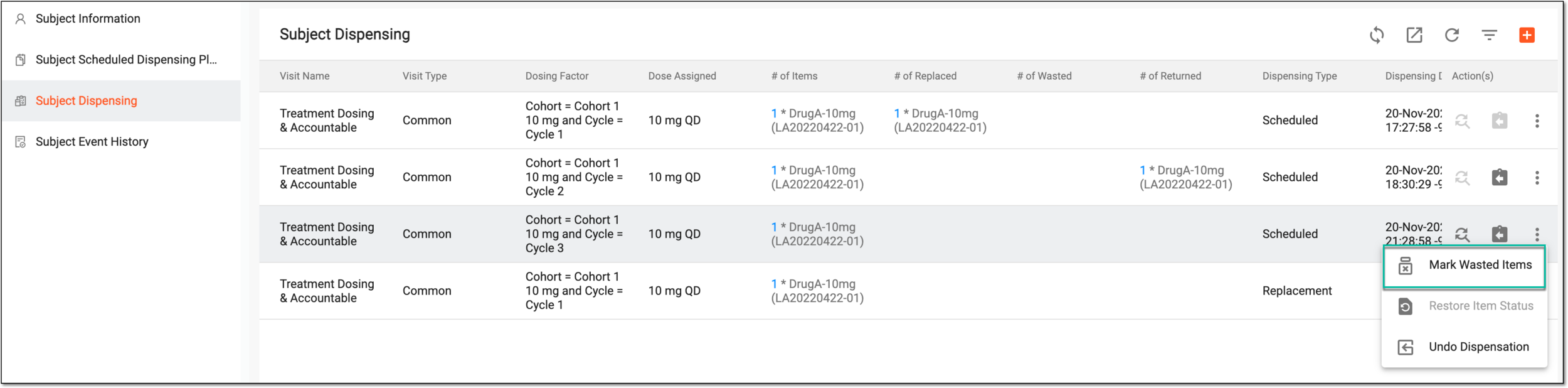 Figure 2. Accessing item wasting
-
In the Mark Wasted Items dialog that appears, provide the details for wasting items as explained in the following table.
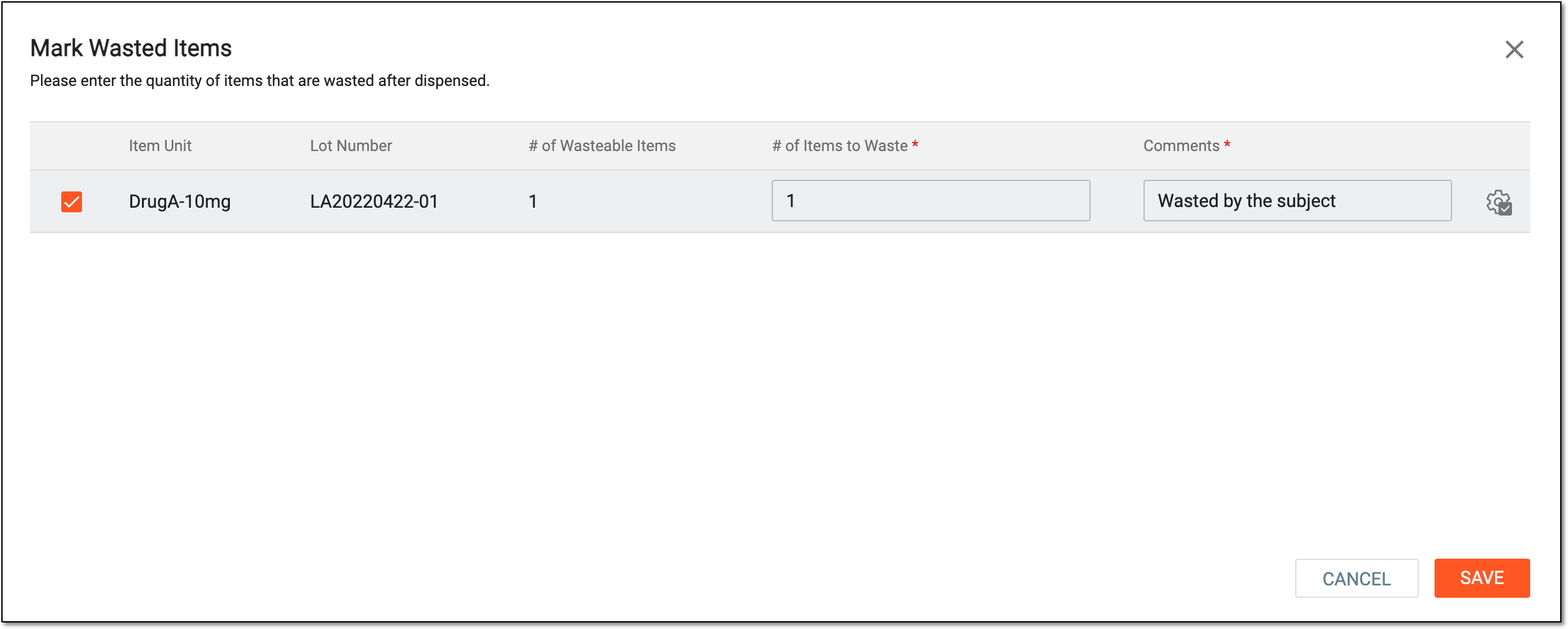 Figure 3. Marking item as wasted
Tip
In the following table, mandatory elements are marked with an asterisk (*).
Element
Details
Item Unit
This field is disabled and it represents the name of the item (for instance, Aspirin 5mg, Aspirin 10mg, and so on).
Lot Number
This field is disabled and it represents the identifier of the lot to which the particular item belongs.
# of Wasteable Items*
This field is disabled and it represents the total number of items available to be wasted.
# of Items to Waste*
Enter the number of items that you want to mark as wasted. This number cannot be greater than the number of available items.
Comments*
Enter a reason for marking items as wasted.
Apply to All
Select Apply to All
 to apply the limit to all values. Then in the confirmation dialog that appears, select
 to save changes.
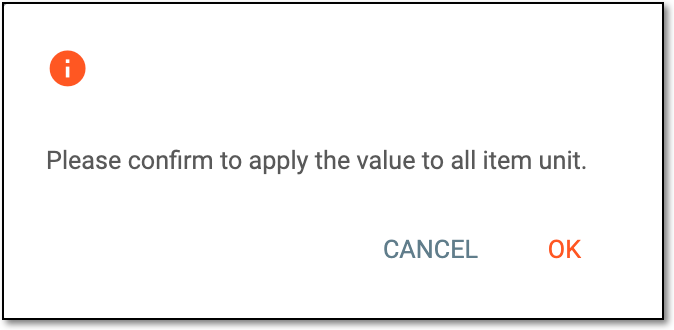 Figure 4. Selecting OK
SAVE
Select
 to apply your changes and mark items as wasted.
CANCEL
Select
 to dismiss your changes without saving.
Once saved, the item is marked as wasted.