Update dispensing plans for different visits
A dispensing plan outlines how the medication is to be given to subjects, including the quantity and timing of each dose. A dispensing package represents a unique package of medication assigned to a specific subject according to the specific visit in the dispensing plan. This package may contain only a single dose of medication.
This section explains how you can set dispensing plan details and assign dispensing packages to visits—individually or in bulk for efficiency.
-
In the IWRS application header, select the SUBJECT tab.
-
From Subject List that opens, select the needed site and subject.
 Figure 1. Selecting site and subject
-
In the left pane of the page that opens, select the Subject Scheduled Dispensing Plan tab.
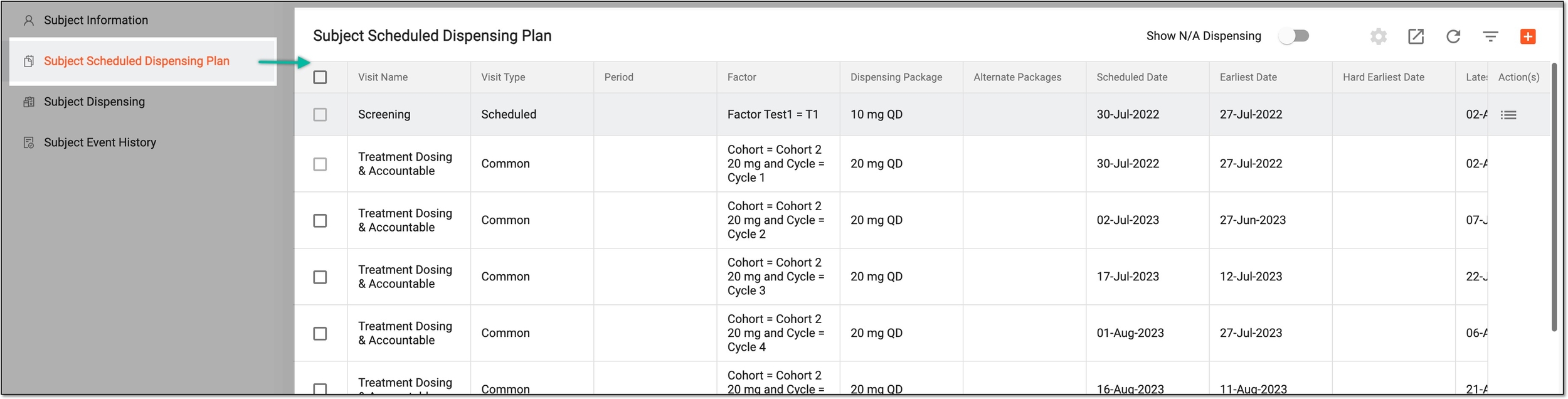 Figure 2. Accessing subject scheduled dispensing plan
-
Optionally, turn on or off the Show N/A Dispensing toggle to show or hide the dispensing plans that are currently not applicable for the subject based on their treatment group (cohort).
Reviewing the dispensation plans that are not applicable for the subject according to their current treatment becomes helpful in assessing the possibility of changing their dispensing plan with potential dosage decrease or increase, drug intake schedule change, and other adjustments.
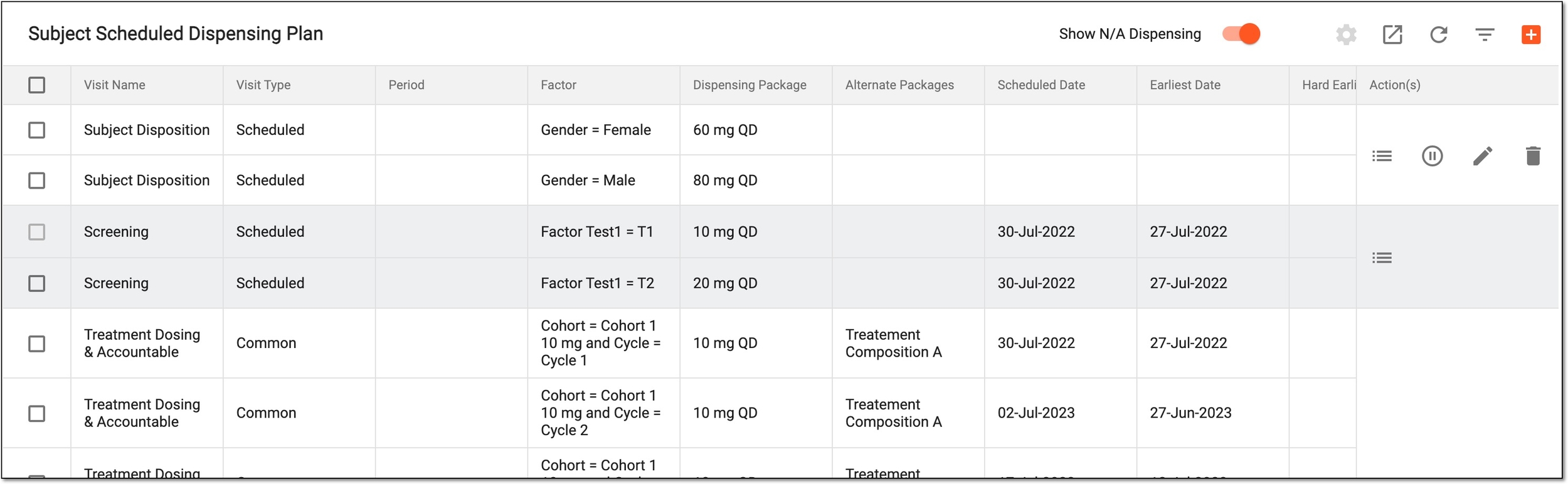 Figure 3. Showing dispensing plans not applicable for subject
-
In the Subject Scheduled Dispensing Plan table, update the dispensing plan in one of the following ways.
-
Select checkboxes next to visits for which you want to set up a dispensing plan. Then, from the workspace toolbar, select Set Dispensing Plan
 .
.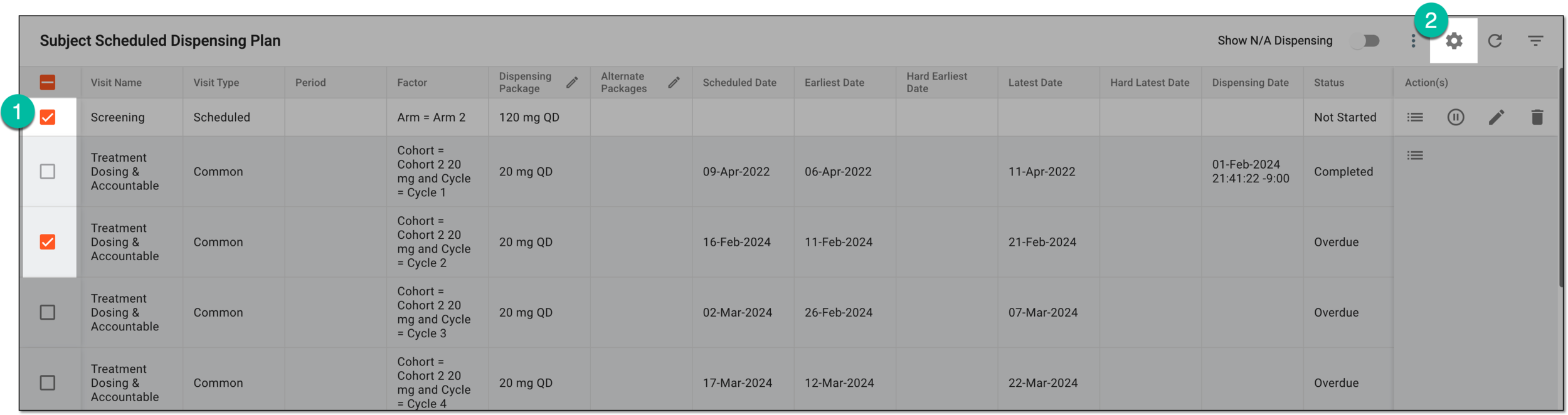 Figure 4. Selecting visits to set up
Important
You cannot select visits with the Completed status.
-
In the Dispensing Package and Alternative Packages columns, update the dispensing plan as explained in the following table.
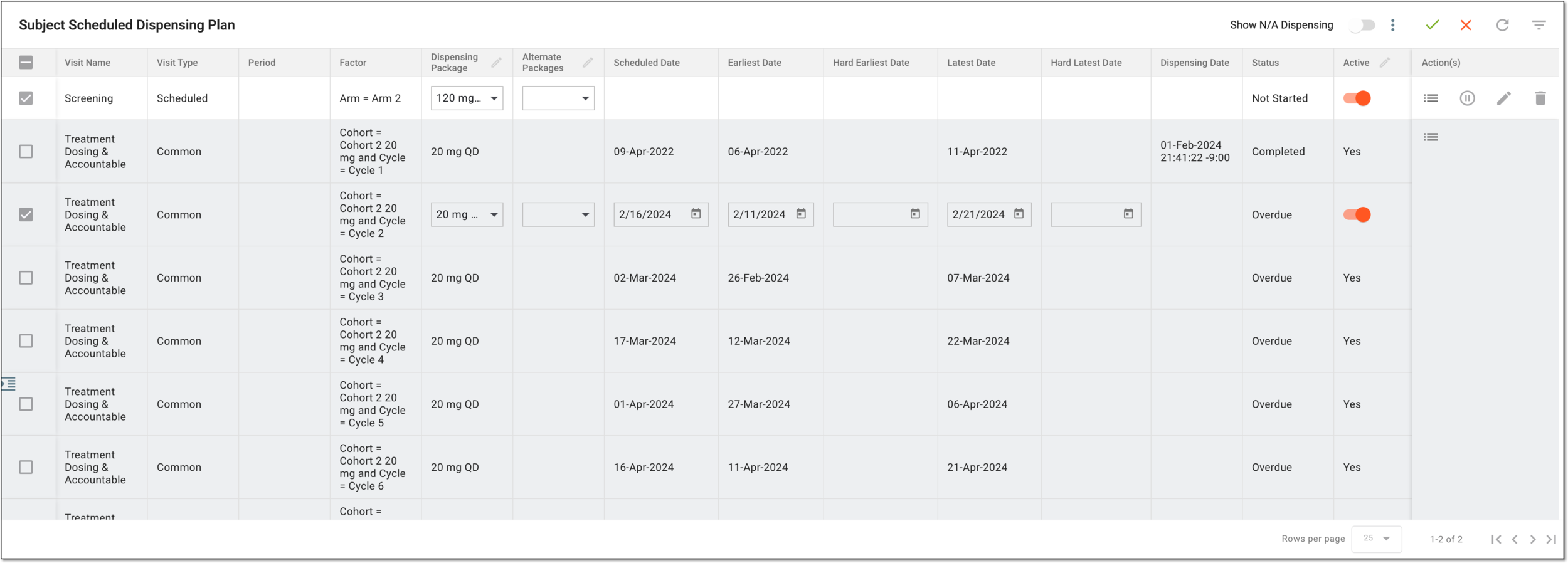 Figure 5. Setting up dispensing packages
Column
Details
Visit Name
Represents the name of the subject's visit during which the drugs need to be dispensed as defined in the EDC application. The visit name is the same for all the subjects in the study.
Visit Type
Represents the visit type defined for the subject's visit for a specific study in the EDC application.
Period
Represents the period defined for the subject's visit for a specific study.
Factor
Represents dispensing package's determining factors that have been configured for subjects.
Dispensing Package
Select the dispensing package you want to be administered to the subject according to the dispensing plan.
Only the dispensing packages associated to the currently effective
                                              visit setting version are available for selection here.
Alternative Packages
Select the dispensing packages that can be used as an alternative to the main dispensing package in a case of need.
Scheduled Date
Represents the date when the dispensation is scheduled to occur according to the scheduled date of the dispensing window configuration.
For visits with the Overdue status, you can change this date to adjust the visit schedule.Earliest Date
Represents the earliest date when the dispensation may occur according to the earliest date of the dispensing window configuration.
For visits with the Overdue status, you can change this date to adjust the visit schedule.Hard Earliest Date
Represents the earliest hard date when the dispensation may occur according to the hard earliest date of the dispensing window configuration.
For visits with the Overdue status, you can change this date to adjust the visit schedule.Latest Date
Represents the latest date when the dispensation may occur according to the latest date of the dispensing window configuration.
For visits with the Overdue status, you can change this date to adjust the visit schedule.Hard Latest Date
Represents the latest hard date when the dispensation may occur according to the hard latest date of the dispensing window configuration.
For visits with the Overdue status, you can change this date to adjust the visit schedule.Dispensing Date
Represents the date and time according to the timezone of the site in which the dispensing has occurred.
Status
Represents the status of the dispensing plan, which can be any of the following:
-
Not Started: the dispensing plan is not implemented on the subject yet so you can change the dispensing package of such dispensing plans.
The current date is before the earliest dispensing date.
-
Ongoing: the dispensing plan is currently in progress.
The current date is between the earliest dispensing date and the latest dispensing date.
-
Overdue: the dispensing plan has not been completed before or at the latest dispensing date.
The current date is after the latest dispensing date.
-
Completed: the dispensing plan is implemented on the subject and you can no longer change the dispensing package of these plans.
Active
Change the dispensing plan activation state:
-
Turn on the toggle to activate the dispensing visit. Only active visits can be used to provide subjects with their treatments and record dispensations in IWRS.
-
Turn off the toggle to deactivate the dispensing visit. You cannot use inactive visits for dispensation.
Save
From the workspace toolbar, select
 to implement the changes.
Cancel
From the workspace toolbar, select
 to discard the changes without saving, exit editing mode, and return to the dispensing plan table.
 -
-
Select checkboxes next to visits for which you want to set up a dispensing plan.
 Figure 6. Selecting visits to edit in bulk
Important
You cannot select visits with the Completed status.
-
From the table columns of your interest, select Bulk Edit
 as explained in the following table.
Column
Details
Dispensing Package
Set the same dispensing package for all the selected visits at once. For this, in the Bulk Edit dialog, select the dispensing package. Then select SAVE to implement the changes.
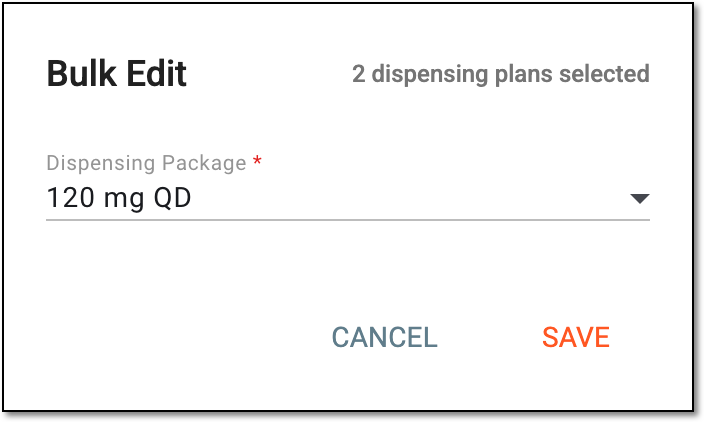 Figure 7. Selecting dispensing package for visits in bulk
Alternate Packages
Set the same alternative dispensing packages—that will be used in case the main one is unavailable—for all the selected visits at once. For this, in the Bulk Edit dialog, select the alternate dispensing packages. Then select SAVE to implement the changes.
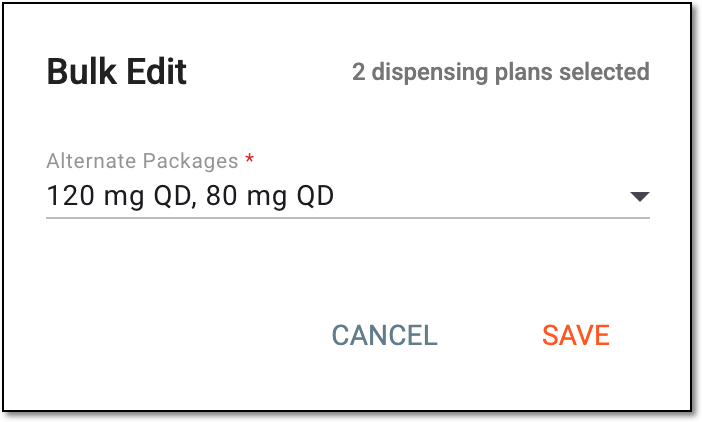 Figure 8. Selecting alternate dispensing package for visits in bulk
Active
Using this editing option, you can set the same activation status for all the selected visits at once. For this, in the Bulk Edit dialog, select one of the following options:
-
Active: to activate the selected dispensing visits. Only active visits can be used to provide subjects with their treatments and record dispensations in IWRS.
-
Inactive: to deactivate the selected dispensing visits. You cannot use inactive visits for dispensation.
Then select SAVE to implement the changes.
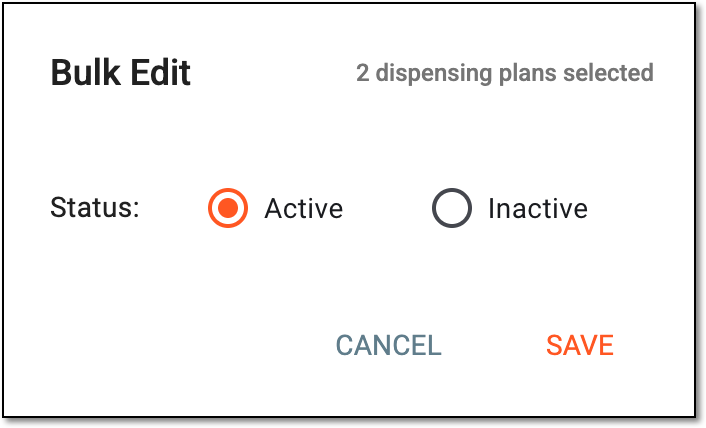 Figure 9. Setting activation status for visits in bulk
-
-
Once saved, the dispensing plan is updated for the selected visits.